Pers form 5 2026

Get Form
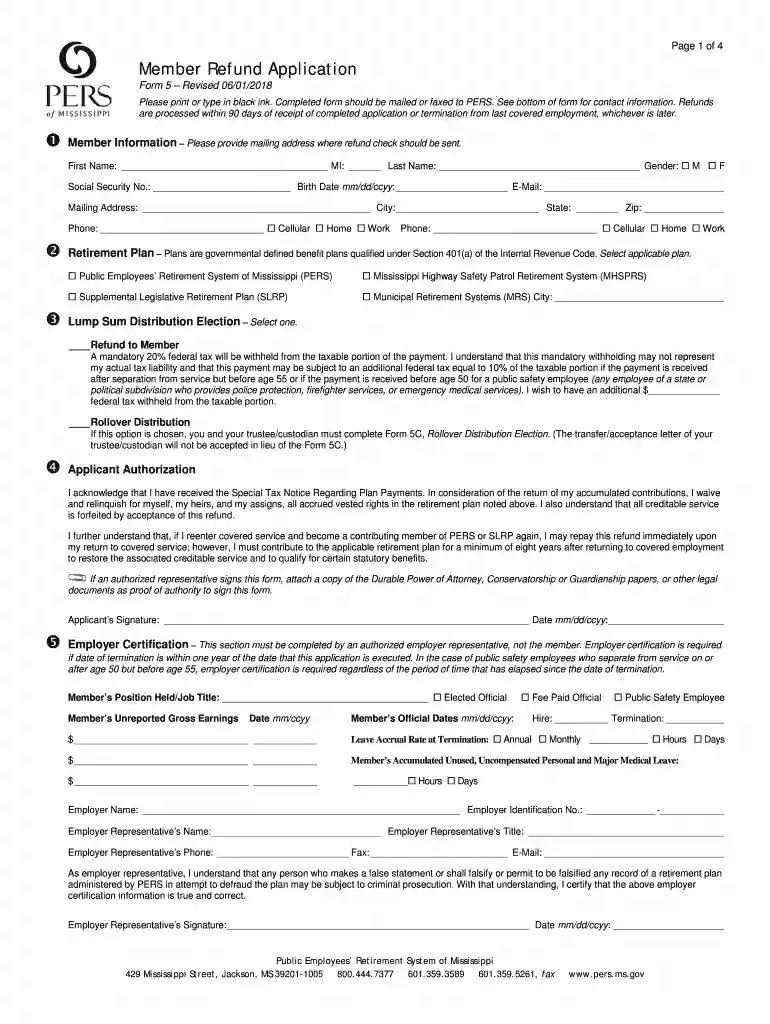
pers refund form Preview on Page 1

Here's how it works

01. Edit your pers refund form online
Type text, add images, blackout confidential details, add comments, highlights and more.

02. Sign it in a few clicks
Draw your signature, type it, upload its image, or use your mobile device as a signature pad.

03. Share your form with others
Send pers form 5 via email, link, or fax. You can also download it, export it or print it out.

How to use or fill out pers form 5 with our platform

Form edit decoration
9.5
Ease of Setup
DocHub User Ratings on G2
9.0
Ease of Use
DocHub User Ratings on G2
  1. Click ‘Get Form’ to open it in the editor.
  2. Begin with the Member Information section. Fill in your first name, middle initial, last name, gender, social security number, birth date, email address, and mailing address where the refund check should be sent.
  3. In the Retirement Plan section, select the applicable plan by checking the appropriate box.
  4. For Lump Sum Distribution Election, choose either 'Refund to Member' or 'Rollover Distribution'. If opting for a rollover, ensure you complete Form 5C as required.
  5. Complete the Applicant Authorization section by signing and dating the form. Ensure you understand the implications of waiving your rights.
  6. The Employer Certification section must be filled out by an authorized employer representative. Ensure all details are accurate before submission.

Start using our platform today to fill out your pers form 5 easily and for free!

See more pers form 5 versions

We've got more versions of the pers form 5 form. Select the right pers form 5 version from the list and start editing it straight away!
Versions Form popularity Fillable & printable
2018 4.8 Satisfied (173 Votes)
2016 4.4 Satisfied (51 Votes)
be ready to get more

Complete this form in 5 minutes or less

Get form

Got questions?

We have answers to the most popular questions from our customers. If you can't find an answer to your question, please contact us.
Contact us
If you do leave CalPERS employment, the following two options are available to you: Take a lump-sum refund or rollover. This option includes a refund of your member contributions plus interest, but not any employer contributions made on your behalf.
You can refund your member contributions and interest if: Youve permanently separated from all CalPERS-covered employment. Your separation date must have been reported to us by your employer before we can begin to process your refund request. Youre not entering employment with a CalPERS-covered employer.
Regardless of the reason you separate, when you permanently leave CalPERS-covered employment you have options regarding the contributions in your account. Take a lump-sum refund or rollover. Leave the contributions and interest in your account.
An employee is automatically a member of PERS unless the employee elects ORP within 30 days of initial employment in an ORP- eligible position. Once made, the decision is irrevocable even if there is a break in service or the employee is hired in an ORP-eligible position at another Institution of Higher Learning.