




Here's how it works



How to use or fill out ENROLLMENT CHANGE FORM - CA DUAL CHOICE with our platform

- Click ‘Get Form’ to open the ENROLLMENT CHANGE FORM - CA DUAL CHOICE in the editor.
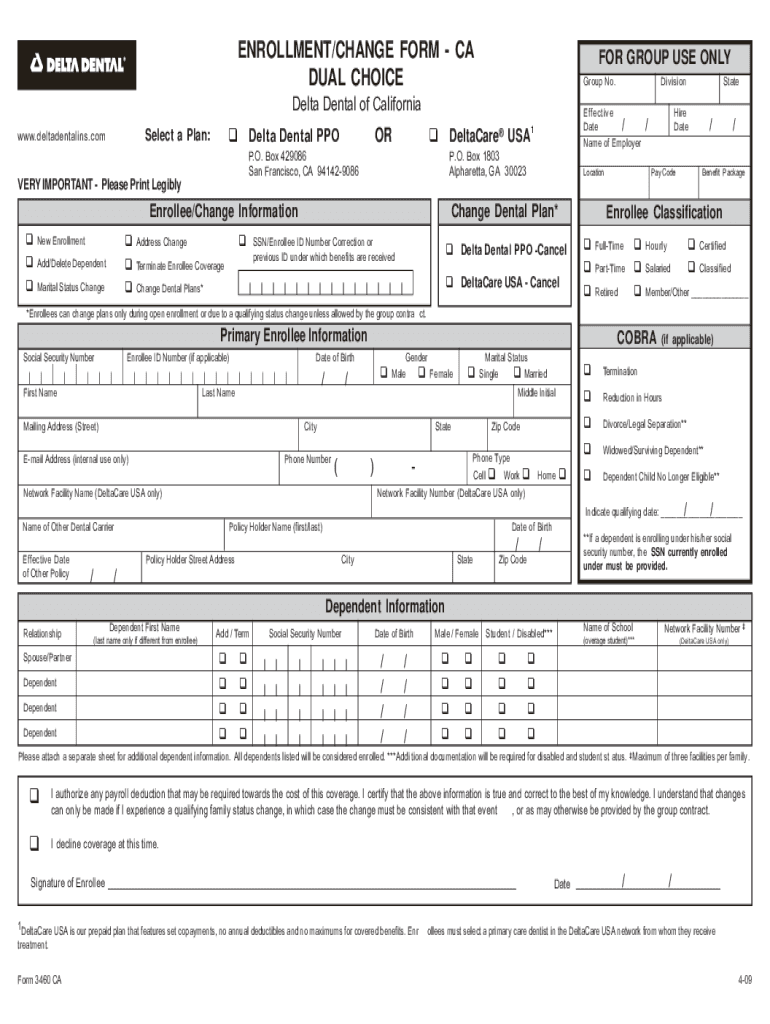
- Begin by filling out the 'Primary Enrollee Information' section. Enter your Social Security Number, Enrollee ID Number (if applicable), first and last name, mailing address, and phone number. Ensure all information is printed legibly.
- Select the appropriate option for 'Select a Plan' by indicating either Delta Dental PPO or DeltaCare®. If you are changing plans, make sure to note this in the designated area.
- Complete the 'Enrollee/Change Information' section. Specify if you are adding or deleting a dependent, changing marital status, or terminating coverage. Provide effective dates where required.
- For each dependent being added or removed, fill in their relationship to you, name, Social Security Number, date of birth, and any other relevant details. Attach additional sheets if necessary.
- Review all entered information for accuracy before signing at the bottom of the form. Your signature certifies that all information is true and correct.
Start using our platform today to easily complete your ENROLLMENT CHANGE FORM - CA DUAL CHOICE for free!
It's free
See more ENROLLMENT CHANGE FORM - CA DUAL CHOICE versions
Got questions?
How can I create an electronic signature in my ENROLLMENT CHANGE FORM - CA DUAL CHOICE on Android?
Signing paperwork on a mobile device is quick, easy, and doesn’t require software installation if you have an account with DocHub. Log in from any browser, complete your empty fields with your information, and click on Sign → Create your signature. You can draw your eSignature the same way you usually do on paper, add its picture to your ENROLLMENT CHANGE FORM - CA DUAL CHOICE, or type in your name and stylize its look. No matter what option you choose, your documentation will be valid.
How do you get ENROLLMENT CHANGE FORM - CA DUAL CHOICE for my state?
If you are searching for a state-specific ENROLLMENT CHANGE FORM - CA DUAL CHOICE sample, you will find it in our DocHub Forms & Templates catalog. Use the search field, key in your form’s name, and search through the results for your state. You can also filter out irrelevant results while searching our catalog by groups.
Security and compliance
At DocHub, your data security is our priority. We follow HIPAA, SOC2, GDPR, and other standards, so you can work on your documents with confidence.
Learn more




