




Here's how it works



How to use or fill out rt election form with our platform

- Click ‘Get Form’ to open the rt election form in the editor.
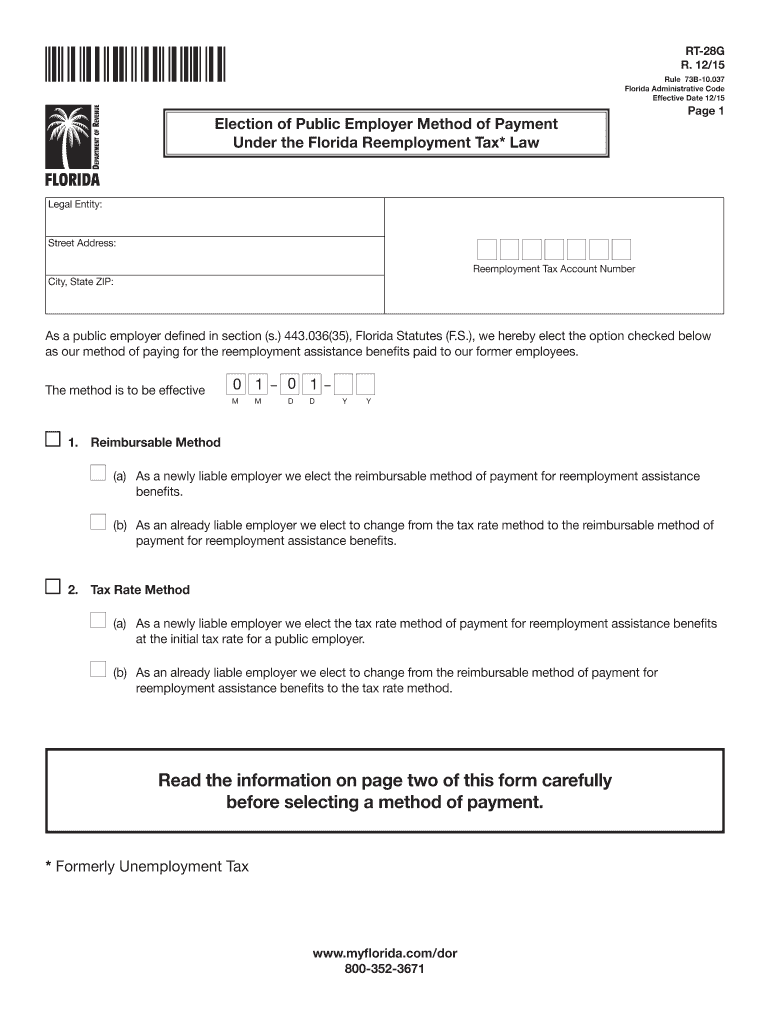
- Begin by filling in your Legal Entity name, Street Address, City, State ZIP, and Reemployment Tax Account Number in the designated fields.
- Select your method of payment by checking either the 'Reimbursable Method' or 'Tax Rate Method'. Ensure you read the information on page two before making your selection.
- If applicable, indicate whether you are a newly liable employer or changing from one method to another by selecting the appropriate options provided.
- Complete the signature section by entering your name, title, and telephone number. Remember that both the effective date and your signature are required for validity.
- Once all fields are filled out correctly, save your changes and follow the instructions to mail the completed form to Account Management at the Florida Department of Revenue.
Start using our platform today for free to easily complete your rt election form!
It's free
See more rt election form versions
Got questions?
How do I sign my rt election form on iOS?
With DocHub, you can rapidly sign your rt election form or any other paperwork on iOS, even without installing additional applications. You can access your DocHub account from any web-connected browser and fill out and sign your document in any way you like with just a few clicks.
How do you fill out 28g form online online?
You can get and edit your 28g form online online with the help of DocHub. Its straightforward but feature-rich design allows you to begin productive work right after you register your account. Create your profile and add your file, and then our user interface will guide you via our stress-free form completion experience.
How do I file a Florida RT 7 online?
Do I need to register as an employer in Florida?
How do I get a Florida RT number?
Security and compliance
At DocHub, your data security is our priority. We follow HIPAA, SOC2, GDPR, and other standards, so you can work on your documents with confidence.
Learn more


