




Here's how it works

01. Edit your telephone method instructions online
Type text, add images, blackout confidential details, add comments, highlights and more.

02. Sign it in a few clicks
Draw your signature, type it, upload its image, or use your mobile device as a signature pad.

03. Share your form with others
Send it via email, link, or fax. You can also download it, export it or print it out.
How to use or fill out telephone method instructions with our platform

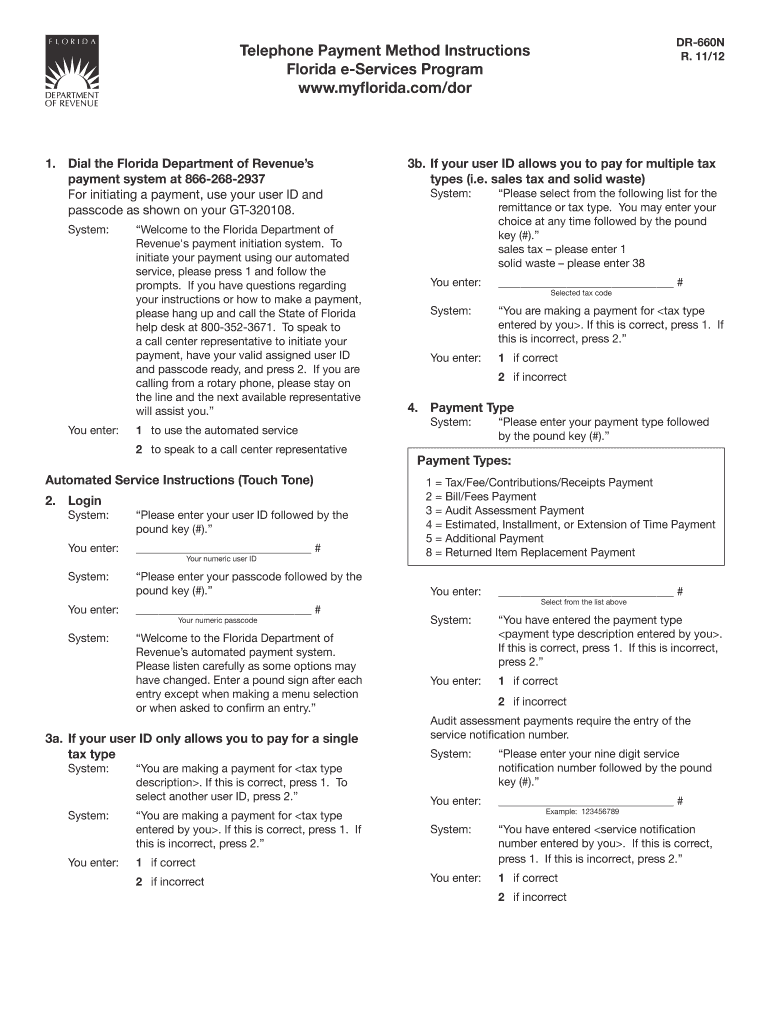
- Click ‘Get Form’ to open the Telephone Payment Method Instructions in the editor.
- Dial the Florida Department of Revenue’s payment system at 866-268-2937. Have your user ID and passcode ready as shown on your GT-320108.
- Follow the automated prompts: Press 1 for automated service or 2 to speak with a representative. If using automated service, enter your user ID followed by the pound key (#).
- Enter your passcode followed by the pound key (#). Confirm your tax type selection by pressing 1 if correct or 2 if incorrect.
- Select your payment type from the provided options and confirm by pressing 1 if correct or 2 if incorrect. Enter any required service notification number when prompted.
- Input your remittance period end date, banking information, payment amount, and effective date following the system's instructions. Confirm each entry as you go.
- Once all information is entered, you will receive a confirmation number. Make sure to note it down for future reference.
Start using our platform today for free to streamline your document editing and payment processes!
Fill out telephone method instructions online
It's free
It's free
See more telephone method instructions versions
We've got more versions of the telephone method instructions form. Select the right telephone method instructions version from the list and start editing it straight away!
| Versions | Form popularity | Fillable & printable |
|---|---|---|
| 2012 | 4.9 Satisfied (341 Votes) |
Security and compliance
At DocHub, your data security is our priority. We follow HIPAA, SOC2, GDPR, and other standards, so you can work on your documents with confidence.
Learn more


