Gc 3 schedule c blank 2026

Get Form
400 c 3 Preview on Page 1

Here's how it works

01. Edit your 400 c 3 online
Type text, add images, blackout confidential details, add comments, highlights and more.

02. Sign it in a few clicks
Draw your signature, type it, upload its image, or use your mobile device as a signature pad.

03. Share your form with others
Send 400 3 c via email, link, or fax. You can also download it, export it or print it out.

How to use or fill out gc 3 schedule c blank with our platform

Form edit decoration
9.5
Ease of Setup
DocHub User Ratings on G2
9.0
Ease of Use
DocHub User Ratings on G2
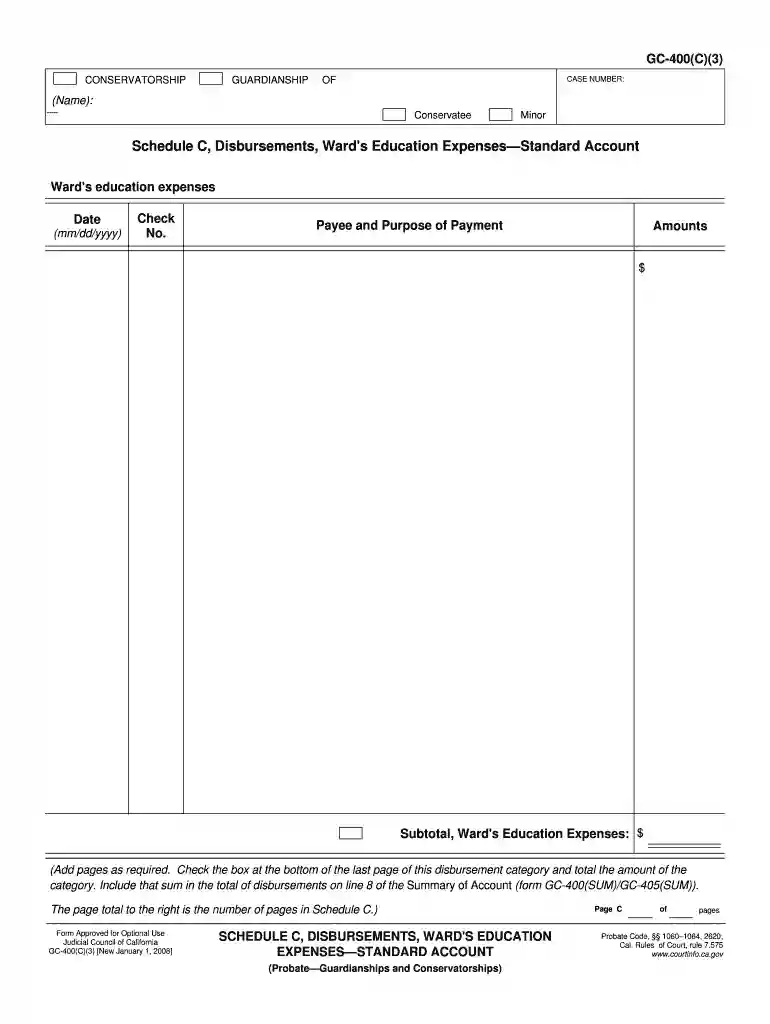
  1. Click ‘Get Form’ to open the gc 3 schedule c blank in the editor.
  2. Begin by entering the case number at the top of the form. This is essential for identifying your specific conservatorship or guardianship case.
  3. In the 'Ward's Education Expenses' section, input the date of each expense in the format mm/dd/yyyy. This helps maintain a clear record of when payments were made.
  4. For each entry, provide a check number if applicable, along with the payee's name and a brief description of the purpose of payment. This ensures transparency in financial disbursements.
  5. Enter the amount spent for each education expense in the designated field. Be sure to keep track of all expenses accurately.
  6. At the end of this section, calculate and enter the subtotal for Ward's Education Expenses. If necessary, add additional pages and check the box on the last page to indicate total expenses.

Start using our platform today to fill out your gc 3 schedule c blank easily and for free!

See more gc 3 schedule c blank versions

We've got more versions of the gc 3 schedule c blank form. Select the right gc 3 schedule c blank version from the list and start editing it straight away!
Versions Form popularity Fillable & printable
2008 4.8 Satisfied (80 Votes)
be ready to get more

Complete this form in 5 minutes or less

Get form

Got questions?

We have answers to the most popular questions from our customers. If you can't find an answer to your question, please contact us.
Contact us
Part III: Cost of Goods Sold The cost of goods sold (COGS) section of a Schedule C form reports the cost of materials and direct labor used to produce the goods you sold during the year. This is important because the COGS figure is subtracted from your gross receipts to determine your gross profit.
Where can you get Schedule C? You can find and download all versions of Schedule C on the IRS website. You can also use HR Block Online, to access Schedule C and complete your tax return. Or if you work with a tax preparer, they will help you access and complete Schedule C.
Inventory methods for manufacturers. And on Line 39 you would report the cost of overhead, which includes rent, utilities, insurance, depreciation, taxes, and maintenance for the production facility, as well as the cost of supervisory personnel.
Use Schedule C (Form 1040) to report income or (loss) from a business you operated or a profession you practiced as a sole proprietor. An activity qualifies as a business if your primary purpose for engaging in the activity is for income or profit and you are involved in the activity with continuity and regularity.