




01. Edit your lexington form 228 online
Type text, add images, blackout confidential details, add comments, highlights and more.

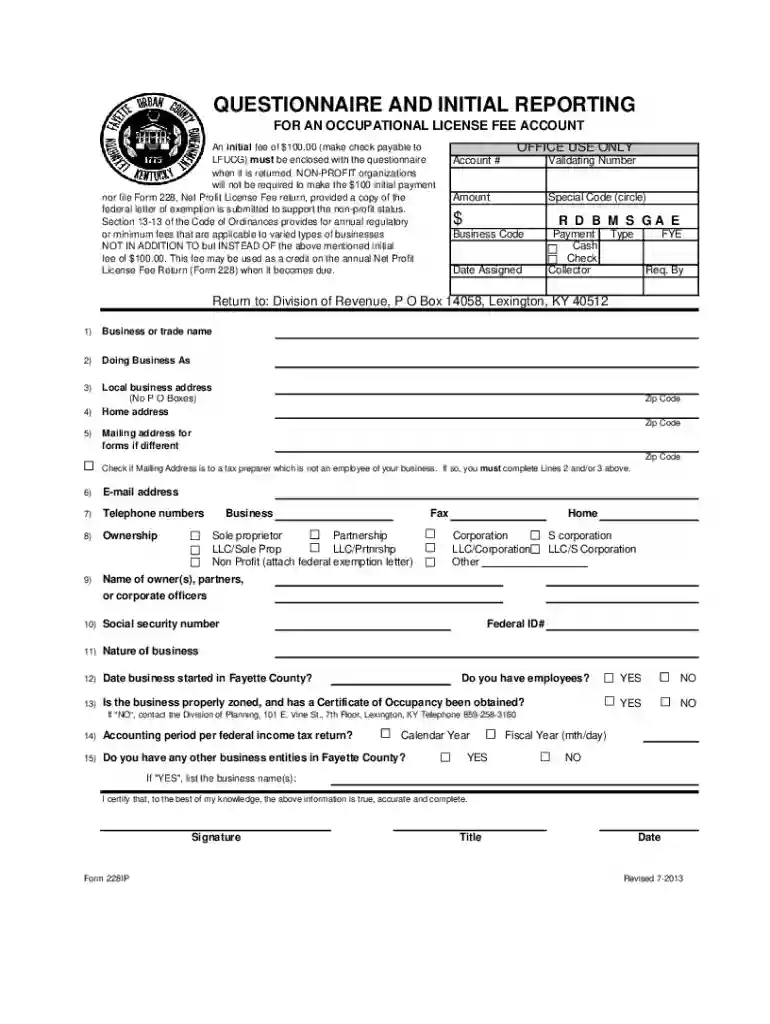
Type text, add images, blackout confidential details, add comments, highlights and more.

Draw your signature, type it, upload its image, or use your mobile device as a signature pad.

Send it via email, link, or fax. You can also download it, export it or print it out.

Start using our platform today to easily complete your revenue 228ip occupational form online for free!
We've got more versions of the lexington form 228 form. Select the right lexington form 228 version from the list and start editing it straight away!
Most eSignature solutions require users to have a paid subscription. With DocHub, there are two options for you to add an electronic signature to your revenue 228ip occupational without being charged:
The second option, though, has restrictions on the number of signatures, sign requests, emails, and forms for editing available per month. You can check for full information here.
You need only a web connection and a browser to fill out your revenue 228ip occupational by using an iOS phone. Open the DocHub website and authenticate. Then, add your document or choose it from the list in your dashboard. Then use our editing tools to fill out your form and save all your modifications. You can also send it to a dedicated recipient straight away.
At DocHub, your data security is our priority. We follow HIPAA, SOC2, GDPR, and other standards, so you can work on your documents with confidence.
Covers real estate based revenue sources such as transfer taxes. Previously listed as JD 228/IP 426. Intellectual Property Survey. 3 hours. Introduces students
Form 228 IP application for a license fee account call (859) 280-8300 for a replacement.


