




Here's how it works



How to use or fill out oklahoma lease ok with our platform

- Click ‘Get Form’ to open the Oklahoma Lease in the editor.
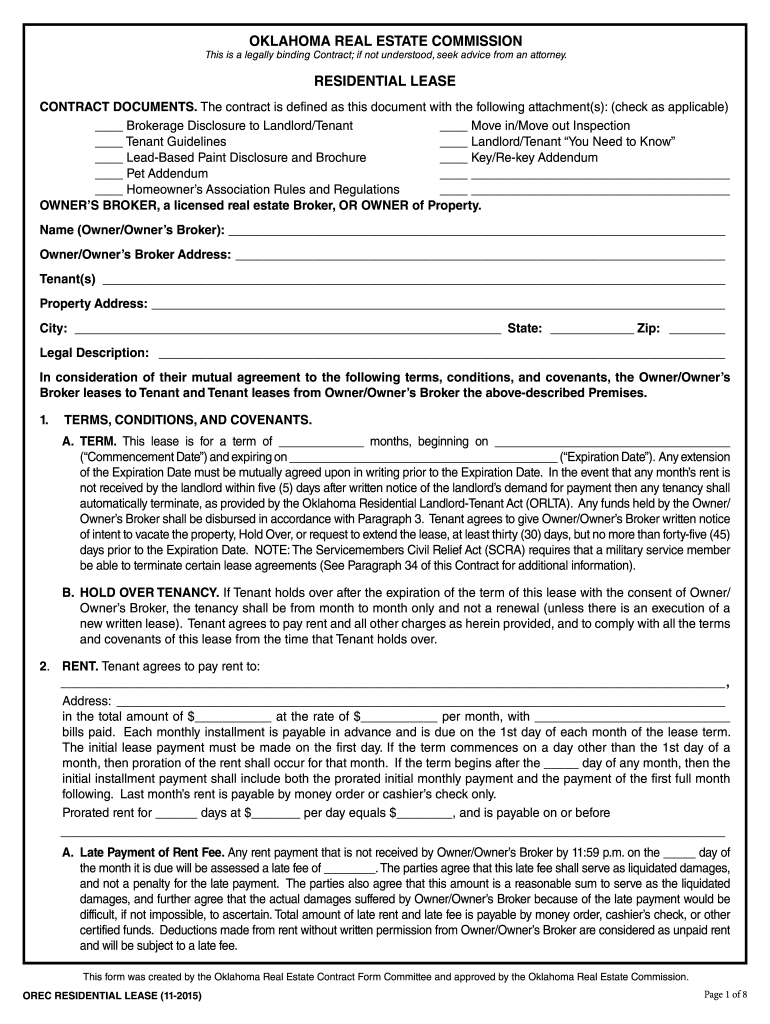
- Begin by filling in the Owner’s Broker or Owner's name and address at the top of the form. This identifies who is leasing the property.
- Next, enter the Tenant(s) names and the Property Address, including city, state, and zip code. Ensure accuracy for legal purposes.
- Specify the lease term by filling in the number of months and both Commencement and Expiration Dates. This section outlines your rental period.
- In the Rent section, indicate the total rent amount, monthly rate, and any additional bills included. Be sure to note payment due dates.
- Complete sections regarding security deposits, pet policies, and tenant responsibilities as applicable. Each section has specific requirements that must be adhered to.
- Finally, review all entries for accuracy before signing. Utilize our platform’s features to save or share your completed document easily.
Start using our platform today to fill out your Oklahoma Lease quickly and efficiently!
It's free
See more oklahoma lease ok versions
| Versions | Form popularity | Fillable & printable |
|---|---|---|
| 2015 | 4.8 Satisfied (87 Votes) |
Got questions?
Can I use DocHub to generate legal eSignatures on my estate orec get?
Yes, you can use DocHub for signing any business and private paperwork, including your estate orec get. All electronic signatures you generate with our service are legally binding and court-admissible, as DocHub complies with standards required by ESIGN and UETA. Save your accomplished paperwork with a detailed Audit Trail if necessary.
How do you get orec form?
You can find the latest and most relevant version of the orec form in our DocHub forms library. Search it by categories or use the search field to get the exact template that suits your situation. You may open this form for editing after you find it.
Is Oklahoma a tenant-friendly state?
How to get out of a lease in Oklahoma?
Why is Oklahoma so cheap to live?
Security and compliance
At DocHub, your data security is our priority. We follow HIPAA, SOC2, GDPR, and other standards, so you can work on your documents with confidence.
Learn more


