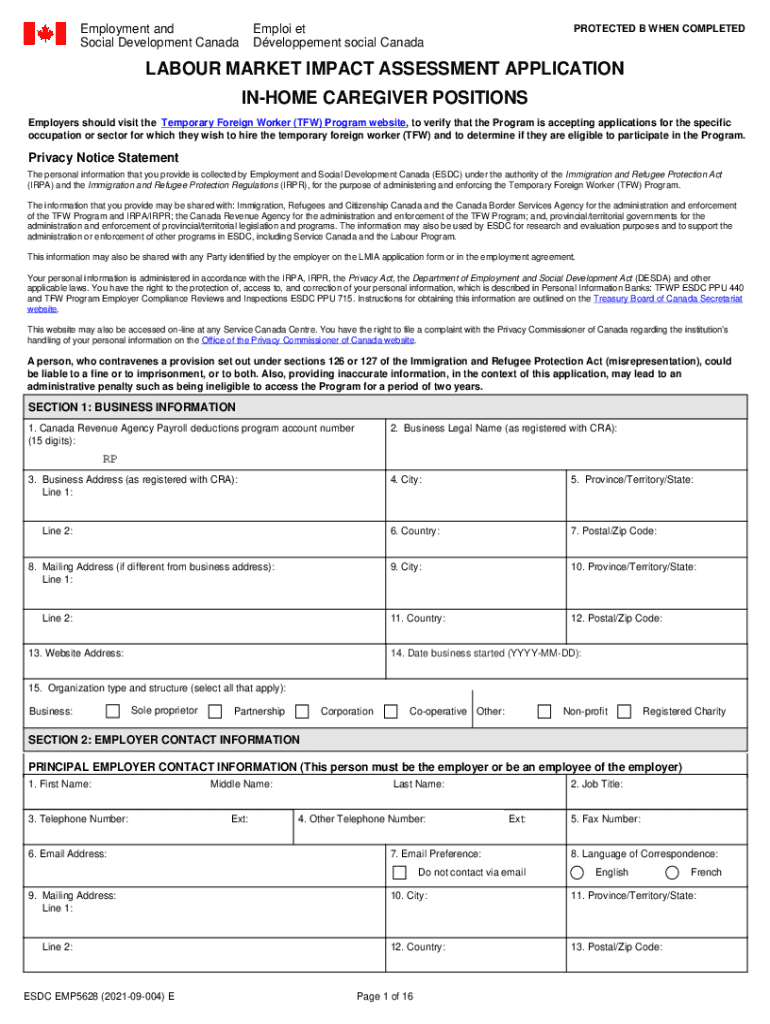
Esdc emp5628 2025

Get Form
canada emp5628 signature Preview on Page 1

Here's how it works

01. Edit your canada emp5628 signature online
Type text, add images, blackout confidential details, add comments, highlights and more.
02. Sign it in a few clicks
Draw your signature, type it, upload its image, or use your mobile device as a signature pad.
03. Share your form with others
Send canada labour market impact assessment via email, link, or fax. You can also download it, export it or print it out.

How to use or fill out esdc emp5628 with our platform

Form edit decoration
9.5
Ease of Setup
DocHub User Ratings on G2
9.0
Ease of Use
DocHub User Ratings on G2
  1. Click ‘Get Form’ to open the esdc emp5628 in the editor.
  2. Begin with SECTION 1: BUSINESS INFORMATION. Fill in your Canada Revenue Agency Payroll deductions program account number, business legal name, and address. Ensure all fields are completed accurately.
  3. Proceed to SECTION 2: EMPLOYER CONTACT INFORMATION. Enter the principal employer's contact details including first name, last name, job title, and email address.
  4. In SECTION 3: THIRD-PARTY INFORMATION, indicate if a third-party is representing you. If yes, provide their details as required.
  5. Continue through each section systematically, ensuring that all questions are answered thoroughly. Pay special attention to SECTION 4: LABOUR MARKET IMPACTS and SECTION 5: JOB OFFER DETAILS for specific requirements related to the position.
  6. Finally, review all entries for accuracy before submitting your application through our platform.

Start filling out your esdc emp5628 form today for free using our platform!

See more esdc emp5628 versions

We've got more versions of the esdc emp5628 form. Select the right esdc emp5628 version from the list and start editing it straight away!
Versions Form popularity Fillable & printable
2021 4.9 Satisfied (52 Votes)
2018 4.6 Satisfied (42 Votes)
2017 4.3 Satisfied (24 Votes)
be ready to get more

Complete this form in 5 minutes or less

Get form

Got questions?

We have answers to the most popular questions from our customers. If you can't find an answer to your question, please contact us.
Contact us
To apply for an LMIA, employers must collect and submit various documents to ESDC, which can now be completed online using the ESDC portal for employers.
You can check the status of your LMIA application at any time, under the Status column of the Employer Dashboard. If you have any questions, you can also contact the Employer Contact Centre at 1-800-367-5693.
The purpose of the LMIA is for ESDC to determine whether the hiring of a foreign national will have a neutral, positive, or negative impact on workers in Canada. A negative impact could entail the arrival of a foreign worker causing workers in Canada to see their wages or employment prospects negatively affected.
Employment and Social Development Canada (ESDC) is the department of the Government of Canada responsible for developing, managing and delivering social programs and services.
Average LMIA Processing Times in May 2025 StreamTime (Business Days) Agricultural Stream 14 High-Wage Stream 50 Low-Wage Stream 50 Permanent Resident Stream 2352 more rows Jun 13, 2025

People also ask

September 2025: Mandatory Job Bank Direct Apply Feature A new rule mandating the use of the Job Bank Direct Apply feature for Canadas LMIA advertising officially came into force in September 2025. This change aims to improve transparency, efficiency, and fairness in hiring through the Temporary Foreign Worker Program.
The duration of an LMIA application assessment can vary depending on the chosen stream. It typically ranges from a few weeks to several months.
Decline in temporary resident arrivals in 2025 Reducing LMIA validity period from 12 months to six months. Reducing the workforce cap for employers on TFWP workers from 30% to 20% (except in selected high-priority sectors like construction and healthcare).