




Here's how it works



How to use or fill out basketball stat sheet with our platform

- Click ‘Get Form’ to open the basketball stat sheet in the editor.
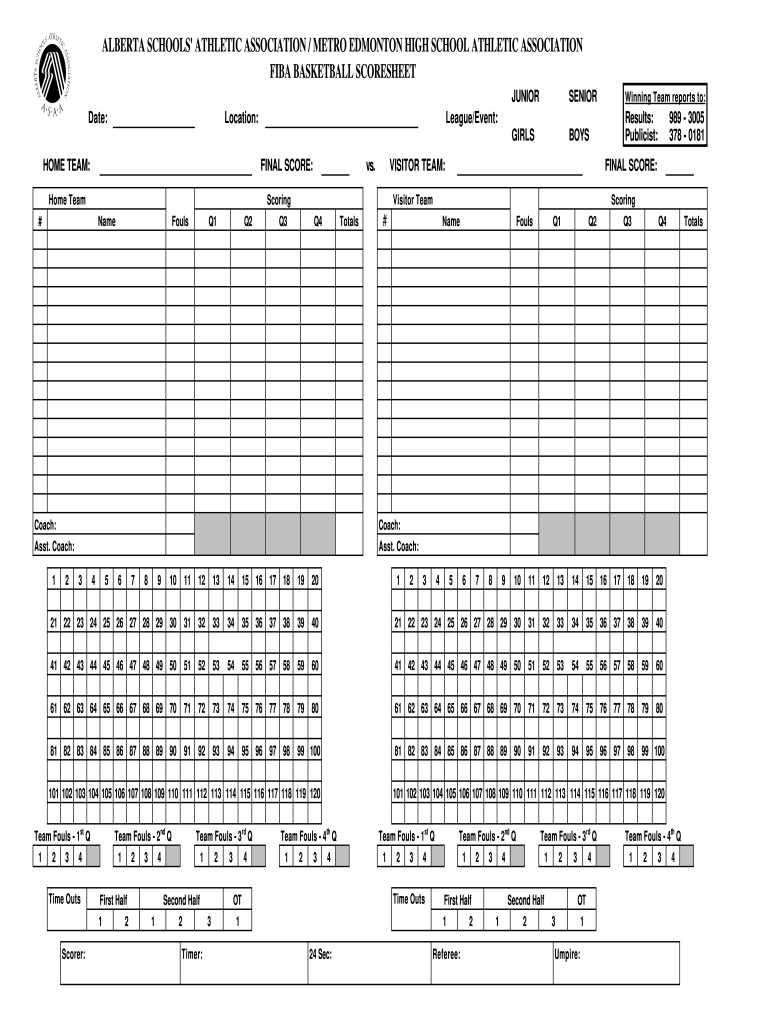
- Begin by entering the location and date of the game at the top of the sheet. This sets the context for your stats.
- Fill in the home team and visitor team names in their respective fields. This is crucial for tracking performance.
- Record scoring details for each quarter (Q1, Q2, Q3, Q4) under both teams. Use the designated sections to input player names and their corresponding scores.
- Document fouls committed by each team in the provided fields after each quarter. This helps in understanding team discipline throughout the game.
- At the end of the game, calculate and enter final scores for both teams in the designated area. Ensure accuracy for reporting purposes.
- Finally, review all entries for completeness before saving or sharing your completed stat sheet.
Start using our platform today to streamline your basketball stat tracking!
It's free
Got questions?
How can I create an electronic signature in my nba stat sheet on Android?
Approving documents on a mobile device is quick, easy, and doesn’t require software installation if you have an account with DocHub. Log in from any browser, complete your blank fields with your data, and click on Sign → Create your signature. You can draw your electronic signature just as you usually do on paper, add its picture to your nba stat sheet, or type in your name and stylize its look. Whatever option you select, your documentation will be valid.
Do I need to install software to edit my editable basketball stat sheet excel?
If you edit your editable basketball stat sheet excel with DocHub, you merely require a stable internet connection and virtually any web browser installed on your device. No need to set up any third-party applications or research guides. Simply open a tab with DocHub, drag and drop your file, and modify it on the spot.
Security and compliance
At DocHub, your data security is our priority. We follow HIPAA, SOC2, GDPR, and other standards, so you can work on your documents with confidence.
Learn more


