ch 200 proof of personal service Preview on Page 1

Court records 2026

Here's how it works

  • 01. Edit your ch 200 proof of personal service online

    Type text, add images, blackout confidential details, add comments, highlights and more.

  • 02. Sign it in a few clicks

    Draw your signature, type it, upload its image, or use your mobile device as a signature pad.

  • 03. Share your form with others

    Send ch 200 form via email, link, or fax. You can also download it, export it or print it out.

How to use or fill out court records with our platform

Form edit decoration
9.5
Ease of Setup
DocHub User Ratings on G2
9.0
Ease of Use
DocHub User Ratings on G2
  1. Click ‘Get Form’ to open the court records in the editor.
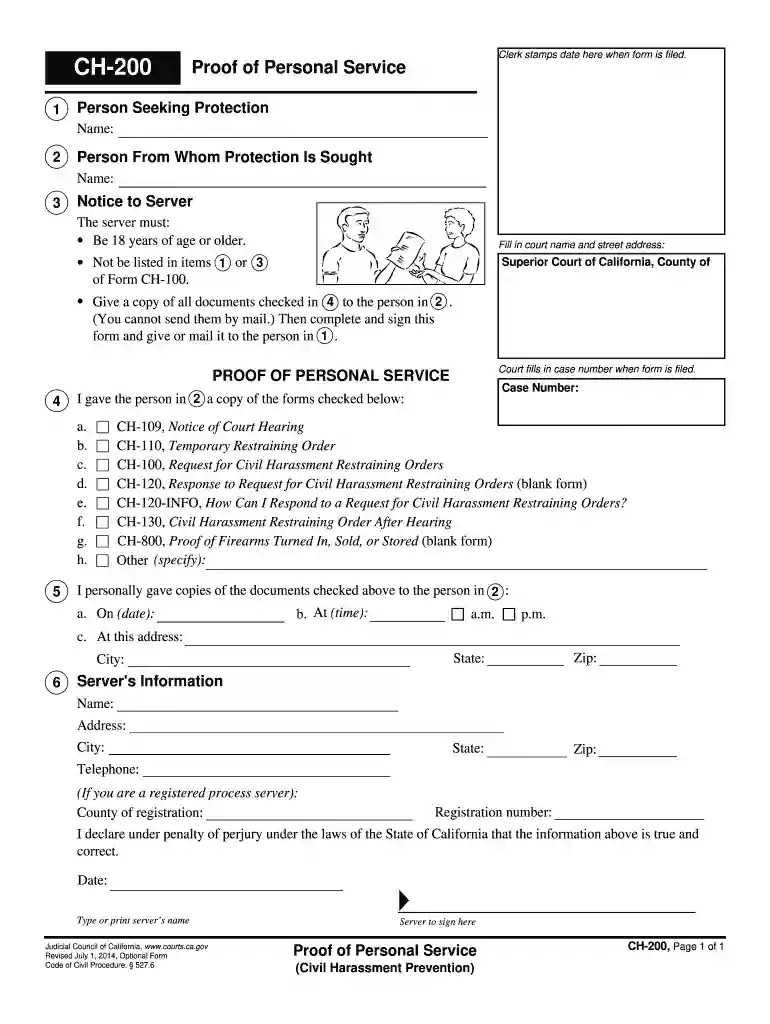
  2. Begin by entering the name of the person seeking protection in the designated field. This is crucial for identifying the applicant.
  3. Next, fill in the name of the person from whom protection is sought. Ensure accuracy to avoid any legal complications.
  4. In the 'Notice to Server' section, specify the court name and street address. Remember, the server must be at least 18 years old and not involved in items 1 or 3 of Form CH-100.
  5. Check all documents that were served to the individual listed in step 2. This includes forms like CH-109 and CH-110, among others.
  6. Provide details about when and where you personally delivered these documents, including date, time, and address.
  7. Complete the server's information section with your name, address, and registration details if applicable. Finally, sign and date the form.

Start using our platform today for free to streamline your court record submissions!

See more ch 200 proof of personal service versions

We've got more versions of the ch 200 proof of personal service form. Select the right ch 200 proof of personal service version from the list and start editing it straight away!

VersionsForm popularityFillable & printable
20144.8 Satisfied (162 Votes)
20124 Satisfied (22 Votes)

be ready to get more

Complete this form in 5 minutes or less

Got questions?

We have answers to the most popular questions from our customers. If you can't find an answer to your question, please contact us.

The public may access electronic court records in civil and family cases at a courthouse where eFiling is available, unless the court records are nonpublic under MRECS or confidential by law.
Reporters too, wouldnt have access to trial information or legal interpretations. In short, without some ability to share information between courts and the public, there is no way to empower citizens to question or learn from the legal system.
Most case files, court records, docket sheets, trial dates, etc. are considered public records. Anyone can access them, but the court may charge a service fee to retrieve or copy the files.
The State of Maine Judicial Branch does not officially provide members of the public with online access to criminal court records. However, interested parties who wish to access these records online may do so via a number of unofficial third-party websites.

Security and compliance

At DocHub, your data security is our priority. We follow HIPAA, SOC2, GDPR, and other standards, so you can work on your documents with confidence.

ch200 proof

Part 80: Rules and Regulations on Controlled Substances in

(2) A record of all controlled substances used shall include the name of the person authorized to control and use such drugs, the date, type and quantity ofRead more

Learn more
Guides: About the Texas Courts: Court Records

5 days ago Re:SearchTX offers a free subscription plan that lets you search records from multiple counties and courts. It includes civil cases from district, county, andRead more

Learn more
Free Legal Research Sources: Dockets and Court Files

May 12, 2026 CourtListener - a free legal research website where you can search for federal and state court opinions, court filings, judges, oral arguments,

Learn more
If you believe that this page should be taken down, please follow our DMCA take down process here