




Here's how it works



How to use or fill out alaska cr 205 with our platform

- Click ‘Get Form’ to open the alaska cr 205 in the editor.
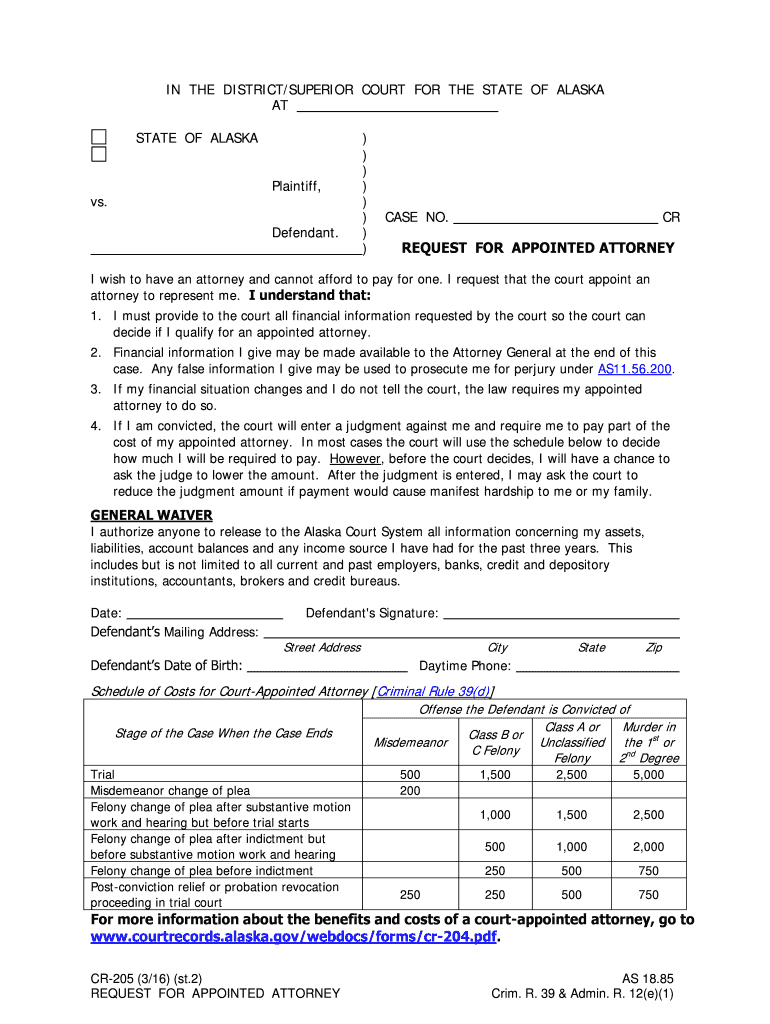
- Begin by entering your case number at the top of the form. This is essential for identifying your request.
- In the section labeled 'Defendant’s Mailing Address', provide your complete address, including street, city, state, and zip code.
- Fill in your date of birth in the designated field to verify your identity.
- Next, enter your daytime phone number for any necessary communication regarding your request.
- Review the financial information requirements carefully. Ensure you understand that all provided details may be shared with relevant authorities.
- Sign and date the form at the bottom to confirm your request for an appointed attorney.
Start using our platform today to fill out your alaska cr 205 easily and for free!
It's free
See more alaska cr 205 versions
| Versions | Form popularity | Fillable & printable |
|---|---|---|
| 2016 | 4.6 Satisfied (70 Votes) |
Got questions?
What do I need to sign my alaska cr 205 electronically?
Electronic document signing requires a software solution that complies with data security and eSignature standards. DocHub is a perfect tool for that, since it meets all the above mentioned requirements. Whatever method you prefer to sign your alaska cr 205 in DocHub, your eSignature will be legally binding and court-admissible.
How do you get alaska cr 205?
You can find the latest and most relevant version of the alaska cr 205 in our DocHub forms library. Browse it by categories or use the search field to find the exact template that suits your situation. You can open this form for editing once you find it.
Security and compliance
At DocHub, your data security is our priority. We follow HIPAA, SOC2, GDPR, and other standards, so you can work on your documents with confidence.
Learn more


