Npi instructions 2026

Get Form
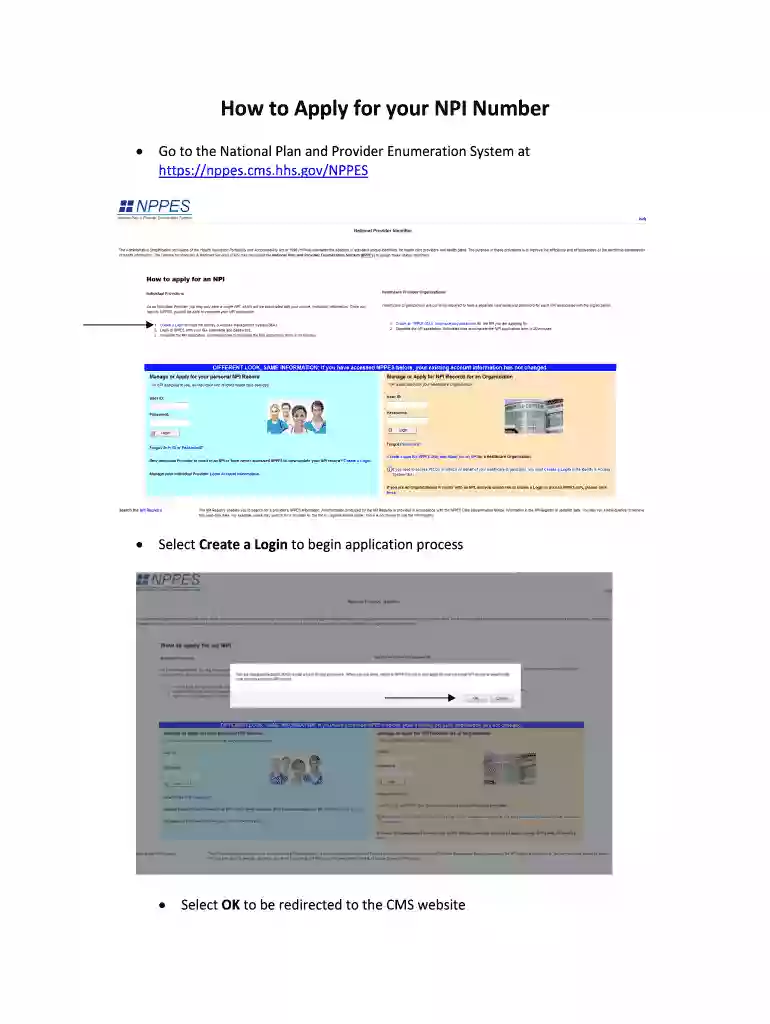
npi instructions Preview on Page 1

Here's how it works

01. Edit your npi instructions online
Type text, add images, blackout confidential details, add comments, highlights and more.

02. Sign it in a few clicks
Draw your signature, type it, upload its image, or use your mobile device as a signature pad.

03. Share your form with others
Send npi number instructions via email, link, or fax. You can also download it, export it or print it out.

How to use or fill out NPI instructions with our platform

Form edit decoration
9.5
Ease of Setup
DocHub User Ratings on G2
9.0
Ease of Use
DocHub User Ratings on G2
  1. Click ‘Get Form’ to open the NPI instructions in the editor.
  2. Begin by creating a login on the National Plan and Provider Enumeration System website. Follow the prompts to enter your email, security text, and submit.
  3. Create a unique username and password, then answer five security questions before proceeding.
  4. Fill in required fields such as First and Last Name, Date of Birth, SSN, Gender, and Sole Proprietorship status. If applicable, enter any other names you have used.
  5. Proceed to the Business Mailing Address page. Enter your address carefully, ensuring all abbreviations are spelled out. Select NEXT when done.
  6. If your Business Practice location differs from your mailing address, enter it now; otherwise, select 'Same as Business Mailing Address' to continue.
  7. On the Other Identification Numbers page, add any additional NPI numbers if applicable and select NEXT.
  8. For Taxonomy/License Information, select 'Add Taxonomy', choose the appropriate Provider Type Code, and click NEXT.
  9. Enter your State License Number on the Selection of Classification page and select SAVE. Then choose your Primary Taxonomy and click NEXT.
  10. On the Contact Person Information page, either enter an alternative contact or select 'Same As Provider' for convenience. Complete this section and hit NEXT.
  11. Read the Certification Statement carefully and check the box before selecting SUBMIT.
  12. After submission, print the confirmation page for your records. Finally, log off to complete the process.

Start using our platform today for free to streamline your NPI application process!

See more npi instructions versions

We've got more versions of the npi instructions form. Select the right npi instructions version from the list and start editing it straight away!
Versions Form popularity Fillable & printable
2014 4.8 Satisfied (75 Votes)
be ready to get more

Complete this form in 5 minutes or less

Get form

Security and compliance

At DocHub, your data security is our priority. We follow HIPAA, SOC2, GDPR, and other standards, so you can work on your documents with confidence.

Learn more
ccpa2
pci-dss
gdpr-compliance
hipaa
soc-compliance
be ready to get more

Complete this form in 5 minutes or less

Get form