




Here's how it works



How to use or fill out the 827 report with our platform

- Click ‘Get Form’ to open the 827 report in the editor.
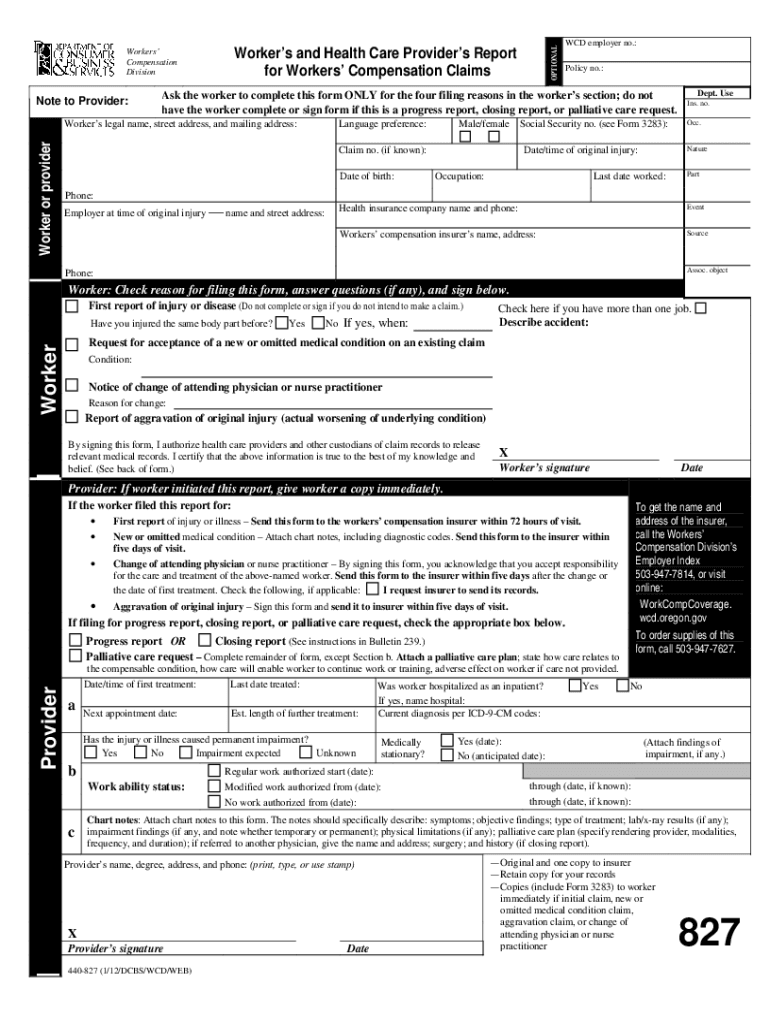
- Begin by entering the worker’s legal name, street address, and mailing address in the designated fields. Ensure accuracy as this information is crucial for processing.
- Select the reason for filing from the options provided: first report of injury, request for acceptance of a new medical condition, notice of change of physician, or report of aggravation. Check only one box.
- Fill in details about the original injury including date/time, occupation, and last date worked. This section helps establish context for your claim.
- Complete any additional questions regarding previous injuries and describe the accident clearly to provide comprehensive information.
- Once all fields are filled out accurately, review your entries for completeness before signing at the bottom. Your signature authorizes release of medical records related to your claim.
Start using our platform today to streamline your form completion process for free!
It's free
Got questions?
How can I eSign my form 827 workers comp from Gmail?
With DocHub, it’s pretty simple. The service offers users an add-on called DocHub for Gmail, which you can find in the Google Workspace Marketplace free of charge. Set it up and give it access to your Google account. Open your email with your form 827 workers comp attached and click on the add-on button in the right-side panel. Sign in to your DocHub account, and import the form to our editor, where you can fill it out and sign.
How do you edit oregon 827 form pdf on iOS?
You can easily edit and complete your oregon 827 form pdf on any iOS device. Open an internet browser of your choice, visit the DocHub website, authorize or create a new account, upload your file for editing, and make your desired alterations. Our service is mobile-friendly, so using its functions on your smartphone will be a no-brainer, even on the first try.
How long do you have to file a workers comp claim in Oregon?
How long do I have to file a workers comp claim in Oregon?
Who is exempt from workers compensation insurance in Oregon?
Security and compliance
At DocHub, your data security is our priority. We follow HIPAA, SOC2, GDPR, and other standards, so you can work on your documents with confidence.
Learn more


