PDF Credit Card Verification Form - Jackpot Cash 2026

Get Form
silver sands poker Preview on Page 1

Here's how it works

01. Edit your silver sands poker online
Type text, add images, blackout confidential details, add comments, highlights and more.

02. Sign it in a few clicks
Draw your signature, type it, upload its image, or use your mobile device as a signature pad.

03. Share your form with others
Send it via email, link, or fax. You can also download it, export it or print it out.

How to use or fill out PDF Credit Card Verification Form - Jackpot Cash with DocHub

Form edit decoration
9.5
Ease of Setup
DocHub User Ratings on G2
9.0
Ease of Use
DocHub User Ratings on G2
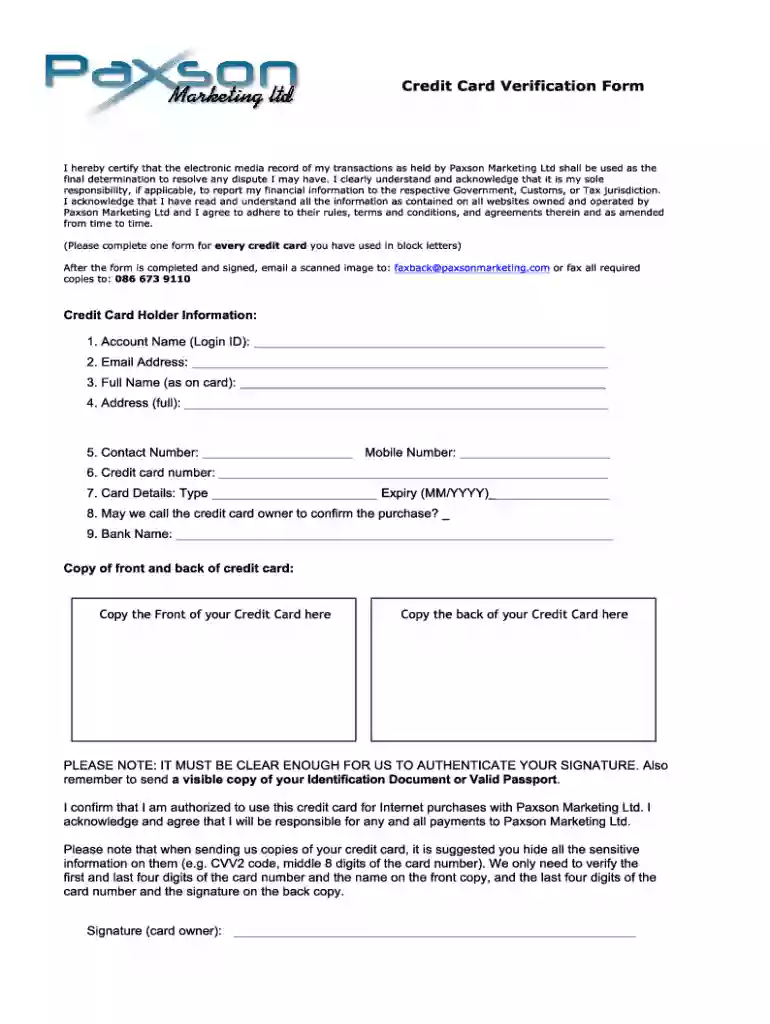
  1. Click ‘Get Form’ to open the PDF Credit Card Verification Form - Jackpot Cash in our editor.
  2. Begin by entering your personal information in the designated fields. This typically includes your name, address, and contact details. Ensure accuracy for a smooth verification process.
  3. Next, locate the credit card information section. Fill in your credit card number, expiration date, and CVV code. Double-check these details to avoid any errors that could delay processing.
  4. If required, provide additional identification information as specified on the form. This may include uploading a copy of your ID or other relevant documents directly through our platform.
  5. Review all entered information carefully before submitting the form. Use our editor’s features to make any necessary adjustments easily.
  6. Once satisfied with your entries, click ‘Submit’ to send your completed form for processing.

Start using our platform today to fill out your PDF forms online for free!

See more PDF Credit Card Verification Form - Jackpot Cash versions

We've got more versions of the PDF Credit Card Verification Form - Jackpot Cash form. Select the right PDF Credit Card Verification Form - Jackpot Cash version from the list and start editing it straight away!
Versions Form popularity Fillable & printable
2018 4.8 Satisfied (77 Votes)
2014 4 Satisfied (51 Votes)
be ready to get more

Complete this form in 5 minutes or less

Get form

Got questions?

We have answers to the most popular questions from our customers. If you can't find an answer to your question, please contact us.
Contact us
How to add or become an authorized user on a credit card. Account holders can often add authorized users by signing into their account online or through an app. If youre interested in becoming an authorized user, consider asking a trusted friend or family member to see if theyre willing and what options are available
Its simple: A credit card authorization form typically includes the following general information to ensure a smooth transaction process: Cardholders name. Card number. Card network. Credit card expiration date. Billing address. Contact information. Authorized amount. Cardholders signature.
Square offers two free generic credit card authorization forms for download. You do not have to process payments with Square to use these templates.
From the Checkout tab From the Square Restaurants POS app navigation menu, tap Checkout. Start a tab by: Tap, dip, or swipe a card. Tap Add pre-authorization or the preauthorization icon tap, dip, or swipe the card. Tap Save.
The credit card authorization process allows the hotel to verify the validity of an alternative card presented by the guest. This ensures the card is functional and has enough credit to cover the stay (room rate and any incidentals).

Security and compliance

At DocHub, your data security is our priority. We follow HIPAA, SOC2, GDPR, and other standards, so you can work on your documents with confidence.

Learn more
ccpa2
pci-dss
gdpr-compliance
hipaa
soc-compliance

People also ask

The credit card application is created to enable customers to apply for a credit card by providing basic personal and financial details. The applicant can also define preferences such as whether authorized users are to be added to the card and if balance transfers are to be defined.
A credit card authorization form serves two primary purposes: First, it gives a business the authority to charge a credit card without the buyer being physically present. Second, it prevents unwanted and fraudulent chargebacks that can hurt the relationship between a business and a merchant processor.
You may assign an authorized representative to receive the card on your behalf in case you will not be around to receive the card upon delivery.

Related links