




01. Edit your mar sheet online
Type text, add images, blackout confidential details, add comments, highlights and more.

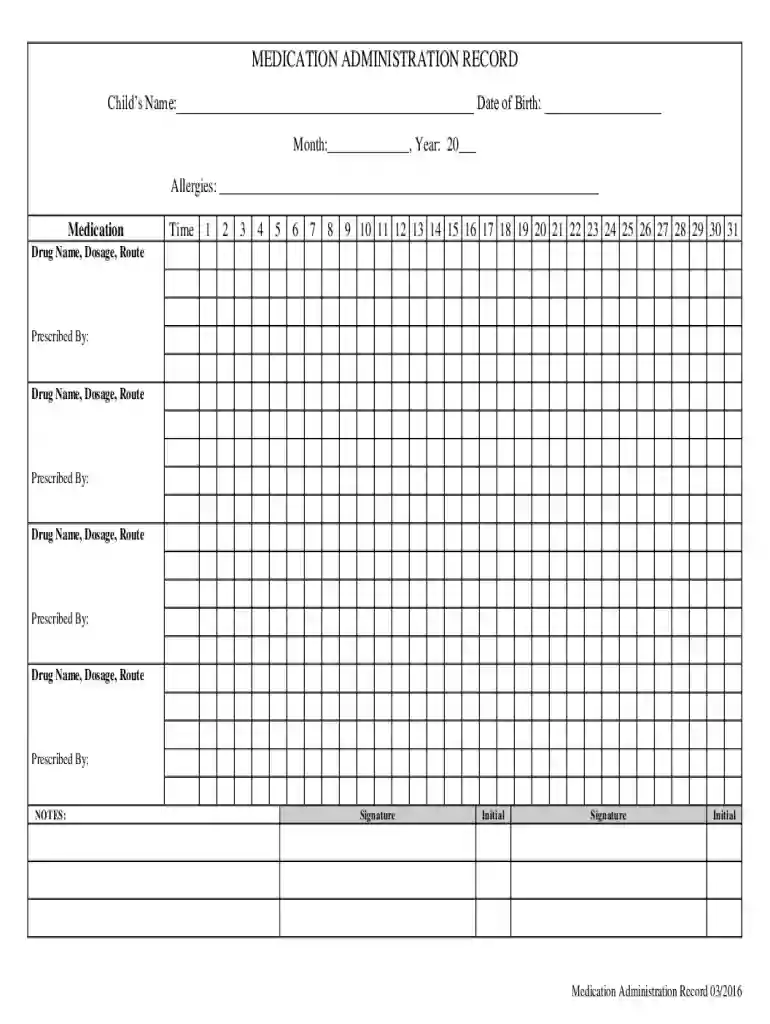
Type text, add images, blackout confidential details, add comments, highlights and more.

Draw your signature, type it, upload its image, or use your mobile device as a signature pad.

Send medication administration record pdf via email, link, or fax. You can also download it, export it or print it out.

Start using our platform today to streamline your Medication Administration Record process for free!
We've got more versions of the mar sheet form. Select the right mar sheet version from the list and start editing it straight away!
Managing your forms with DocHub this way is extremely simple once you have downloaded its extension for Google Chrome. Navigate to the Chrome Web Store and install DocHub - Sign PDF from Gmail to obtain it. Give our tool access to your Google account, and then open an email with the me medication administration record attached and point to the file with your cursor - the DocHub extension button will automatically show up there. Click on it to open your document in our editor. Make any necessary modifications, fill out the blanks, and click Sign to create your legally-binding eSignature.
Document editing with DocHub is equally convenient on desktop and mobile devices. You just need an internet browser to edit your medication administration record pdf fillable on Android. Open our site and sign in to access the instruments you require. Add your document and introduce your intended changes. After that, you can keep your form in your document storage or send it out right away.
At DocHub, your data security is our priority. We follow HIPAA, SOC2, GDPR, and other standards, so you can work on your documents with confidence.
These forms are provided as a resource to the RN instructor for use during the Medications. Administration Training. Forms may be copied.Read more
Form 3092, Medication Administration Record. Instructions for Opening a Form. Some forms cannot be viewed in a web browsers PDF viewer.Read more
(6) An administration record shall be kept for each substock. This record will indicate the substock location and/or the vehicle identification number, theRead more


