




Here's how it works

01. Edit your gas medical certificate form online
Type text, add images, blackout confidential details, add comments, highlights and more.

02. Sign it in a few clicks
Draw your signature, type it, upload its image, or use your mobile device as a signature pad.

03. Share your form with others
Send gas medical certificate form pdf via email, link, or fax. You can also download it, export it or print it out.
How to use or fill out Physicians and SurgeonsMBC - Medical Board of California with our platform

- Click ‘Get Form’ to open it in the editor.
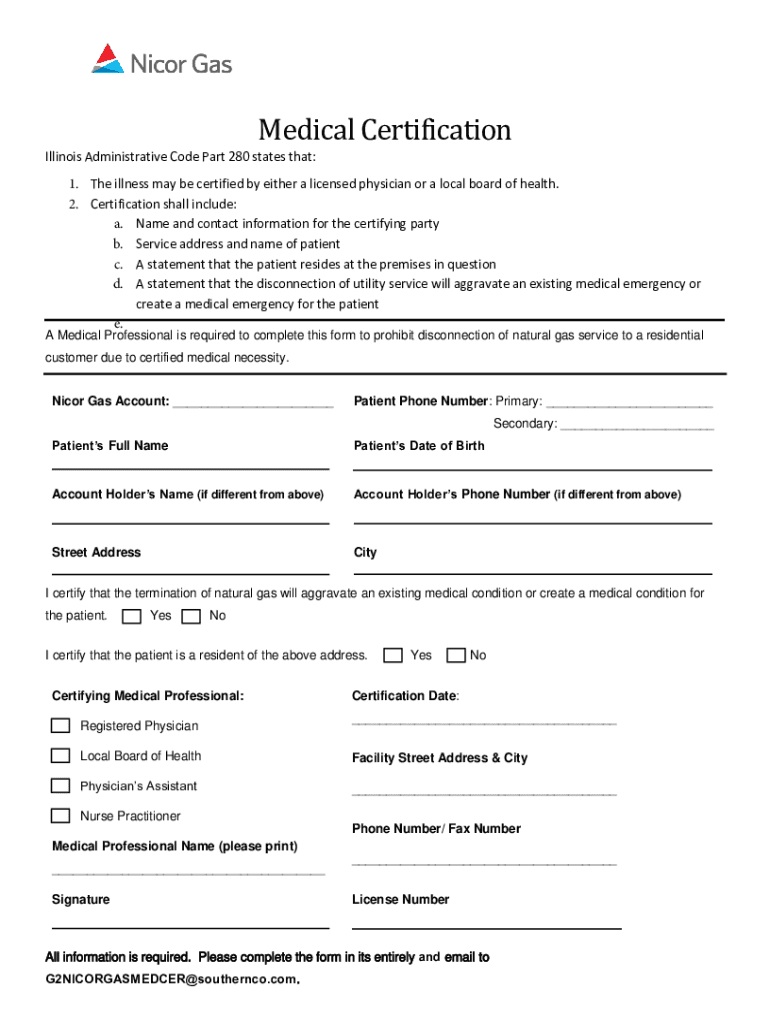
- Begin by entering the Nicor Gas Account number at the top of the form. This is essential for identifying the account associated with the medical certification.
- Fill in the patient's phone numbers, including primary and secondary contacts, ensuring that you have accurate information for communication.
- Provide the patient's full name and date of birth. This information is crucial for verifying their identity and medical needs.
- If applicable, enter the account holder’s name and phone number if it differs from the patient’s details.
- Complete the street address, city, and confirm residency by checking 'Yes' or 'No' regarding whether disconnection will aggravate a medical condition.
- Select your role as a certifying medical professional (Registered Physician, Local Board of Health, Physician’s Assistant, Nurse Practitioner) and provide your signature along with your license number.
- Once all fields are completed accurately, save your document and email it to G2NICORGASMEDCER@southernco.com for processing.
Start using our platform today to streamline your form completion process for free!
Fill out Physicians and SurgeonsMBC - Medical Board of California online
It's free
It's free
See more Physicians and SurgeonsMBC - Medical Board of California versions
We've got more versions of the Physicians and SurgeonsMBC - Medical Board of California form. Select the right Physicians and SurgeonsMBC - Medical Board of California version from the list and start editing it straight away!
Security and compliance
At DocHub, your data security is our priority. We follow HIPAA, SOC2, GDPR, and other standards, so you can work on your documents with confidence.
Learn more




