




Here's how it works



How to use or fill out dld 7 with our platform

- Click ‘Get Form’ to open the DLD 7 in the editor.
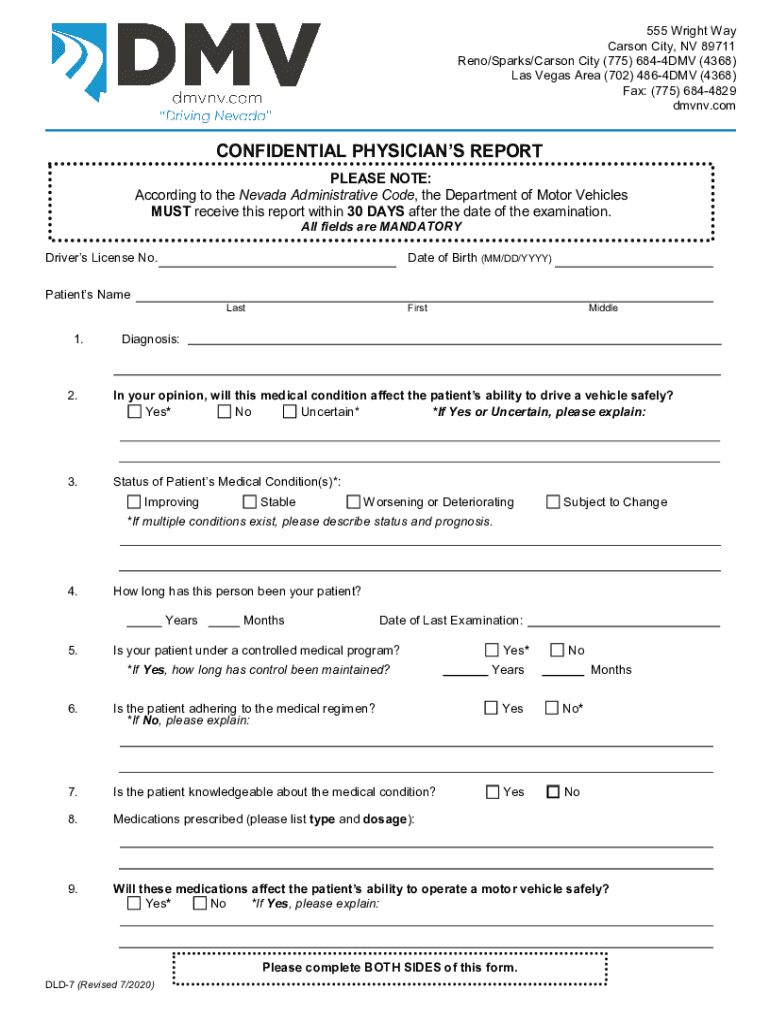
- Begin by entering the Driver’s License Number and Date of Birth in the designated fields. Ensure accuracy as these are mandatory.
- Fill in the Patient’s Name, including Last, First, and Middle names. This information is crucial for identification.
- In the Diagnosis section, provide a detailed explanation of the patient's medical condition affecting their driving ability. Select 'Yes', 'No', or 'Uncertain' and elaborate if necessary.
- Indicate the status of the patient’s medical condition by selecting from options like Improving, Stable, or Worsening. If multiple conditions exist, describe them accordingly.
- Complete all remaining sections regarding medications, adherence to medical regimens, and any necessary restrictions for safe driving.
- Finally, ensure that both sides of the form are completed before saving your work and preparing for submission.
Start using our platform today to fill out your DLD 7 form easily and efficiently!
It's free
Got questions?
How do I create an eSignature on my dld 7 from Google Chrome?
Managing your documentation with DocHub this way is extremely simple once you have downloaded its extension for Google Chrome. Go to the Chrome Web Store and set up DocHub - Sign PDF from Gmail to obtain it. Give our tool access to your Google account, and then open an email with the dld 7 attached and point to the file with your cursor - the DocHub extension key will automatically show up there. Click on it to open your document in our editor. Make any essential modifications, complete the blanks, and click Sign to create your legally-binding eSignature.
Do I need to set up software to edit my dld 7?
When you edit your dld 7 with DocHub, you only need a stable web connection and virtually any browser installed on your device. No need to set up any third-party applications or research guides. Just open a tab with DocHub, drag and drop your file, and edit it immediately.
Security and compliance
At DocHub, your data security is our priority. We follow HIPAA, SOC2, GDPR, and other standards, so you can work on your documents with confidence.
Learn more




