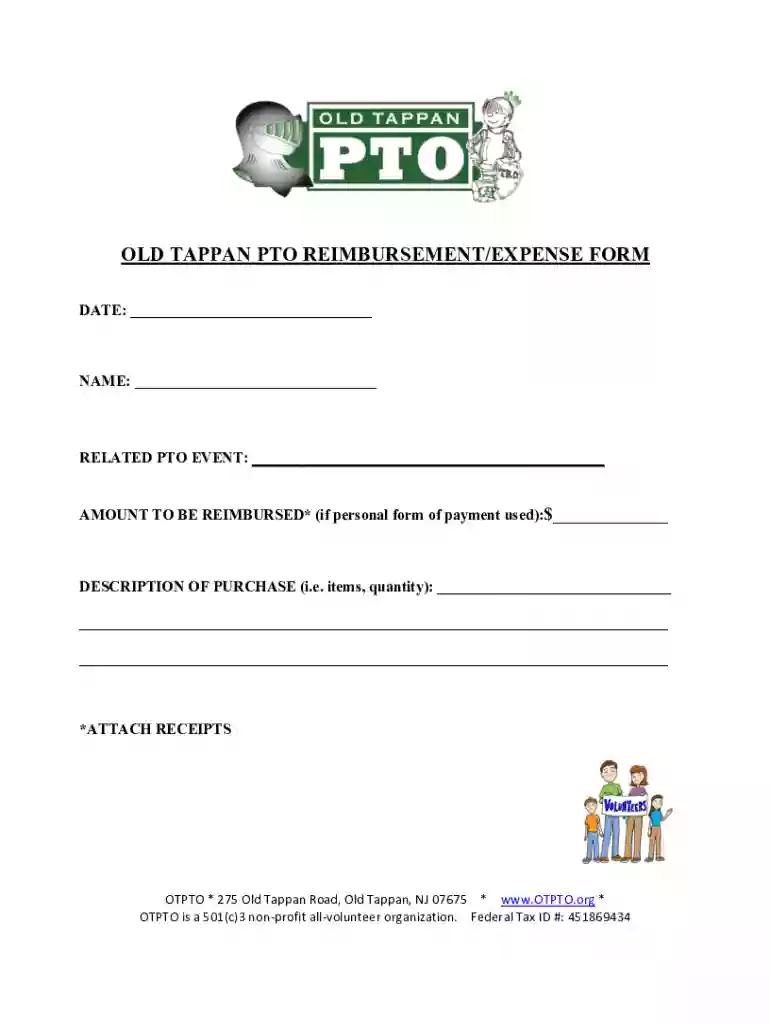
OLD TAPPAN PTO REIMBURSEMENT EXPENSE FORM 2026

Get Form
OLD TAPPAN PTO REIMBURSEMENT EXPENSE FORM Preview on Page 1

Here's how it works

01. Edit your form online
Type text, add images, blackout confidential details, add comments, highlights and more.

02. Sign it in a few clicks
Draw your signature, type it, upload its image, or use your mobile device as a signature pad.

03. Share your form with others
Send it via email, link, or fax. You can also download it, export it or print it out.

How to use or fill out OLD TAPPAN PTO REIMBURSEMENT EXPENSE FORM with our platform

Form edit decoration
9.5
Ease of Setup
DocHub User Ratings on G2
9.0
Ease of Use
DocHub User Ratings on G2
  1. Click ‘Get Form’ to open the OLD TAPPAN PTO REIMBURSEMENT EXPENSE FORM in the editor.
  2. Begin by entering the date of your expense in the designated field at the top of the form.
  3. Next, fill in your name clearly in the provided space to ensure proper identification.
  4. Indicate the related PTO event for which you are seeking reimbursement. This helps in tracking expenses accurately.
  5. In the 'Amount to be reimbursed' section, enter the total amount you wish to claim, especially if you used personal funds for payment.
  6. Provide a detailed description of your purchase, including items and quantities. This information is crucial for processing your request.
  7. Don’t forget to attach any receipts that support your reimbursement claim. This can be done easily through our platform.

Start using our platform today to streamline your reimbursement process effortlessly!

See more OLD TAPPAN PTO REIMBURSEMENT EXPENSE FORM versions

We've got more versions of the OLD TAPPAN PTO REIMBURSEMENT EXPENSE FORM form. Select the right OLD TAPPAN PTO REIMBURSEMENT EXPENSE FORM version from the list and start editing it straight away!
Versions Form popularity Fillable & printable
2020 4.9 Satisfied (57 Votes)
2018 4.6 Satisfied (55 Votes)
2011 4.9 Satisfied (45 Votes)
be ready to get more

Complete this form in 5 minutes or less

Get form

Got questions?

We have answers to the most popular questions from our customers. If you can't find an answer to your question, please contact us.
Contact us

Sure, electronically drawing your signature is acceptable, but only if you use a tool that complies with industry regulations and policies. Consider DocHub, which ensures eSignature validity under ESIGN and UETA requirements. All you need to approve your OLD TAPPAN PTO REIMBURSEMENT EXPENSE FORM electronically is an account with DocHub and an internet connection. When you open your document in our editor, click Sign and choose the Draw option.

As a comprehensive document editing platform, DocHub is available on mobile devices. Open DocHub in your choice of mobile browser and employ our intelligent mobile-friendly toolset to fill out your OLD TAPPAN PTO REIMBURSEMENT EXPENSE FORM.

Information to include on an expense reimbursement form. Name of product or service. Individual item or line cost. Total cost. Payment method (i.e., cash, credit card, etc.) Date purchased. Explanation of purchase. Original or copy of the receipt.
Enter your name, department, and employee ID number as contact information. Date the employee expense report. Provide a brief description of the expense for each and the business purpose of expenses submitted for reimbursement. Enter the date, type, and amount of each expense in the related column.
Most companies use a form to reimburse employees for general expenses. Reimbursement forms help by providing a template for employees to request reimbursement. Usually, the form will include the employees expenses, date incurred, end date, amount, and supporting documentation (receipts).

Security and compliance

At DocHub, your data security is our priority. We follow HIPAA, SOC2, GDPR, and other standards, so you can work on your documents with confidence.

Learn more
ccpa2
pci-dss
gdpr-compliance
hipaa
soc-compliance
be ready to get more

Complete this form in 5 minutes or less

Get form

People also ask

With a reimbursement form, the employee is requesting compensation for a purchase typically a single transaction. An expense report is a higher-level view of costs. It includes all expenses incurred over a time period or project, some of which may require reimbursement and some of which might not.
A reimbursement form is a standardized document employees use to request repayment for work-related expenses. From travel costs to office supplies, these forms capture purchase details, streamline approvals, and create accurate records.

Related links