Do I need to put bank details on my invoices?Debitoor 2026

Get Form
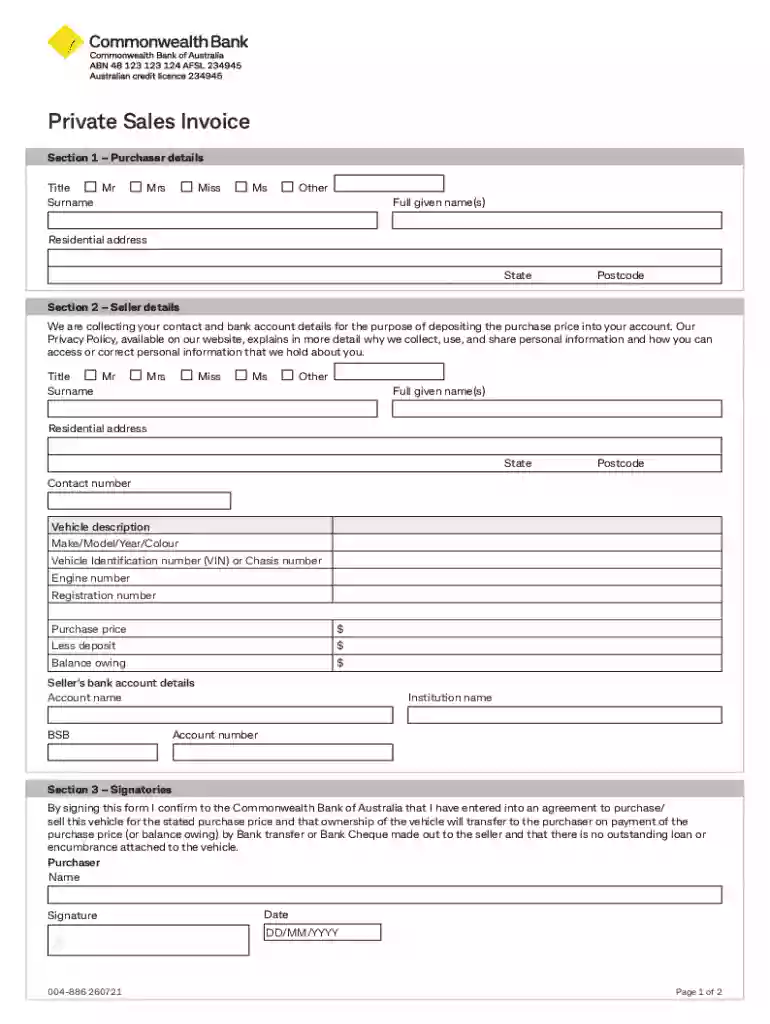
private sales invoice template Preview on Page 1

Here's how it works

01. Edit your private sales invoice template online
Type text, add images, blackout confidential details, add comments, highlights and more.

02. Sign it in a few clicks
Draw your signature, type it, upload its image, or use your mobile device as a signature pad.

03. Share your form with others
Send private sales invoice via email, link, or fax. You can also download it, export it or print it out.

Definition and Importance of Bank Details on Invoices

Bank details on an invoice refer to the information that allows your client to transfer payment directly to your bank account. This typically includes the account name, bank name, account number, and bank identification code (such as a routing number or SWIFT code for international transactions). Including bank details on invoices is crucial for businesses as it streamlines payment processes, ensuring faster transactions and reducing potential errors. By providing clear instructions, clients can easily settle invoices, improving cash flow and financial management.

How to Use Invoices with Bank Details

When using invoices that include bank details, it's essential to ensure accuracy and comprehensiveness. Begin by creating a template that allows you to fill in specific details for each transaction. Key elements to include are:

  • Invoice date and number for tracking
  • Your business contact details for communication
  • Client's contact details for personalization
  • List of products or services provided with quantities and prices
  • Total amount due, including taxes and discounts if applicable
  • Payment due date to ensure timely payments

Once your template is ready, fill in the details for each client. Double-check the bank information to avoid any errors that could delay payments. Sending the invoice as a PDF can help maintain the layout and integrity of your document when viewed by clients.

Steps to Complete an Invoice with Bank Details

  1. Enter Business and Client Details: Start by filling out your organization's name, address, and contact information, then add the client's details.
  2. List Products or Services: Include a detailed description of each product or service, along with unit prices and quantities.
  3. Calculate Total Amount: Add up all costs, apply taxes, and deduct any discounts to arrive at the total amount due.
  4. Add Payment Terms: Clearly outline the payment terms, including due dates and any penalties for late payment.
  5. Provide Bank Details: Ensure your banking information is accurate. Include the account number, routing number, and any other relevant information needed for payment.

Legal Considerations When Adding Bank Details to Invoices

While it is not legally required to include bank details on invoices, doing so can significantly benefit businesses by facilitating seamless transactions. However, it's crucial to prioritize security and privacy when sharing banking information. Always use secure methods of sending invoices, such as encrypted emails or secure document portals. Additionally, businesses should disclose their privacy policy to clients, explaining how their data will be used and protected.

Key Components of an Invoice

To ensure your invoices meet professional standards, include the following key components:

  • Business Identification: Business name, logo, and contact information.
  • Client Identification: Receiver’s name and contact information.
  • Invoice Data: Unique invoice number and date of issuance.
  • Service or Product Details: Thorough description, including delivery or service date.
  • Pricing Information: Unit prices, total amount before tax, applicable taxes, and final total.
  • Payment Instructions: Banking details and payment terms.
  • Additional Notes: Any specific instructions or thank you messages to the client.

State-Specific Rules and Compliance

While the federal government does not mandate specific invoice formats or contents, individual states may have regulations concerning sales taxes that must be included on invoices. For example, certain states require the display of specific taxes on invoices. Businesses should stay informed about regional requirements to ensure compliance. Consulting with a local accountant or a state department of revenue can provide clarity on these rules.

Scenarios for Using Invoices with Bank Details

Invoices with included bank details are particularly helpful in certain scenarios, such as:

  • Recurring Payments: For ongoing services where clients need to transfer payments regularly.
  • International Transactions: For businesses dealing with clients abroad, providing bank details is vital to facilitate currency conversions and international transfers.
  • Freelance Work: Freelancers often incorporate bank details in invoices to receive direct deposits from clients.

Practical Examples of Completing Invoices

Consider a freelance web designer who invoices clients monthly. The invoice includes a detailed service description, the rate charged per hour, the total hours worked, the calculated total, and the designer’s bank details to ensure timely payment. Similarly, a small business selling handmade crafts might include banking information on invoices to streamline payments for shipped orders, reducing reliance on checks or physical payment methods.

Software Compatibility for Invoice Management

Using software like QuickBooks or TurboTax can greatly simplify invoice creation and management. These programs often offer templates that can be customized with your business information, including banking details. They also provide features for tracking payments, sending automatic reminders, and generating financial reports, which can assist in maintaining accurate financial records.

Risks and Penalties for Non-Compliance

Failing to include clear payment instructions, such as bank details, could lead to payment delays or disputes. While these oversights might not carry legal penalties, they can affect client relationships and cash flow. To avoid complications, businesses should consistently verify the accuracy of banking details and consider using software tools to manage their invoices.

Selecting the right invoice structure and including necessary details can significantly enhance the efficiency of receiving payments, ultimately benefiting business operations and client satisfaction.

See more Do I need to put bank details on my invoices?Debitoor versions

We've got more versions of the Do I need to put bank details on my invoices?Debitoor form. Select the right Do I need to put bank details on my invoices?Debitoor version from the list and start editing it straight away!
Versions Form popularity Fillable & printable
2021 4.1 Satisfied (39 Votes)
2011 4 Satisfied (51 Votes)
be ready to get more

Complete this form in 5 minutes or less

Get form

Got questions?

We have answers to the most popular questions from our customers. If you can't find an answer to your question, please contact us.
Contact us
Late payment of invoices is a huge problem, so youll want to do everything in your power to make it easy for customers to pay you. You should definitely include your bank account details on every invoice, to allow customers to pay you using BACS or online banking.
To make it easy for customers to conduct an ACH transfer, youll need your invoices to feature the name on the account receiving the funds typically your business name and your banks relevant routing and account numbers.
Date of Issue; Description of Goods or Services; Quantities and Unit Prices; Taxes and Total Amount: Includes the subtotal (before tax), the tax rate applied, taxes charged, and the total amount due after tax.
Its up to you to decide whether or not you want to put bank details on your invoices, and its usually more appropriate to do so if payments are made directly to your bank account. If you expect to be paid with a standing order or one-time bank transfer, you should clearly state this on your invoices.
Use your invoice to clearly state the following payment terms: Accepted payment methods (online, cash, check, or credit card) Payment instructions (e.g., where clients can go to pay online, or who they should make the cheque out to) Payment due dates to prevent outstanding invoices going unpaid. Any late payment fees.

Security and compliance

At DocHub, your data security is our priority. We follow HIPAA, SOC2, GDPR, and other standards, so you can work on your documents with confidence.

Learn more
ccpa2
pci-dss
gdpr-compliance
hipaa
soc-compliance

People also ask

Invoice requirements: What to include on an invoice Header. Make the word invoice clear and prominent at the top of the document to quickly identify it as such. Your business information. Customers business information. Invoice number. Invoice date. Payment terms. Itemized list of goods or services. Subtotal.