
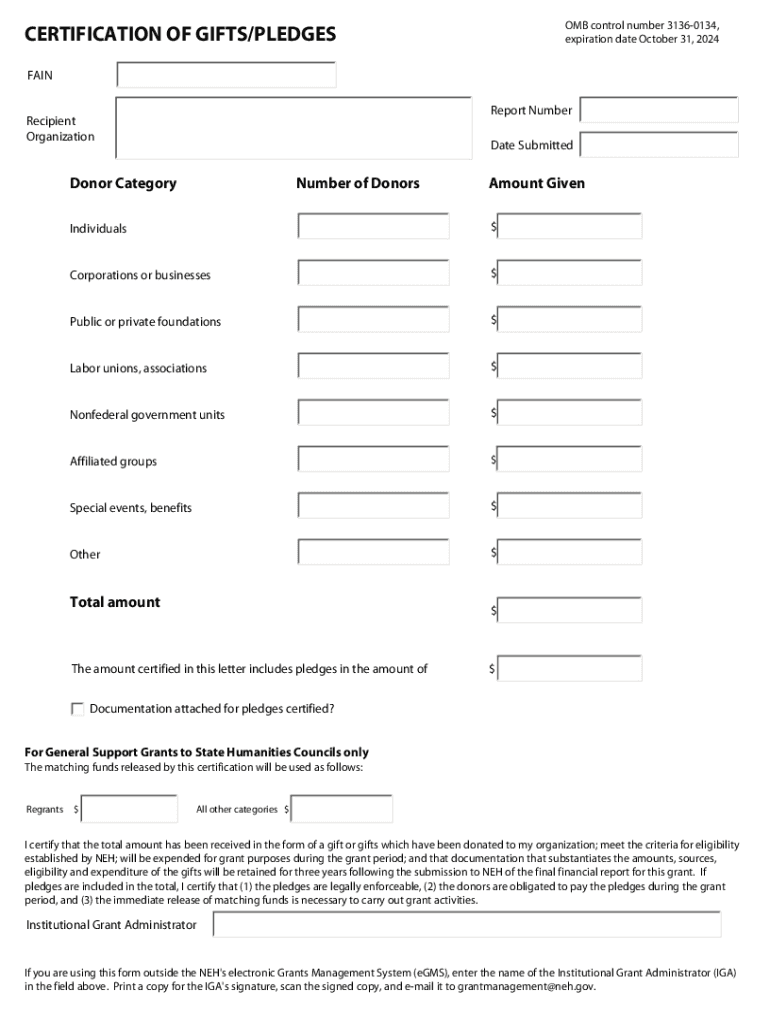







Definition and Meaning
The term "form online" refers to an electronic version of a document that can be completed, submitted, and processed via the internet. These forms can serve various functions, from data collection and surveys to formal applications and certifications. By moving traditional paper forms into a digital format, organizations enhance efficiency in processing submissions, reduce paper usage, and streamline data collection.
To provide context, consider a grant application form. Users can fill out required fields, attach supplementary documentation, and submit their entries all within an online environment. This system minimizes processing times and allows for easier tracking and management of form submissions.
How to Use the Form Online
Using an online form typically involves several straightforward steps designed to guide users through the process. Here's a standard procedure:
- Access the Form: Navigate to the organization's website hosting the form, and locate the specific document.
- Read Instructions: Review any instructions or guidance provided on the page to ensure clarity and completeness.
- Fill Out Required Fields: Enter the necessary information in designated fields, paying attention to mandatory sections marked with an asterisk.
- Attach Required Files: If applicable, attach electronic versions of required documents or additional information.
- Review Submission: Double-check all entered information for accuracy and completeness before submitting.
- Submit Form: Click the “Submit” button to send the form to the organization. Confirmation of submission is typically provided via email or on the site.
Online forms, such as those for grant applications or government certifications, often include automatic data validation, which immediately informs users of any errors or omissions that need correction before the form can be successfully submitted.
Steps to Complete the Form Online
Completing an online form entails a clear sequence of actions, ensuring accuracy and comprehensiveness in the information provided. This section covers the procedure in detail:
- Initiate the Form: Start by clicking the link or button to open the form interface.
- Fill in Identification Details: Enter personal or organizational identifiers, such as name and contact information.
- Provide Relevant Data: Supply additional information as required by the form, such as financial figures, employment details, or eligibility criteria.
- Utilize Form Features: Use any available tools to simplify completion, such as dropdown menus or autofill options for recurring entries.
- Verify Entries: Reassess the completed form for errors. Some platforms offer a 'review' or 'preview' function.
- Submit Supporting Documents: Upload necessary documents, ensuring they meet any specified format and size requirements.
- Finalize Submission: Confirm that the form is ready and submit it. Some platforms offer confirmation screens or emails as acknowledgment.
These steps are designed to accommodate users with varying levels of technical expertise, ensuring that completing the form is intuitive and straightforward.
Key Elements of the Form Online
An online form is composed of several crucial elements that function together to facilitate the submission process. Common components include:
- Input Fields: Text boxes, radio buttons, checkboxes, and dropdown menus capture specific user information.
- Navigation Tools: Buttons for advancing between pages or sections of the form, typically labeled "Next" or "Previous."
- Instructional Text: Guidance within or adjacent to fields helps explain what information is required and how to enter it correctly.
- Validation Indicators: Systems to indicate errors or omissions, often marked by color changes or pop-up messages.
- Submit Button: Enables final submission of the form and all entered data.
These elements ensure the form captures precise information while offering users guidance and support through the completion process.
Legal Use of the Form Online
Legal compliance is pivotal for online forms, particularly those used for purposes like tax reporting or grant applications. Legal considerations may include:
- Data Protection: Adhering to privacy laws, such as the GDPR, to ensure the protection of personal information.
- Electronic Signature Legality: Ensuring that e-signatures conform to laws like the ESIGN Act, making electronic submissions legally binding.
- Record Retention: Mandating retention of completed forms and supporting documents for a specified duration, often three years, to comply with organizational or governmental standards.
Organizations offering online forms must ensure they meet all relevant legal criteria to authenticate submissions and prevent disputes or legal challenges.
Required Documents
The completion of an online form usually necessitates certain supporting documents to substantiate the information provided. Depending on the form's purpose, required documents may include:
- Identity Verification: Valid government-issued ID like a driver's license or passport.
- Financial Records: Bank statements, tax returns, and income verifications.
- Proof of Eligibility: Evidence supporting eligibility claims, such as certifications or letters of recommendation.
- Supplementary Documentation: Any additional papers specified within the form, pertinent to the submission process.
The requirement for such documents varies based on the form type. Clear instructions regarding required documents help users prepare all necessary materials prior to engaging with the form.
Software Compatibility
When engaging with online forms, compatibility with various software systems can enhance or hinder the user experience. Primarily, users should consider:
- Browser Compatibility: Ensuring that the form platform is fully operational in major web browsers like Chrome, Firefox, and Safari.
- File Format Support: The system's ability to accept attachments in standard formats such as PDF, DOC, and JPG.
- Third-Party Integration: Compatibility with software like TurboTax or QuickBooks for financial forms, enabling seamless data transfer and entry.
Assessing these compatibility aspects in advance can prevent potential technical difficulties and streamline the form completion process.
Examples of Using the Form Online
Real-world applications of online forms encompass a wide array of uses. Common examples include:
- Grant Applications: Used by nonprofit organizations to apply for funding, often featuring sections for budget details and project descriptions.
- Tax Filings: Individuals and businesses report annual income and expenses through tax forms submitted electronically.
- Feedback Surveys: Businesses collect customer input to improve products or services through structured questionnaires.
- Permit Requests: Government agencies require electronic form submissions for various permits, making the process faster and easier than paper-based submissions.
These examples illustrate how diverse applications of online forms can simplify procedures across different domains and industries.
State-Specific Rules for the Form Online
Certain forms may involve state-specific regulations, necessitating different sections or requirements based on regional laws. These variations may include:
- Tax Forms: State-specific income or sales tax forms with unique regulations or exemptions.
- Permit Applications: Differences in zoning laws affecting permit requirements across states.
- Eligibility Criteria: State assistance programs may have varying rules on eligibility based on local funding and policy.
Understanding such state-specific rules is essential for ensuring forms are correctly completed and compliant with local directives.




