Domestic recruitment 2026

Get Form
what is domestic recruitment Preview on Page 1

Here's how it works

01. Edit your what is domestic recruitment online
Type text, add images, blackout confidential details, add comments, highlights and more.
02. Sign it in a few clicks
Draw your signature, type it, upload its image, or use your mobile device as a signature pad.
03. Share your form with others
Send domestic recruiter means via email, link, or fax. You can also download it, export it or print it out.

How to use or fill out domestic recruitment with our platform

Form edit decoration
9.5
Ease of Setup
DocHub User Ratings on G2
9.0
Ease of Use
DocHub User Ratings on G2
  1. Click ‘Get Form’ to open the domestic recruitment document in the editor.
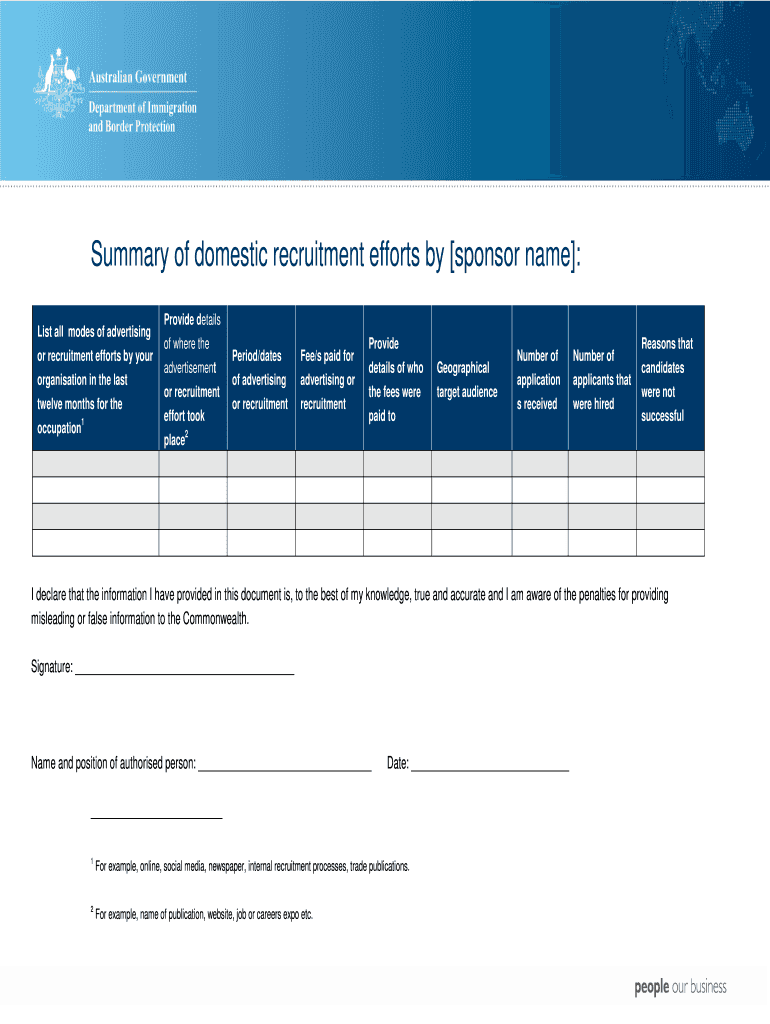
  2. Begin by listing all modes of advertising or recruitment efforts your organization has utilized in the past twelve months for the specified occupation. This may include online platforms, social media, newspapers, and internal processes.
  3. In the next section, provide details regarding where each advertisement or recruitment effort took place. Be specific about the platforms or publications used.
  4. Indicate the period or dates during which these advertisements were active. This helps in tracking the effectiveness of your recruitment strategies.
  5. Document any fees paid for advertising or recruitment efforts. Specify who these fees were paid to for transparency.
  6. Next, record the number of applications received and how many applicants were ultimately hired. This data is crucial for evaluating your recruitment success.
  7. Finally, outline reasons why candidates were not successful in their applications. This feedback can guide future recruitment improvements.
  8. Complete the declaration section by signing and providing your name, position, and date to affirm that all information is accurate.

Start using our platform today to streamline your domestic recruitment process effortlessly!

be ready to get more

Complete this form in 5 minutes or less

Get form

Security and compliance

At DocHub, your data security is our priority. We follow HIPAA, SOC2, GDPR, and other standards, so you can work on your documents with confidence.

Learn more
ccpa2
pci-dss
gdpr-compliance
hipaa
soc-compliance
be ready to get more

Complete this form in 5 minutes or less

Get form