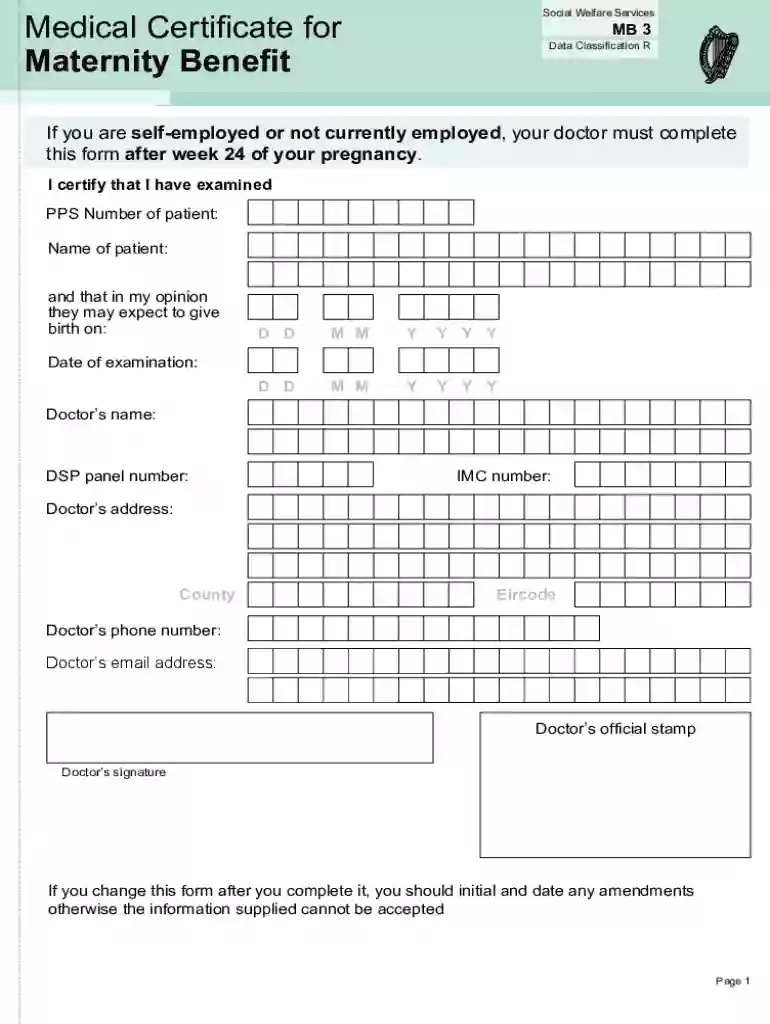
Definition and Meaning of Online Forms
Online forms are digital documents that allow users to input data electronically via the internet. They are designed to collect information from users in a structured format, often featuring fillable fields like text boxes, checkboxes, and dropdown menus. The convenience of online forms lies in their ability to streamline data collection by making it accessible on multiple devices, eliminating the need for physical paperwork. They are commonly used for applications, surveys, registrations, and data submissions across various fields.
Benefits of Online Forms
- Efficiency: Online forms reduce the time required for data entry and processing, as information is automatically digitized and organized.
- Accessibility: Users can access and complete forms from any location with internet access.
- Cost-effective: Eliminating paper forms reduces printing and mailing costs.
- Environmentally Friendly: Digital forms contribute to reducing paper waste, aligning with sustainable practices.
How to Use Online Forms
Using online forms involves navigating a web interface where users are prompted to fill in various fields with the requested information. Here's a basic guide:
- Access the Form: Open the form link or webpage where the form is hosted.
- Input Data: Enter information in the specified fields, following any instructions provided.
- Review: Double-check for errors or incomplete fields.
- Submit: Click on the 'Submit' button to send your information.
- Confirmation: Most forms provide a confirmation message or email after submission.
Tips for Effective Use
- Read Instructions Carefully: Ensure you understand each field's requirements before inputting data.
- Ensure Compatibility: Use a compatible web browser to prevent technical issues.
- Save Progress: If available, use the 'Save' feature to avoid losing data before submission.
How to Obtain Online Forms
Obtaining online forms typically involves navigating to a specific website where the form is hosted. Here's a step-by-step guide to finding and accessing these forms:
- Identify the Form Provider: Determine the organization or platform offering the form.
- Visit the Website: Use a web browser to navigate to the correct URL.
- Search for the Form: Use the website's search feature, or browse relevant categories or sections.
- Access the Form: Click on the form link to open it in your browser.
- Download Option: Some platforms offer downloadable versions which can be filled offline.
Common Sources
- Government Websites: For official forms (e.g., IRS or other government agencies).
- Corporate Platforms: For employment or service-related forms.
- Educational Institutes: For application or enrollment forms.
Steps to Complete the Form Online
Completing an online form requires careful attention to each step to ensure accurate submission:
- Read All Instructions: Carefully review the provided guidelines and instructions.
- Fill Required Fields: Enter data into all mandatory fields marked with an asterisk (*).
- Use Drop-downs and Checkboxes: Select appropriate options where applicable.
- Attach Documents: Upload any necessary documents if the form requires attachments.
- Review Before Submission: Check the form for any errors or omissions.
- Submit the Form: Click the 'Submit' or 'Send' button to finalize your submission.
- Receive Confirmation: Await a confirmation message or reference number for your records.
Potential Pitfalls
- Incomplete Fields: Ensure no required fields are left blank to avoid rejection.
- Incorrect Information: Double-check for any typos or erroneous entries.
- Unstable Internet Connection: Use a reliable Internet source to prevent submission errors.
Why Use Online Forms
Online forms offer multiple advantages over traditional paper forms, making them a preferred choice for individuals and businesses:
Key Advantages
- Speed and Convenience: Complete forms efficiently from any device with internet access.
- Real-time Data Processing: Immediate data capture and storage, facilitating quick responses and processing.
- Enhanced Security: Digital encryption protects sensitive information from unauthorized access.
- Reduced Errors: Validation options like dropdowns and checkbox fields minimize incorrect data entry.
Ideal Use Cases
- Job Applications: Streamlined processes for applying to jobs or internships via company websites.
- Surveys and Feedback: Collect opinions or feedback instantly from customers or employees.
- Customer Registrations: Sign-up forms for newsletters or membership services.
Examples of Using Online Forms
Online forms have versatile applications in various contexts, providing solutions tailored to different needs:
Educational Use Cases
- Admission Forms: Students apply to schools or universities, submitting required documents and details.
- Feedback Surveys: Education providers collect feedback from students and faculty to improve services.
Business Applications
- Order Forms: Businesses streamline purchase processes by letting customers fill orders online.
- Event Registrations: Manage event participation efficiently by allowing attendees to sign up online.
Key Elements of Online Forms
An online form is composed of several critical elements, each serving a unique role in functionality and user interaction:
- Text Fields: Allow users to input text information like names, addresses, or comments.
- Checkboxes and Radio Buttons: Let users make selections where multiple or single choices are available.
- Dropdown Menus: Provide a list of options for users to choose from, conserving space within the form.
- Upload Feature: Enables users to attach documents like resumes or identification for additional information.
- Submit Button: Finalizes the data entry process, sending information to the server or form-provider.
Additional Features
- Automatic Validation: Ensures all data meet required formats and criteria before submission.
- Progress Indicator: Shows users how much of the form they have completed and what remains.
Legal Use of Online Forms
Online forms need to adhere to legal standards to ensure compliance and protect users' rights:
Compliance with Laws
- ESIGN Act: Ensures electronic signatures are legally binding and holds the same power as handwritten signatures.
- Data Protection Laws: Compliance with regulations like GDPR or CCPA to safeguard personal data.
Necessary Disclosures
- Privacy Policies: Inform users how their data will be used and stored.
- Consent Sections: Users must agree to specific terms before submission, often indicated through checkboxes.
Required Documents for Online Form Submission
Completing an online form may require the submission of additional documentation for accuracy and verification:
- Identification Proof: Passports, driver's licenses, or ID cards to verify identity.
- Proof of Residency: Utility bills or government correspondence indicating residence.
- Supporting Documents: Certificates, transcripts, or other documents requested by the form provider.
- Financial Records: Bank statements or tax documents for financial-based forms.
Preparing Documents
- Ensure Clarity: All documents should be clear and legible when scanned or photographed.
- Format Compatibility: Convert documents into readable formats like PDF or JPG when necessary.