
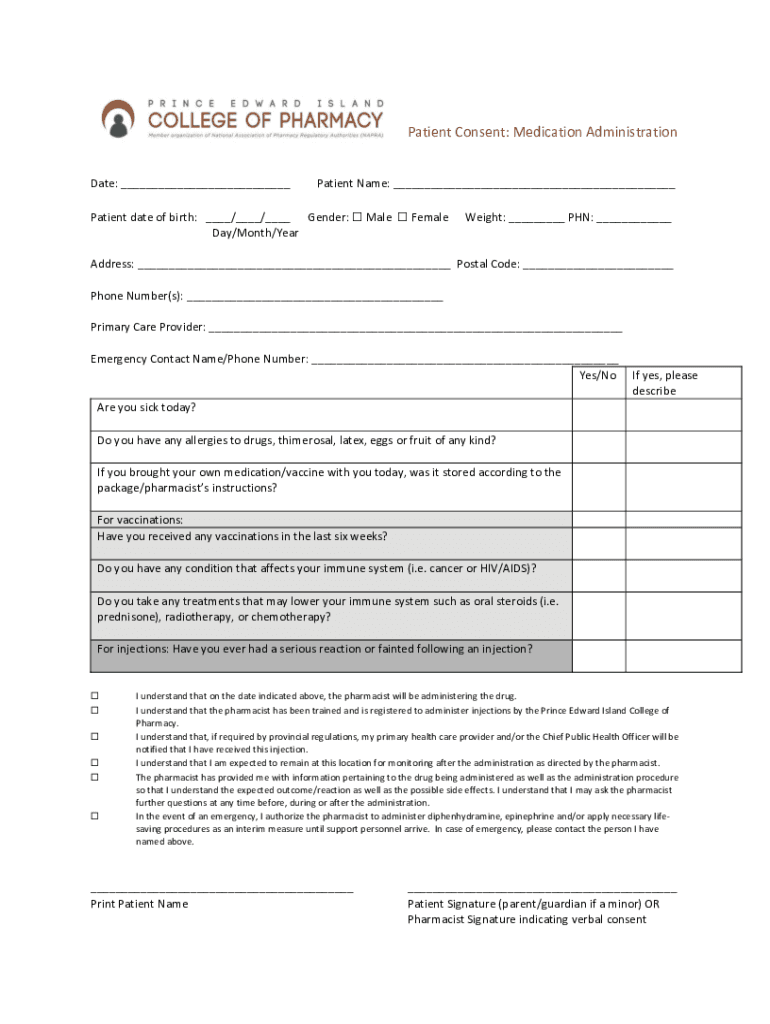







Definition and Purpose of Existing Patient Registration
The Existing Patient Registration form at Northside Hospital is a crucial document designed to streamline the administrative process for returning patients. It facilitates the update of personal and medical information, ensuring that the hospital's records are current. This form is integral in maintaining accurate patient histories, enabling healthcare providers to deliver effective and personalized care. By updating their information before appointments, patients help minimize wait times and reduce paperwork upon arrival at the hospital.
How to Use the Existing Patient Registration Form
Patients can efficiently use the Existing Patient Registration form by following a simple step-by-step process:
-
Access the Form: Obtain the form from Northside Hospital's website or through your patient portal account. It's available for download in PDF format for ease of use.
-
Complete Personal Information: Fill in personal details like name, address, phone number, and emergency contact information. Double-check for accuracy to ensure seamless communication.
-
Update Medical Information: Provide any changes in medical history, current medications, and any allergies. This ensures your healthcare team has up-to-date information to tailor your care appropriately.
-
Submit the Form: Return the completed form via the hospital’s patient portal or bring it to your next appointment. Ensure it’s completed in full to avoid delays during your visit.
Steps to Complete the Existing Patient Registration
Completing the Existing Patient Registration form involves several detailed steps to ensure accuracy and completeness:
-
Gather Necessary Information: Before beginning the form, collect all required medical records, medication details, and any recent test results. Having this information on hand will make completing the form more efficient.
-
Enter Personal Details: Start by filling out your full name, date of birth, and contact information as listed on your valid identification.
-
Medical History and Treatments: Update any recent changes in your health, including surgeries, hospitalizations, or new diagnoses. This section is critical for your continued care and should be filled out thoroughly.
-
Insurance Information: Provide your current insurance provider details and attach a copy of your insurance card if requested. This helps in processing billing and identifying co-pay requirements.
-
Signature and Date: Ensure the form is signed and dated to confirm that the information provided is accurate and up to date. This validates your form submission.
Importance of the Existing Patient Registration Form
The Existing Patient Registration form is essential for several reasons:
-
Accuracy in Medical Records: Ensures that all patient records reflect the most current information, aiding in accurate diagnoses and treatment plans.
-
Streamlined Administrative Processes: Reduces administrative burden by consolidating patient information updates, thus improving overall efficiency during hospital visits.
-
Enhanced Patient Safety: By updating allergies, medications, and health conditions, the form helps prevent potential medical errors or adverse reactions.
Key Elements of the Existing Patient Registration Form
The form comprises several key components, each serving a specific purpose:
-
Personal Information Section: Vital for identification and maintaining open lines of communication with patients and their designated contacts.
-
Medical History Update: Central for providers to assess any changes in health since the last visit, ensuring continuity of care.
-
Insurance Details: Facilitates billing procedures and helps patients understand their financial responsibilities.
-
Consent and Authorization: Allows the hospital to use and disclose medical information as necessary for treatment, payment, or healthcare operations.
Submission Methods for Existing Patient Registration
Patients have various options for submitting the Existing Patient Registration form:
-
Online Submission: Through the patient portal, allowing for quick and secure transfer of information.
-
In-Person Submission: Drop off the completed paper form at any Northside Hospital registration desk during your appointment.
-
Mail Submission: Send the completed form to the hospital's administrative office, though this method may take longer and is less common.
Software Compatibility for Digital Forms
For patients opting for the digital version of the form, compatibility with software is a consideration:
-
PDF Readers: Ensure you have a PDF reader installed, such as Adobe Acrobat Reader, for filling out, saving, and printing the form.
-
Electronic Signature Tools: Digital platforms like DocHub can be used to sign forms electronically, offering a legally binding signature alternative.
Important Terms Related to Existing Patient Registration
Understanding specific terminology within the form helps in accurately completing it:
-
Primary Care Physician: The main doctor responsible for managing your overall health care.
-
Specialist Consultations: Any doctors or healthcare providers you consult outside of your primary care physician.
-
Consent for Treatment: Agrees to the hospital providing necessary medical care as per the updated information on the form.
By providing a comprehensive view of the Existing Patient Registration process at Northside Hospital, patients and healthcare providers can ensure a smooth and efficient administrative experience.




