




01. Edit your form online
Type text, add images, blackout confidential details, add comments, highlights and more.

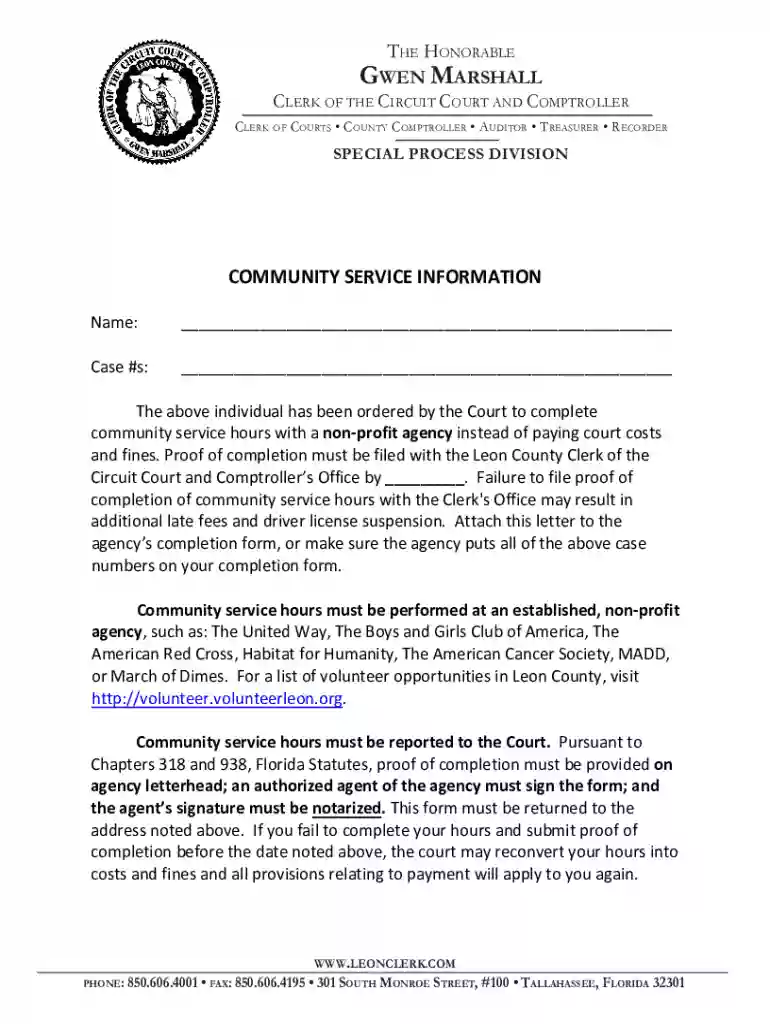
Type text, add images, blackout confidential details, add comments, highlights and more.

Draw your signature, type it, upload its image, or use your mobile device as a signature pad.

Send it via email, link, or fax. You can also download it, export it or print it out.
Forms processed online refer to digital versions of documents traditionally completed on paper, enabling users to fill out, submit, or manage these documents via the internet. The popularity of online forms has surged with the increase in remote work and digital communication. These forms can serve various purposes, such as applications, registrations, orders, or feedback collection. For instance, a legal document or tax application can be filled out using an interactive online form, minimizing the need for printing and allowing for immediate submission.
Online forms can include features like validation checks to ensure data accuracy, dropdown menus for easy selection, and electronic signatures for authenticity. By using forms online, organizations enhance efficiency and accessibility, significantly reducing the time required to process documents and providing a streamlined user experience.
To use a form online efficiently, follow these essential steps:
Locate the Form: Identify the specific form you need from a reliable website or portal like DocHub. Ensure the source is credible to avoid issues with legality or security.
Access and Review the Form: Open the form on your device. Review the instructions and necessary details to understand the requirements before filling it out.
Fill Out the Form: Enter your information in the designated fields. This might include typing in text boxes, selecting from dropdown lists, checking boxes, or adding electronic signatures.
Save Progress: If possible, save your progress to prevent data loss, especially for lengthy forms. This feature is beneficial if you need to gather additional information not immediately available.
Review and Submit: Double-check all entries for accuracy. Ensure that all required fields are completed before submitting the form. Once verified, use the online submission feature typically offered by platforms like DocHub.
Confirmation and Documentation: After submission, keep a digital or printed copy of the completed form and submission confirmation for your records.
Completing an online form requires careful attention to detail:
Gather Required Information: Before starting, ensure you have all necessary information and documents at hand. This might include identification numbers, addresses, or supporting documentation.
Access the Platform: Use a compatible device and web browser to access the online platform that hosts the form. Ensure your internet connection is stable to avoid disruptions.
Follow the Guidelines: Many platforms provide step-by-step instructions. Follow these closely to minimize errors. Pay attention to any guidance on format and data input.
Use Built-In Help Features: Many online forms offer help buttons or tooltips providing additional information. Make use of these if you encounter challenging sections.
Sectional Completion: Tackle the form section by section. It's often more manageable to complete one part before moving to the next, ensuring that each section is correctly filled.
Validate Entries: Some forms automatically check for errors or missing information. Use these validation tools to ensure all your entries meet the required specifications.
Using forms online offers numerous advantages:
Several components are critical when working with forms online:
Forms online are employed by various groups and individuals, such as:
These users leverage online forms to improve process efficiency, ensure accuracy, and provide accessibility to stakeholders.
Familiarity with certain terms enhances comprehension and usability of forms online:
Understanding these terms helps in navigating and completing online forms effectively.
While using forms online, be aware of:
Being informed about these variations can prevent legal complications and ensure compliance.
We've got more versions of the Community Service Completion Form form. Select the right Community Service Completion Form version from the list and start editing it straight away!
At DocHub, your data security is our priority. We follow HIPAA, SOC2, GDPR, and other standards, so you can work on your documents with confidence.
Directions on how to complete this form, and how to have community service hours recognized by Upward Bound, are included on the reverse side of this form.Read more
The RP-5217-PDF Real Property Transfer Report (RPL Article 9, Section 333) is a one-part, downloadable, barcoded, pdf form used to document the informationRead more
A new form is required every six months. Community Service | Volunteer Verification Form. Start Date of Service. Expected. End Date of Service*. Transportation.Read more


