
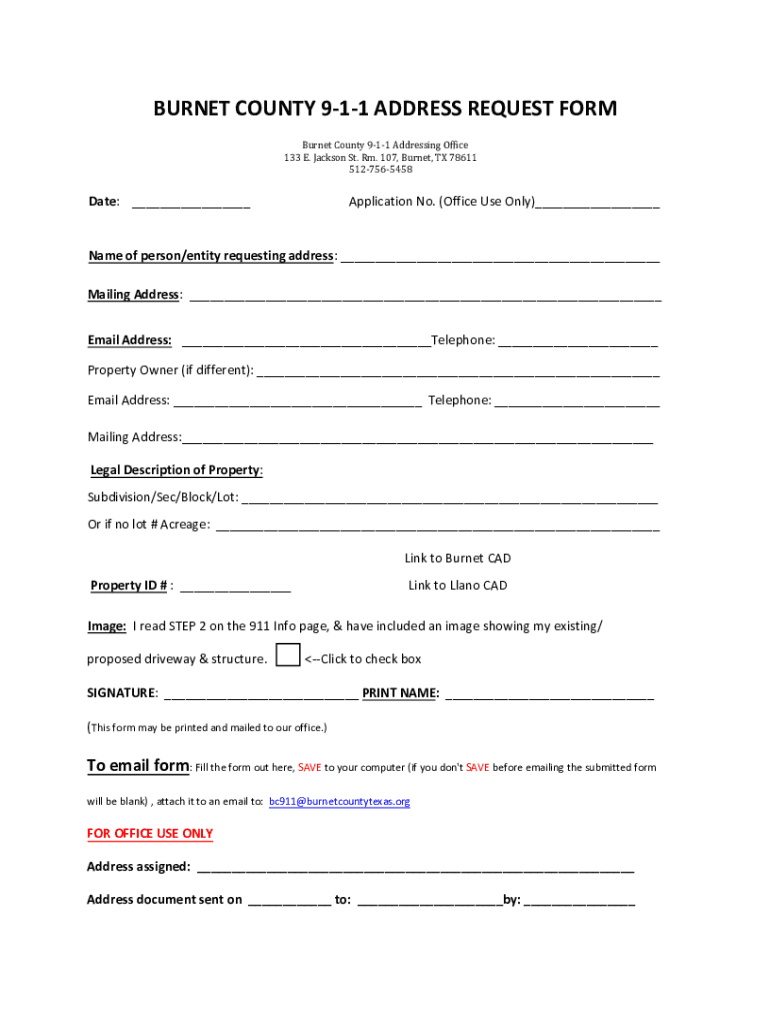







Definition & Meaning
The concept of "form online" refers to digital versions of documents that can be created, completed, and submitted through the internet. These forms are designed to streamline processes that traditionally required paper-based transactions, enabling users to manage tasks efficiently and conveniently. A primary benefit of online forms is their accessibility, allowing users to complete them from any location with internet connectivity. The term encompasses a wide range of applications, from business forms to governmental paperwork and everything in between.
How to Use the Form Online
To effectively use a form online, one typically needs to navigate to the platform where the form is hosted. Here’s a structured approach to using these forms:
- Access the Platform: Visit the relevant website where the form is available, such as DocHub.
- Select the Form: Identify and select the appropriate form needed for your specific purpose.
- Fill Out Required Information: Use the provided fields to input necessary data like personal information and specific details related to the form’s purpose.
- Review Entries: Before submission, review the entered data to ensure accuracy and completeness.
- Submit the Form: Use the platform’s submission feature to send the completed form electronically.
Online platforms often provide tools for saving progress, making it possible to complete the form in multiple sessions if needed.
Steps to Complete the Form Online
Completing a form online involves several detailed steps to ensure all necessary information is accurately captured:
- Log In or Sign Up: Access the platform and log in with your credentials or create a new account if you’re a first-time user.
- Choose Form Template: Navigate to the template library and choose the correct form needed for your situation.
- Begin Filling the Form: Enter information into the form fields, which might include text boxes, checkboxes, or dropdown menus.
- Utilize Form Instructions: Pay careful attention to any instructions or guidelines provided on the form to avoid errors.
- Save Progress: Regularly save your progress to prevent data loss, especially if completing lengthy forms.
- Add Electronic Signature: If required, use the platform's electronic signature tool to sign the form.
- Finalize and Submit: Verify all entries for completeness, then submit the form through the prescribed method.
Key Elements of the Form Online
Online forms comprise several essential elements designed to facilitate data collection and processing:
- Form Fields: Include text input areas, checkboxes, and dropdown menus to capture data.
- Interactive Format: Often includes guidance prompts and validations to ensure correct data entry.
- Submission Button: A clear call to action for submitting the completed form.
- Save and Resume: Options to save progress and resume later, minimizing data entry errors.
- Security Features: Implementation of SSL encryption and password protection to safeguard personal data.
- Feedback Mechanism: Confirmation messages or emails to inform users of successful submission.
Who Typically Uses the Form Online
A diverse group of individuals and organizations use forms online for various purposes:
- Businesses and Corporations: Manage internal processes, human resources, and client interactions.
- Government Agencies: Facilitate the filing of tax forms, grant applications, or compliance documents.
- Educational Institutions: Streamline application processes, student registrations, and feedback collection.
- Individuals: Engage in personal transactions like applying for loans, setting up utilities, or renewing licenses.


Required Documents
Completing an online form often necessitates the use of various supporting documents. These may include:
- Identification Proofs: Photocopies of ID cards or passports as identity verification.
- Financial Documentation: Bank statements or proof of income for financial assessments.
- Legal Agreements: Signed contracts or agreements when related to legal matters.
- Reference Materials: Any ancillary documents that support the form’s primary purpose.
Ensuring these documents are readily available in digital format can expedite the completion process.
Examples of Using the Form Online
Online forms are applied in numerous real-world scenarios:
- Job Applications: Companies provide online forms for candidates to apply for positions and submit resumes and cover letters.
- Tax Filings: Platforms like the IRS offer online forms to file taxes electronically.
- Permit Applications: Local governments use e-forms for citizens to apply for construction or event permits.
- Customer Feedback: Businesses solicit customer input via online forms to improve services.
Legal Use of the Form Online
Forms online are subject to legal regulations to ensure compliance and validity:
- Electronic Signatures: Must comply with the ESIGN Act, providing the same legal status as handwritten signatures.
- Data Privacy: Adherence to privacy laws, ensuring user data is protected during collection and storage.
- Consent Requirements: Users must consent to terms and conditions before form submission.
- Audit Trails: Available for forms requiring signature, logging access, and modifications for transparency and legal compliance.
Understanding these legal facets ensures that users remain compliant when processing sensitive information.


