




Here's how it works

01. Edit your dochub com fillable form online
Type text, add images, blackout confidential details, add comments, highlights and more.

02. Sign it in a few clicks
Draw your signature, type it, upload its image, or use your mobile device as a signature pad.

03. Share your form with others
Send indiana state form 46234 via email, link, or fax. You can also download it, export it or print it out.
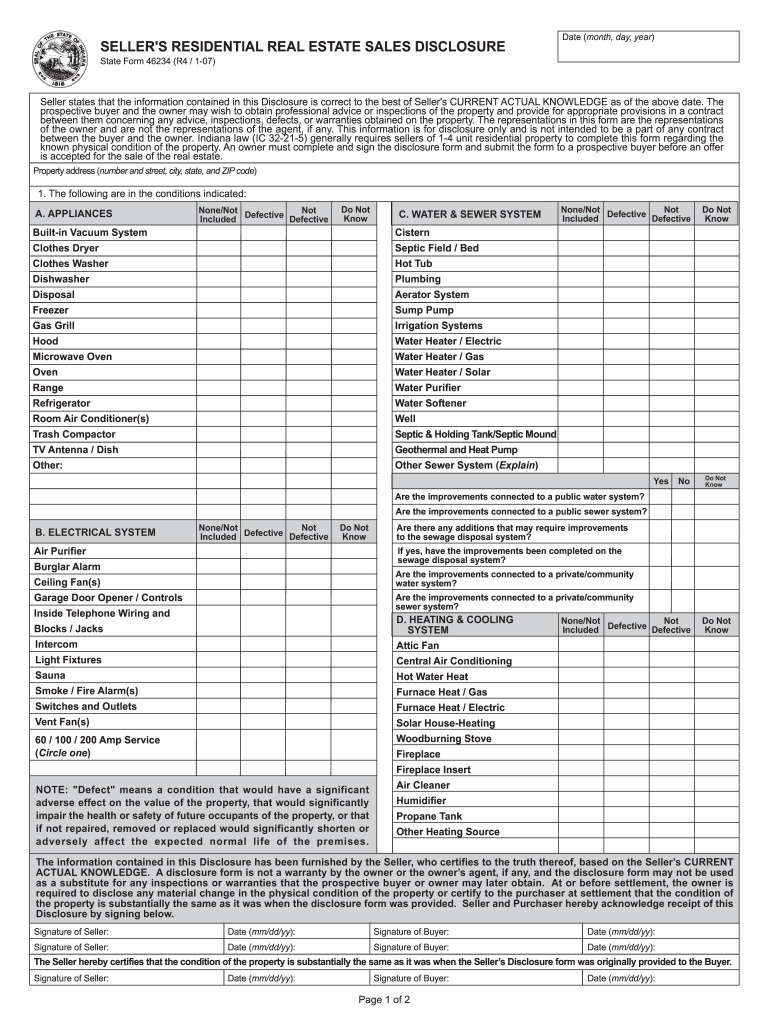
How to use or fill out Indiana State Form 46234 R1293 2007

- Click ‘Get Form’ to open it in the editor.
- Begin by entering the property address at the top of the form, ensuring all details are accurate.
- In Section 1, assess and mark the condition of appliances. Choose from options like 'None/Not Defective', 'Defective', or 'Do Not Know' for each item listed.
- Proceed to Section C regarding the water and sewer system. Indicate whether each system is connected to public or private services and note any defects.
- In Section D, evaluate the heating and cooling systems. Again, select the appropriate condition for each item listed.
- Complete Sections 2 through 4 by answering questions about roof conditions, hazardous conditions, and any additional comments as necessary.
- Finally, ensure all signatures are collected from both seller and buyer at the bottom of the form before submission.
Start using our platform today to fill out your Indiana State Form 46234 R1293 2007 easily and for free!
Fill out indiana state form 46234 r1293 2007 online
It's free
See more indiana state form 46234 r1293 2007 versions
We've got more versions of the indiana state form 46234 r1293 2007 form. Select the right indiana state form 46234 r1293 2007 version from the list and start editing it straight away!
Security and compliance
At DocHub, your data security is our priority. We follow HIPAA, SOC2, GDPR, and other standards, so you can work on your documents with confidence.
Learn more


