




Here's how it works

01. Edit your form online
Type text, add images, blackout confidential details, add comments, highlights and more.

02. Sign it in a few clicks
Draw your signature, type it, upload its image, or use your mobile device as a signature pad.

03. Share your form with others
Send it via email, link, or fax. You can also download it, export it or print it out.
How to use or fill out 2012 Form IL-1120 - Illinois Department of Revenue with our platform

- Click ‘Get Form’ to open it in the editor.
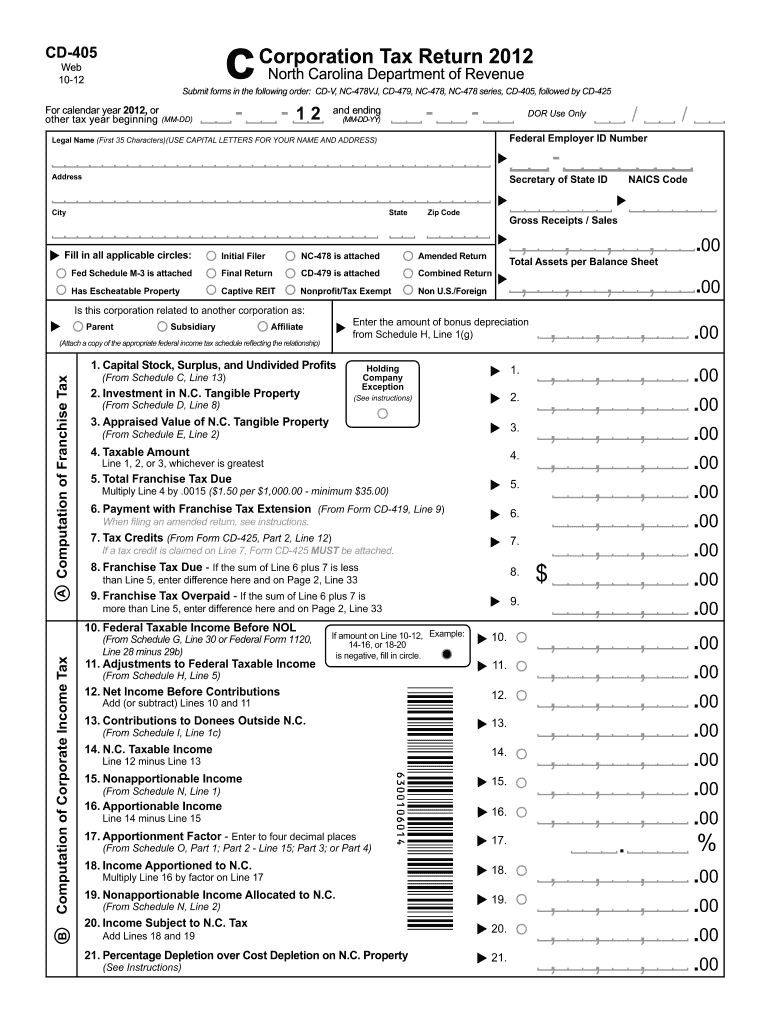
- Begin by entering your legal name and Federal Employer ID Number at the top of the form. Ensure that you use capital letters for clarity.
- Fill in your address details, including city, state, and zip code. Make sure all information is accurate to avoid processing delays.
- Indicate whether this is an initial filer or a final return by checking the appropriate boxes provided on the form.
- Proceed to the computation sections where you will enter figures related to gross receipts, franchise tax calculations, and any applicable tax credits. Follow the instructions closely for each line item.
- Review all entries for accuracy before signing and dating the form at the bottom. This ensures compliance and reduces errors.
Start using our platform today for free to streamline your document editing and form completion!
Fill out 2012 Form IL-1120 - Illinois Department of Revenue online
It's free
It's free
See more 2012 Form IL-1120 - Illinois Department of Revenue versions
We've got more versions of the 2012 Form IL-1120 - Illinois Department of Revenue form. Select the right 2012 Form IL-1120 - Illinois Department of Revenue version from the list and start editing it straight away!
| Versions | Form popularity | Fillable & printable |
|---|---|---|
| 2025 | 4.8 Satisfied (20 Votes) | |
| 2024 | 4.9 Satisfied (45 Votes) | |
| 2023 | 4.1 Satisfied (23 Votes) | |
| 2022 | 4.1 Satisfied (30 Votes) | |
| 2021 | 4.1 Satisfied (37 Votes) | |
| 2020 | 4.9 Satisfied (48 Votes) | |
| 2019 | 4.3 Satisfied (144 Votes) | |
| 2018 | 4.3 Satisfied (108 Votes) | |
| 2017 | 4.1 Satisfied (85 Votes) | |
| 2016 | 4.2 Satisfied (54 Votes) | |
| 2015 | 4.3 Satisfied (48 Votes) | |
| 2014 | 4.4 Satisfied (550 Votes) | |
| 2013 | 4.2 Satisfied (48 Votes) | |
| 2012 | 4 Satisfied (48 Votes) | |
| 2011 | 4 Satisfied (21 Votes) |
Security and compliance
At DocHub, your data security is our priority. We follow HIPAA, SOC2, GDPR, and other standards, so you can work on your documents with confidence.
Learn more




