




01. Edit your form online
Type text, add images, blackout confidential details, add comments, highlights and more.

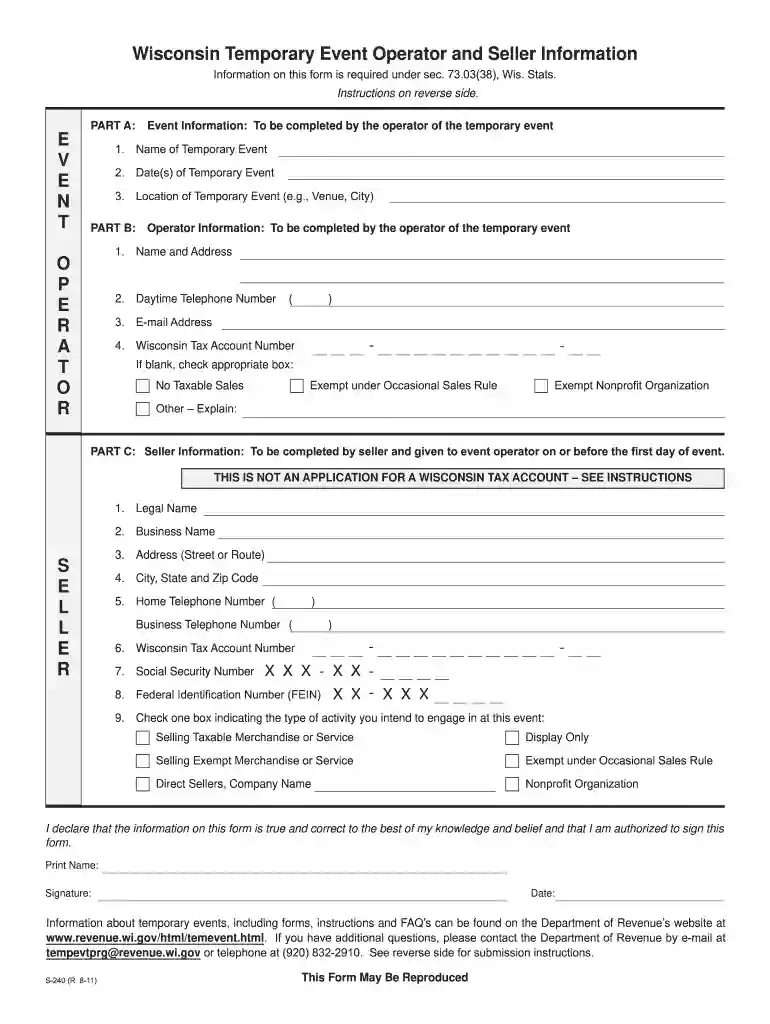
Type text, add images, blackout confidential details, add comments, highlights and more.

Draw your signature, type it, upload its image, or use your mobile device as a signature pad.

Send it via email, link, or fax. You can also download it, export it or print it out.

Start using our platform today to fill out your Wisconsin Department of Revenue Form 240 2011 easily and for free!
We've got more versions of the wisconsin department of revenue form 240 2011 form. Select the right wisconsin department of revenue form 240 2011 version from the list and start editing it straight away!
At DocHub, your data security is our priority. We follow HIPAA, SOC2, GDPR, and other standards, so you can work on your documents with confidence.
Includes budget requests, narrative budget justifications, and related correspondence submitted by state agencies. Major topics include state budget procedures;Read more
The process to produce EPAs Report to Congress on the Incidence and Severity of. Sediment Contamination in Surface Waters of the United States has beenRead more
111-240 relating to documenta- tion for claiming cell phones as a business expense. Section 2111 of P.L. 111-240 relating to allowing a section 457(b)Read more


