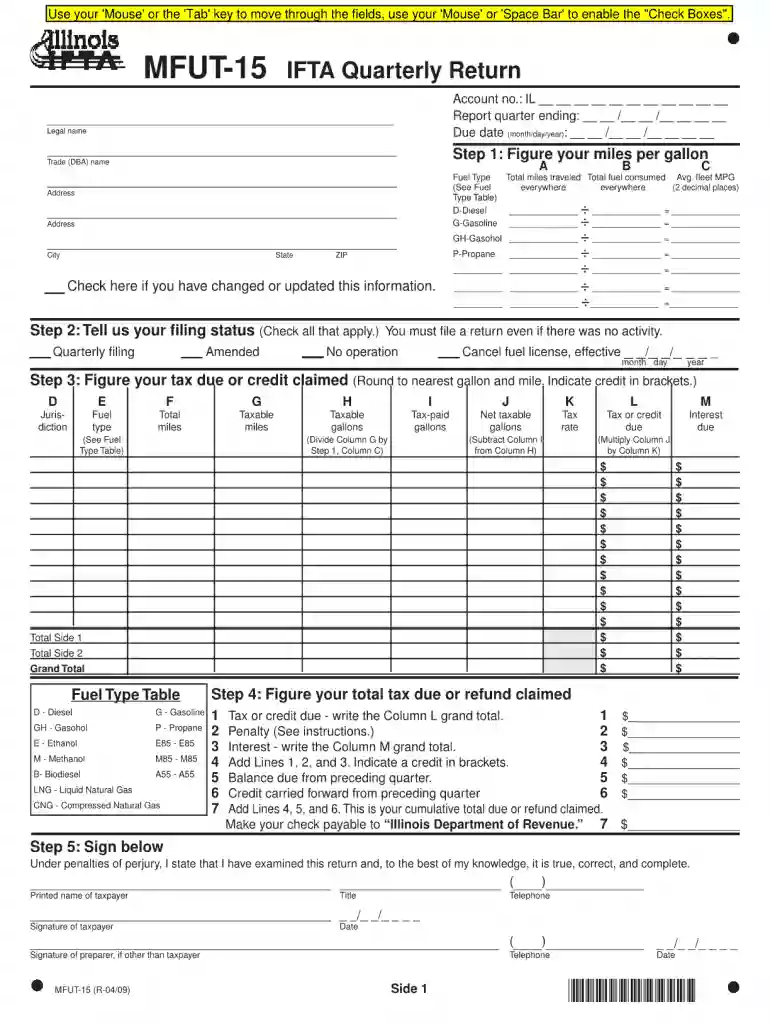
Mfut 15 form 2026

Get Form
mfut 15 form Preview on Page 1

Here's how it works

01. Edit your mfut 15 form online
Type text, add images, blackout confidential details, add comments, highlights and more.

02. Sign it in a few clicks
Draw your signature, type it, upload its image, or use your mobile device as a signature pad.

03. Share your form with others
Send mfut 15 via email, link, or fax. You can also download it, export it or print it out.

How to use or fill out mfut 15 form with our platform

Form edit decoration
9.5
Ease of Setup
DocHub User Ratings on G2
9.0
Ease of Use
DocHub User Ratings on G2
  1. Click ‘Get Form’ to open the mfut 15 form in the editor.
  2. Begin by entering your personal information in the designated fields, including your name, address, and contact details. Ensure accuracy for seamless processing.
  3. Next, navigate to the section that requires specific data related to your application. Fill in all required fields carefully, as incomplete information may delay your submission.
  4. Review any additional sections that may require signatures or dates. Use our platform’s signature feature to sign electronically where indicated.
  5. Once all fields are completed, take a moment to review the entire form for any errors or omissions before finalizing your submission.

Start using our platform today for free and streamline your mfut 15 form completion!

See more mfut 15 form versions

We've got more versions of the mfut 15 form form. Select the right mfut 15 form version from the list and start editing it straight away!
Versions Form popularity Fillable & printable
2009 4.9 Satisfied (490 Votes)
be ready to get more

Complete this form in 5 minutes or less

Get form

Got questions?

We have answers to the most popular questions from our customers. If you can't find an answer to your question, please contact us.
Contact us
If enrolled in one of the fully insured plans (Health Alliance HMO, Aetna HMO, HMO Illinois or BlueAdvantage HMO), you will receive the form directly from the HMO plan. If enrolled in both types of plans during the calendar year, you will receive a form from both MyBenefits and the HMO plan.
Who needs to comply? If any or all of the trucks that you own or oversee have a registered gross vehicle weight over 26,000 lbs or have three or more axles, and travel in more than one state, you have one or more qualified vehicles and need to adhere to the quarterly reporting and IFTA filing process.
If you have a current IFTA license you must file a IFTA quarterly report no later than the end of the month following each calendar quarter. (File in January, April, July and October). EVEN IF THE TRUCK DID NOT OPERATE YOU MUST FILE A RETURN.
Local trucks operating exclusively within a single jurisdiction typically do not need to file IFTA. IFTA is primarily for commercial vehicles that travel across multiple jurisdictions, such as interstate or international carriers.
Yes, the IFTA taxes are deductible. Taxes on gasoline, diesel fuel, and other motor fuels that you use in your business can be deducted as a business expense for carrying out your trade or business.