




Here's how it works

01. Edit your ndls application form online
Type text, add images, blackout confidential details, add comments, highlights and more.

02. Sign it in a few clicks
Draw your signature, type it, upload its image, or use your mobile device as a signature pad.

03. Share your form with others
Send d401 driving via email, link, or fax. You can also download it, export it or print it out.
How to use or fill out form d401 with our platform

- Click ‘Get Form’ to open it in the editor.
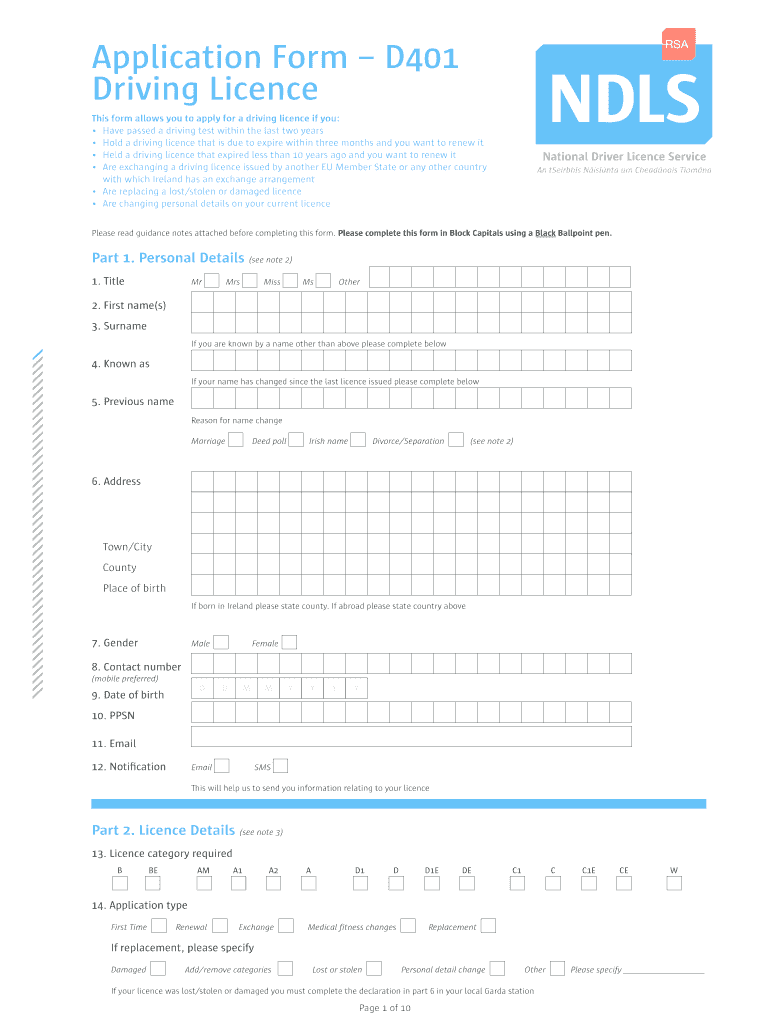
- Begin with Part 1: Personal Details. Fill in your title, first name(s), surname, and any previous names if applicable. Ensure all fields are completed in block capitals.
- Provide your address, date of birth, PPSN, and contact information. Select your preferred notification method (email or SMS) for updates regarding your licence.
- Move to Part 2: Licence Details. Indicate the licence category you require and specify the application type (e.g., renewal, exchange). If replacing a lost or stolen licence, complete the necessary declaration.
- In Part 5: Driver Fitness, answer health-related questions honestly. If any conditions apply, be prepared to submit a medical report.
- Finally, review all sections for accuracy before signing the declaration in Part 6. Use a black ballpoint pen as specified.
Start filling out form d401 today on our platform for free!
Fill out form d401 online
It's free
It's free
Security and compliance
At DocHub, your data security is our priority. We follow HIPAA, SOC2, GDPR, and other standards, so you can work on your documents with confidence.
Learn more


