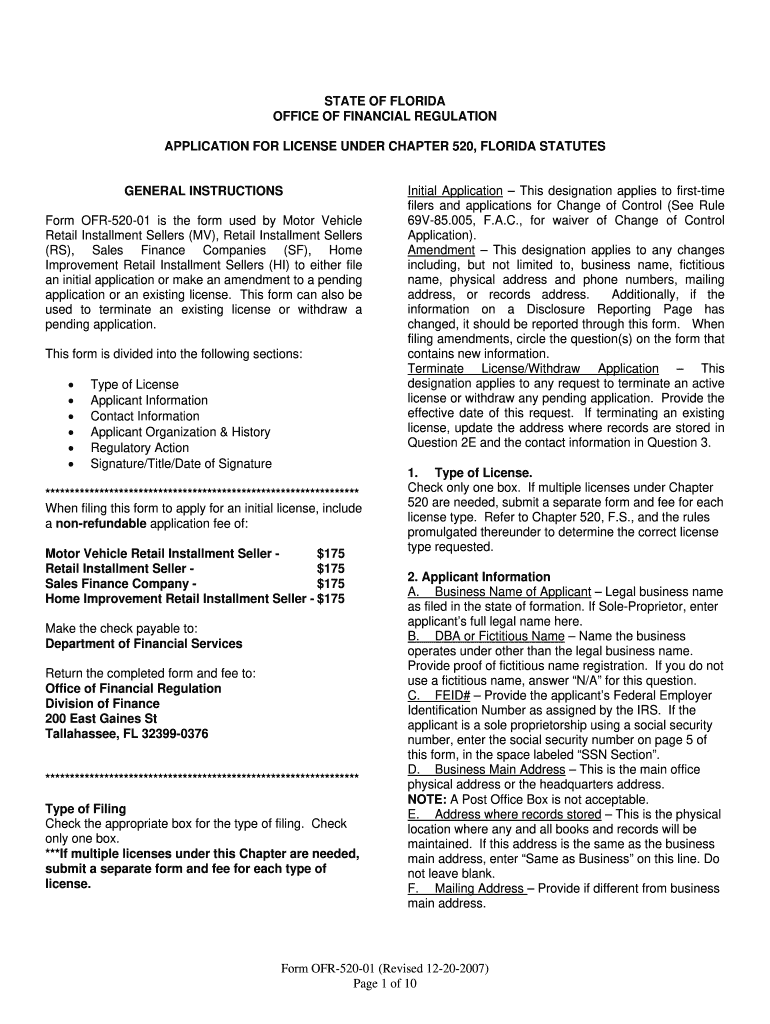
520 01 2026

Get Form
520 01 Preview on Page 1

Here's how it works

01. Edit your form online
Type text, add images, blackout confidential details, add comments, highlights and more.
02. Sign it in a few clicks
Draw your signature, type it, upload its image, or use your mobile device as a signature pad.
03. Share your form with others
Send it via email, link, or fax. You can also download it, export it or print it out.

How to use or fill out 520 01 with our platform

Form edit decoration
9.5
Ease of Setup
DocHub User Ratings on G2
9.0
Ease of Use
DocHub User Ratings on G2
  1. Click ‘Get Form’ to open the 520 01 in the editor.
  2. Begin by selecting the type of license you are applying for. Check only one box for either Motor Vehicle Retail Installment Seller, Retail Installment Seller, Sales Finance Company, or Home Improvement Retail Installment Seller.
  3. Fill in your Applicant Information. Include your legal business name, any fictitious name if applicable, and your Federal Employer Identification Number (FEID). Ensure that the main address is a physical location and not a P.O. Box.
  4. Complete the Contact Information section if desired. This includes providing a contact person's name, mailing address, and phone number.
  5. In the Applicant Organization & History section, indicate your organization type and provide details about your registered agent and ownership structure.
  6. Answer all Disclosure Questions honestly. If applicable, attach additional documentation for any affirmative responses.
  7. Finally, ensure that an authorized person signs the form before submission. This signature affirms that all information provided is accurate.

Start using our platform today to streamline your form completion process for free!

See more 520 01 versions

We've got more versions of the 520 01 form. Select the right 520 01 version from the list and start editing it straight away!
Versions Form popularity Fillable & printable
2007 4.9 Satisfied (472 Votes)
be ready to get more

Complete this form in 5 minutes or less

Get form

Got questions?

We have answers to the most popular questions from our customers. If you can't find an answer to your question, please contact us.
Contact us
Reject code SH-F1040-520-01 occurs when Schedule H, Household Employment Taxes has been included in the return and the combination of the EIN established for household employment and the first four letters of the taxpayers last name do not match the information in the IRS database.
Correcting Reject Code SH-F1040-520-01: Verify that the household employer EIN has been entered correctly in the Schedule H menu. If the information entered is correct, the return must be mailed. If the information entered was entered incorrectly, correct it and re-transmit the return.
Answer: Provide an explanation for why you are filing after the due date, Include a copy of the rejection notification, Give a brief history of the corrective actions you took, Write in red at the top of the first page Rejected Electronic Return - (Date), and. Sign your paper return.
You must file a Schedule H if you employ a household worker, whether the work is part-time or full-time, or if you hired the worker through an agency or not. It does not matter if the wages paid are for work completed on a daily, hourly, or weekly, or per job basis.
Sign in to TurboTax. Select Fix my return to see your rejection code and explanation. Select Fix it now and follow the instructions to update the info causing the reject. Once youve fixed the error, select File and follow the instructions to either e-file or file by mail.

People also ask

Youll need to complete Form 8862 if your Earned Income Credit (EIC) was disallowed for any year after 1996, and permission was later restored (youll get another notice from the IRS). Once you complete the form, youll be able to claim the EIC.

Related links