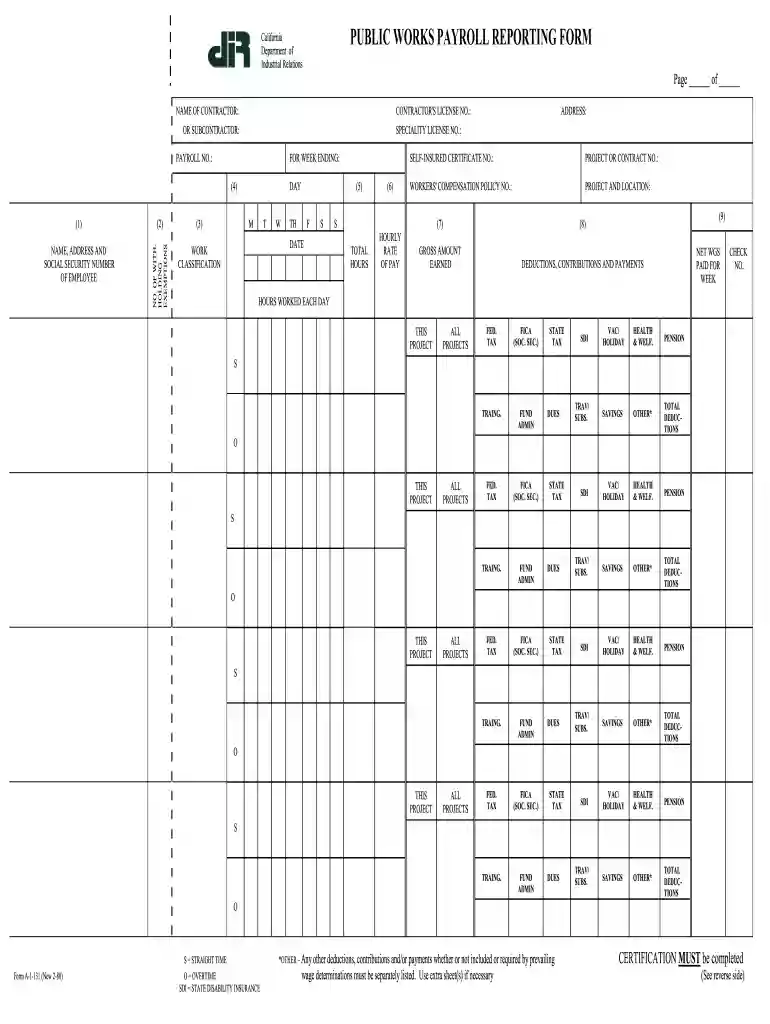
California public works payroll reporting form instructions 1980-2025

Get Form
a 1 131 Preview on Page 1

Here's how it works

01. Edit your a 1 131 online
Type text, add images, blackout confidential details, add comments, highlights and more.

02. Sign it in a few clicks
Draw your signature, type it, upload its image, or use your mobile device as a signature pad.

03. Share your form with others
Send california certified payroll form via email, link, or fax. You can also download it, export it or print it out.

How to use or fill out California Public Works Payroll Reporting Form Instructions 1980

Form edit decoration
9.5
Ease of Setup
DocHub User Ratings on G2
9.0
Ease of Use
DocHub User Ratings on G2
  1. Click ‘Get Form’ to open it in the editor.
  2. Begin by entering the contractor's name and license number at the top of the form. Ensure accuracy as this information is crucial for identification.
  3. Fill in the payroll number and the week ending date. This helps track payroll periods effectively.
  4. In the employee section, list each employee’s name, address, and social security number. Include their withholding exemptions for accurate tax calculations.
  5. Record daily hours worked under each day of the week. Make sure to differentiate between straight time (S) and overtime (O) hours.
  6. Complete the work classification field, ensuring it aligns with project requirements.
  7. Detail gross earnings, deductions, and net wages paid for each employee. Be thorough in listing all deductions such as taxes and contributions.
  8. Finally, complete the certification section at the end of the form, signing and dating it to validate your submission.

Start using our platform today to fill out your California Public Works Payroll Reporting Form easily and for free!

See more california public works payroll reporting form instructions 1980 versions

We've got more versions of the california public works payroll reporting form instructions 1980 form. Select the right california public works payroll reporting form instructions 1980 version from the list and start editing it straight away!
Versions Form popularity Fillable & printable
2008 4.9 Satisfied (451 Votes)
2003 3.9 Satisfied (53 Votes)
1980 4.3 Satisfied (79 Votes)
be ready to get more

Complete this form in 5 minutes or less

Get form

Got questions?

We have answers to the most popular questions from our customers. If you can't find an answer to your question, please contact us.
Contact us
5:09 17:10 Classification. Or type of worker. And by location. The prevailing wage rate determinations.MoreClassification. Or type of worker. And by location. The prevailing wage rate determinations.
Certified payroll reports confirm that contractors and subcontractors working on federally-funded projects are paying their employees prevailing wages in accordance with the Davis-Bacon and Related Acts.
USCIS Fee Chart Application TypeCurrent FeesNew Fees I-131 Application for Travel Document + Biometric Service $660 $630 I-131 Refugee Travel Document for an individual age 16 or older $135 $165 I-131 Refugee Travel Document for an individual age 16 or older + Biometric Services $220 $16549 more rows
Employers must make payroll records available for inspection and copying at an employees request. Employees may make this request orally or in writing. Once an employee makes the request, the employer has 21 days to provide the records.