




01. Edit your birth certificate holyoke ma online
Type text, add images, blackout confidential details, add comments, highlights and more.

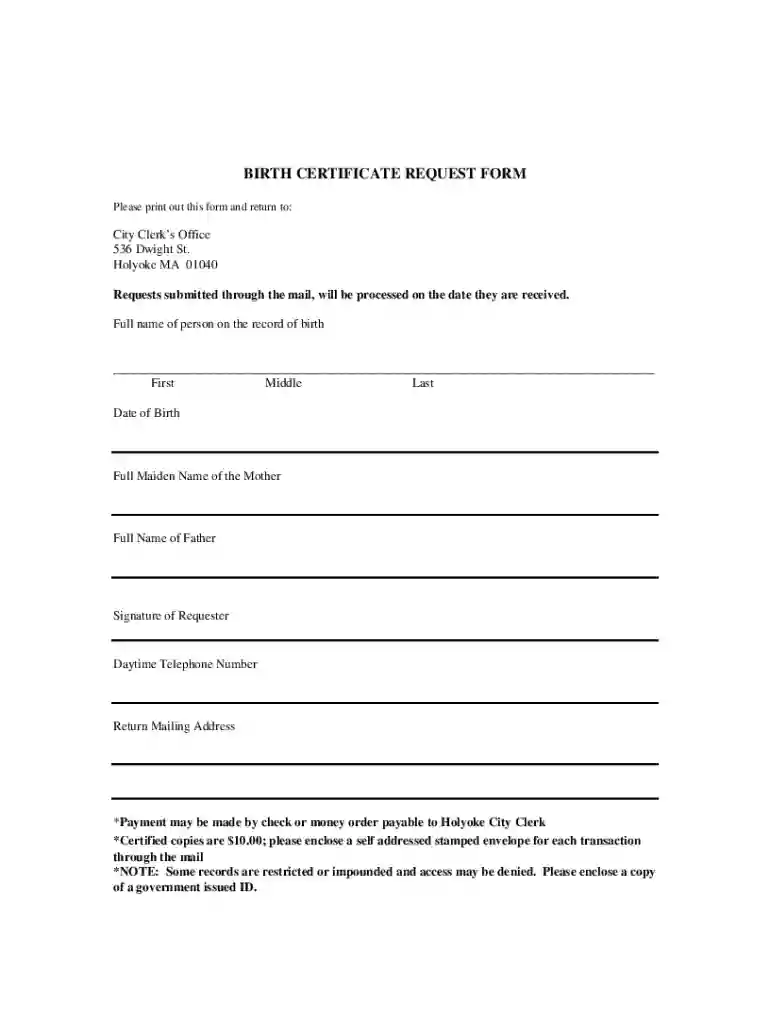
Type text, add images, blackout confidential details, add comments, highlights and more.

Draw your signature, type it, upload its image, or use your mobile device as a signature pad.

Send holyoke birth certificate via email, link, or fax. You can also download it, export it or print it out.
The term "form online" refers to digital forms that users can access, fill out, and submit over the internet. These forms are designed to streamline data collection and simplify document processing for various purposes, from legal documentation to business applications. Online forms provide a flexible solution for users who need to submit information remotely, ensuring a seamless experience without geographical constraints.
Online forms are commonly used across multiple sectors such as government, education, healthcare, and business. They can serve various purposes, including registration, application, and feedback collection. With advancements in technology, these forms can now be customized with interactive features, such as dropdown menus, checkboxes, and mandatory fields, to enhance user interaction and data accuracy.
To effectively use a form online, users must first navigate to the hosting platform, which could be a government website or an organization's digital portal. Once there, they can select the specific form they need from a list of available templates.
Completing an online form involves several key steps to ensure accuracy and compliance:
Planning: Gather all necessary documents and information that may be required to fill out the form, such as identification numbers or financial details.
Accessing the Form: Open the form through the platform's website, ensuring it loads correctly across devices.
Filling in the Details: Carefully add information to each field. Use dropdown menus and checkboxes where applicable for precision.
Verification: Add any supporting documents by uploading them if the form has an attachment feature. Check for errors or omissions before submission.
Submission: After completing the form, click the submit button. Save any confirmation number or receipt provided after successful submission for future reference.
Follow-up: Keep an eye on any follow-up communications that might require additional action or provide updates on the form's processing status.
Using an online form offers several benefits that can streamline your documentation process:
These advantages make online forms a preferred choice for individuals and organizations aiming for efficiency and effectiveness in handling documentation.
Understanding some key terms associated with online forms will enhance your experience:
Familiarity with these terms ensures a smoother form completion process.
Several components are crucial for the design of an effective online form:
These elements contribute to effective data collection and user satisfaction.
Online forms often require compatibility with various software tools for optimal functioning:
Ensuring software compatibility minimizes issues during form use and enhances overall efficiency.
Online forms offer distinct advantages over their paper counterparts:
While paper forms may still hold relevance in certain scenarios, the shift towards digital solutions is driven by their superior efficiency and environmental benefits.
We've got more versions of the birth certificate holyoke ma form. Select the right birth certificate holyoke ma version from the list and start editing it straight away!
At DocHub, your data security is our priority. We follow HIPAA, SOC2, GDPR, and other standards, so you can work on your documents with confidence.
PART 2: BIRTH CERTIFICATE BEING REQUESTED Please complete as much information as possible. MY RELATIONSHIP TO PERSON NAMED ON BIRTH RECORD: NAME AT BIRTH.Read more
certificate, where applicable, a State agency license number, if applicable, and shall be signed by a person authorized by the institution to request such formsRead more


