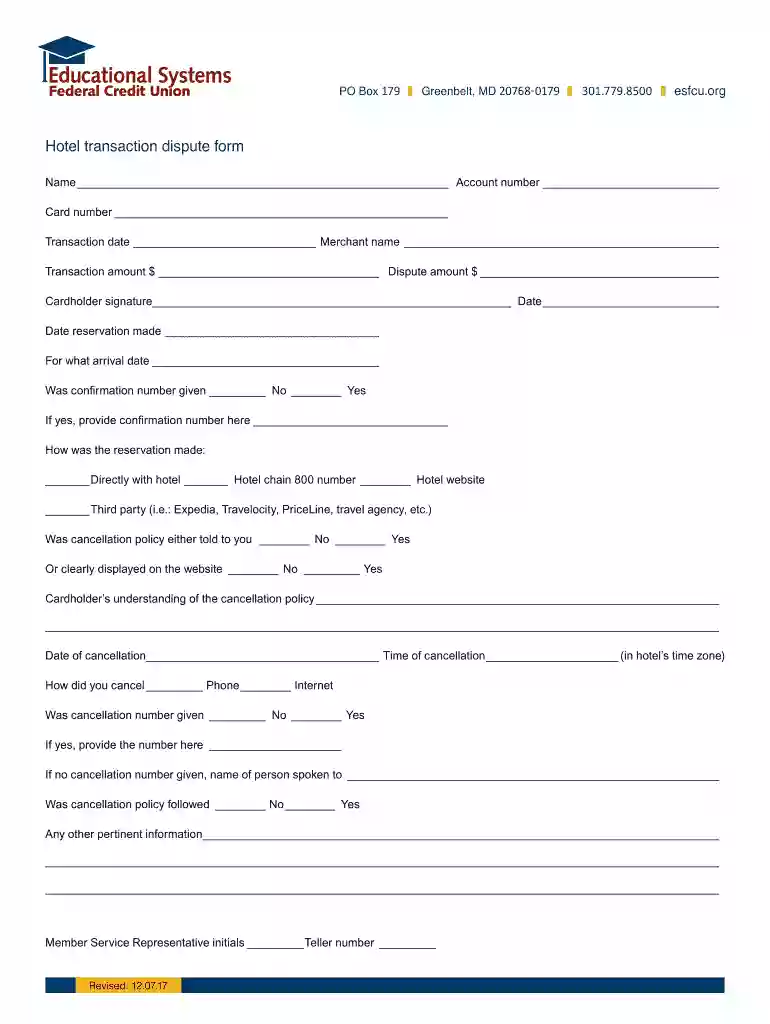
Transaction date Merchant name 2026

Get Form
Transaction date Merchant name Preview on Page 1

Here's how it works

01. Edit your form online
Type text, add images, blackout confidential details, add comments, highlights and more.

02. Sign it in a few clicks
Draw your signature, type it, upload its image, or use your mobile device as a signature pad.

03. Share your form with others
Send it via email, link, or fax. You can also download it, export it or print it out.

How to use or fill out Transaction date Merchant name with our platform

Form edit decoration
9.5
Ease of Setup
DocHub User Ratings on G2
9.0
Ease of Use
DocHub User Ratings on G2
  1. Click ‘Get Form’ to open it in the editor.
  2. Locate the 'Transaction date' field. Enter the date of the transaction in the format specified, ensuring accuracy for your records.
  3. Next, find the 'Merchant name' field. Input the name of the merchant where the transaction occurred. This is crucial for identifying the dispute.
  4. Continue filling out other relevant fields such as 'Transaction amount' and 'Dispute amount', providing clear figures to support your case.
  5. Review all entered information for completeness and accuracy before proceeding to sign and submit your form.

Start using our platform today to streamline your document editing and form completion process for free!

See more Transaction date Merchant name versions

We've got more versions of the Transaction date Merchant name form. Select the right Transaction date Merchant name version from the list and start editing it straight away!
Versions Form popularity Fillable & printable
2017 4.7 Satisfied (48 Votes)
2006 4.1 Satisfied (26 Votes)
be ready to get more

Complete this form in 5 minutes or less

Get form

Got questions?

We have answers to the most popular questions from our customers. If you can't find an answer to your question, please contact us.
Contact us
The transaction date is a date that is prevalent in everyday examples. Such examples that incorporate a transaction date in the banking world include: Deposits or withdrawals from a personal account (via automated teller machine or ATM) The withdrawal of funds via a paper check.
According to training website in Microsoft, In the Merchant field, should be typed the business where the expense was incurred.
An example of a merchant payment: A customer purchases a book from a bookstore online. The customer enters their credit card information on the bookstores website. The bookstores payment processor (MSP) redirects the customer to the credit card companys website to authorize the payment.
A merchant ID (or MID) is a unique identification number attached to a business that tells the payment processing systems involved in a transaction where to send which funds. You can think of it as an address for your business.
In most cases, this is the first place you should go to locate your merchant ID number. Look for a 15-digit alphanumeric identifier on the upper right corner of your merchant account statementthats your MID. Some terminals have the MID listed on them, usually on the side or bottom of the machine.

Security and compliance

At DocHub, your data security is our priority. We follow HIPAA, SOC2, GDPR, and other standards, so you can work on your documents with confidence.

Learn more
ccpa2
pci-dss
gdpr-compliance
hipaa
soc-compliance
be ready to get more

Complete this form in 5 minutes or less

Get form

People also ask

Typically, the DBA name and customer service number are used as the billing descriptor. This is the way transactions appear on a cardholders statement. Billing descriptors are set by the payment processor and are usually 20-25 characters in length.

Related links