Type text, add images, blackout confidential details, add comments, highlights and more.
02. Sign it in a few clicks
Draw your signature, type it, upload its image, or use your mobile device as a signature pad.
03. Share your form with others
Send it via email, link, or fax. You can also download it, export it or print it out.
How to use or fill out dr 482 with our platform
Ease of Setup
DocHub User Ratings on G2
Ease of Use
DocHub User Ratings on G2
Click ‘Get Form’ to open the dr 482 in the editor.
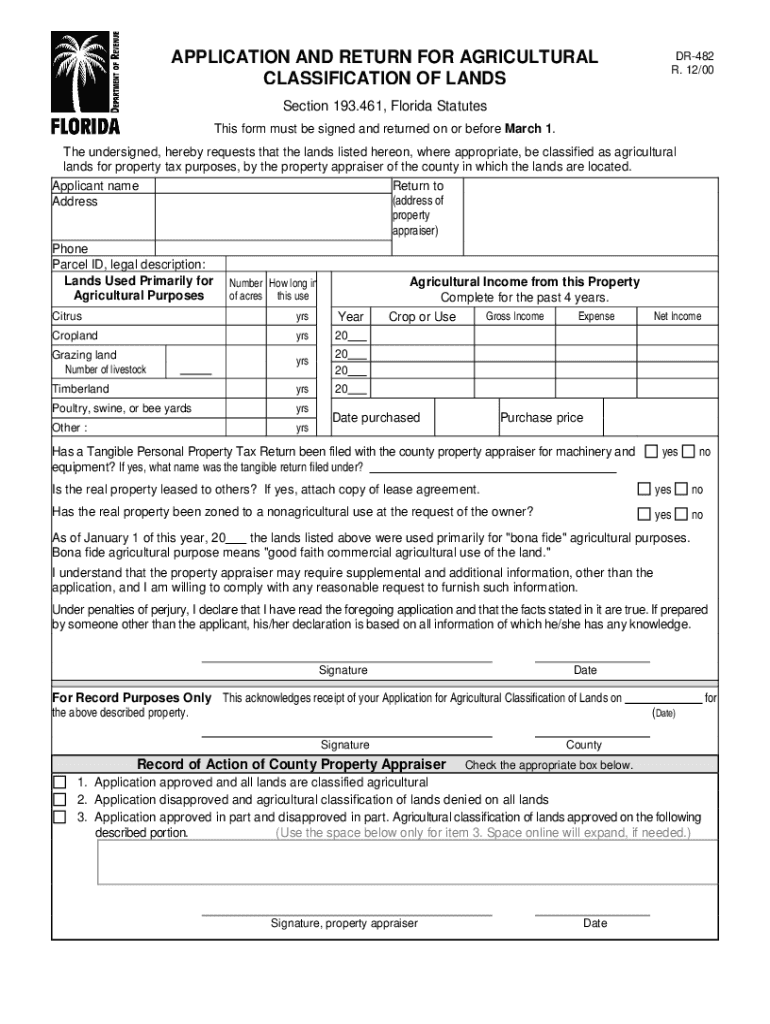
Begin by entering your name as the applicant in the designated field. Ensure that all information is accurate for processing.
Fill in the address of the property appraiser where you will return this form. This is crucial for proper submission.
Provide your phone number and Property ID number, along with a legal description of the land being classified.
Indicate the number of acres used primarily for agricultural purposes and how long these lands have been utilized in this manner.
Complete the agricultural income section for the past four years, detailing gross income, expenses, and net income for each type of agricultural use listed.
Answer questions regarding tangible personal property tax returns and zoning status, ensuring to attach any necessary documents like lease agreements if applicable.
Finally, sign and date the application to affirm that all information provided is true before submitting it on or before March 1st.
Start using our platform today to easily fill out your dr 482 form online for free!
Application and Return for Agricultural Classification of Lands
DR-482. R. 12/00. Section 193.461, Florida Statutes. This form must be signed and returned on or before March 1. The undersigned, hereby requests that theRead more
Cookie consent notice
This site uses cookies to enhance site navigation and personalize your experience.
By using this site you agree to our use of cookies as described in our Privacy Notice.
You can modify your selections by visiting our Cookie and Advertising Notice.