




01. Edit your form online
Type text, add images, blackout confidential details, add comments, highlights and more.

Type text, add images, blackout confidential details, add comments, highlights and more.

Draw your signature, type it, upload its image, or use your mobile device as a signature pad.

Send it via email, link, or fax. You can also download it, export it or print it out.
"Form online" refers to the digital versions of documents that can be accessed, filled out, and submitted via the internet. These forms are typically designed to facilitate a wide range of purposes, from tax filing and legal agreements to job applications and data collection for various entities. Unlike their paper counterparts, online forms offer the advantages of accessibility, speed, and efficiency, enabling users to perform necessary tasks without the need for physical materials.
Utilizing a form online involves several streamlined steps designed to enhance user convenience and data accuracy. Below is a general process for effectively using these forms:
Accessing the Form: Navigate to the official website or platform where the form is hosted. For platforms like DocHub, you can easily import forms from your computer or cloud storage services such as Google Drive and Dropbox.
Filling Out the Form:
Review and Edit: Double-check the entered data for accuracy. Most online forms allow users to edit entries before submission, reducing errors.
Submit the Form: Follow the instructions to submit the form electronically. Confirmation messages or emails often follow to acknowledge the receipt.
Keep a Copy: Save a digital copy of the completed form for your records, which is often recommended for future reference.
Completing a form online is typically straightforward, though it requires attention to detail to ensure accuracy:
Gather Required Documents: Before beginning, collect all necessary information and documents that the form requires, such as identification numbers, addresses, and financial data.
Access the Form: Open the form using a web browser or dedicated app that supports online form functionalities.
Fill in the Details:
Attach Documents: Some forms may require additional documents to be uploaded. Ensure these are in the correct format and size specifications.
Review and Revise: Carefully review the entered information for any possible mistakes. Use the platform’s tools to correct any errors identified.
Submit and Confirm: Once satisfied, submit the form. Check for any confirmation screens or emails, which often contain submission details or receipt numbers.
Download and Save: For record-keeping, save a copy of the completed form and any confirmation received.
The legal recognition of online forms is supported by several regulations and acts, especially in the United States. A primary component for legal validity is the use of electronic signatures, which are governed by the ESIGN Act.
ESIGN Act Compliance: Signatures on online forms are legally binding if they comply with the Electronic Signatures in Global and National Commerce Act (ESIGN Act).
Authenticity and Security: To ensure legality, forms must incorporate measures to verify the identity of the signer. Platforms like DocHub utilize OAuth 2.0 authentication and 256-bit SSL encryption to maintain the integrity and security of the form.
Audit Trails: Legal forms often come with audit trails, providing proof of when and by whom the form was accessed and signed, crucial for maintaining legal compliance.
Online forms come equipped with various elements designed to enhance functionality and user experience:
Interactive Fields: Forms include fillable fields such as text boxes, checkboxes, and dropdown menus that guide the user in providing required information.
Document Tools: Editing tools such as annotation and image insertion are available to enhance clarity or add additional context to the form.
Signature Fields: Legally binding electronic signature fields where users can sign the document digitally using various methods, including drawing, typing, or uploading a signature image.
Validation Checks: Automatic validation check helps ensure that required information is filled correctly and alerts users to any errors or missing fields.
Online forms often require integration with software solutions to accommodate different functionality needs:
TurboTax: Frequently used for tax-related forms, TurboTax provides a platform to access, complete, and submit federal and state tax forms efficiently.
QuickBooks: For financial documents and business forms, QuickBooks aids in managing and submitting forms related to accounting and payroll.
Google Workspace: Deep integration with tools like Google Drive allows for smooth import, editing, and export of forms, making it easier for users to manage multiple forms and documents in one place.
Compatibility ensures users can work seamlessly across different platforms, enhancing document handling efficiency.
While traditional paper forms remain in use, digital forms provide numerous advantages:
Convenience: Digital forms can be accessed from anywhere and at any time, reducing the need for physical presence and manual handling.
Cost-Effective: Eliminates the cost associated with printing, shipping, and storing paper forms.
Environmentally Friendly: The use of digital forms reduces paper waste, supporting eco-friendly initiatives.
Error Reduction: Digital forms typically include automatic error-check capabilities, lowering the risk of incorrect information compared to paper.
Failure to accurately complete and submit online forms may result in penalties, especially concerning regulatory and mandatory forms:
Fines and Fees: Non-compliance with specified submission deadlines or errors may incur financial penalties.
Legal Repercussions: In cases where legal documentation is not properly signed or completed, the involved parties may face legal challenges or the invalidation of the form.
Operational Disruptions: For businesses, not adhering to filing requirements can lead to disruptions in operations or delays in processes such as permit approvals or tax filings.
Understanding and following proper procedures are critical to avoiding these penalties, ensuring smooth processing and legal compliance.
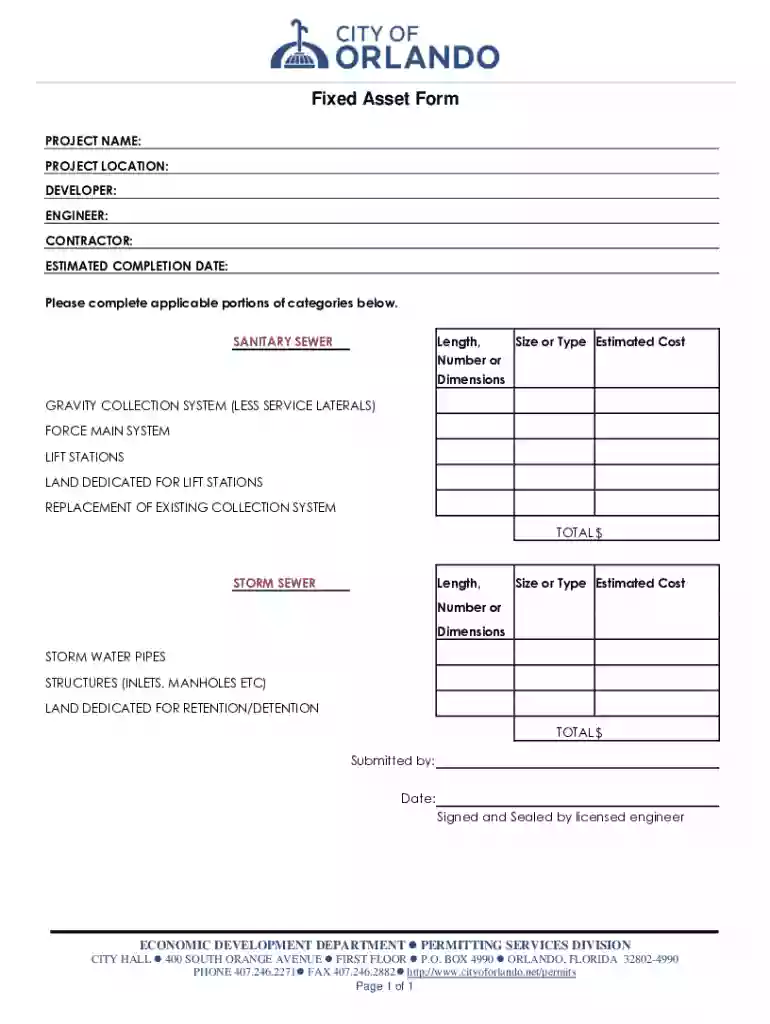
We've got more versions of the Fixed Asset Form form. Select the right Fixed Asset Form version from the list and start editing it straight away!
| Versions | Form popularity | Fillable & printable |
|---|---|---|
| 2017 | 4.9 Satisfied (23 Votes) |
At DocHub, your data security is our priority. We follow HIPAA, SOC2, GDPR, and other standards, so you can work on your documents with confidence.
FIXED ASSETS INTERDEPARTMENTAL TRANSFER FORM. Transferring. Department. Receiving. Department. By (Print). To (Print). Department Head. (Print). Department Head.Read more
Apr 15, 1976 Includes assets such as fixed earth station equipment, antennas, satellite communications equipment, and interface equipment used in satellite
General Fixed Asset Account form Page 1 Land Buildings Improvements Other Than Buildings Machinery and Equipment Construction


