
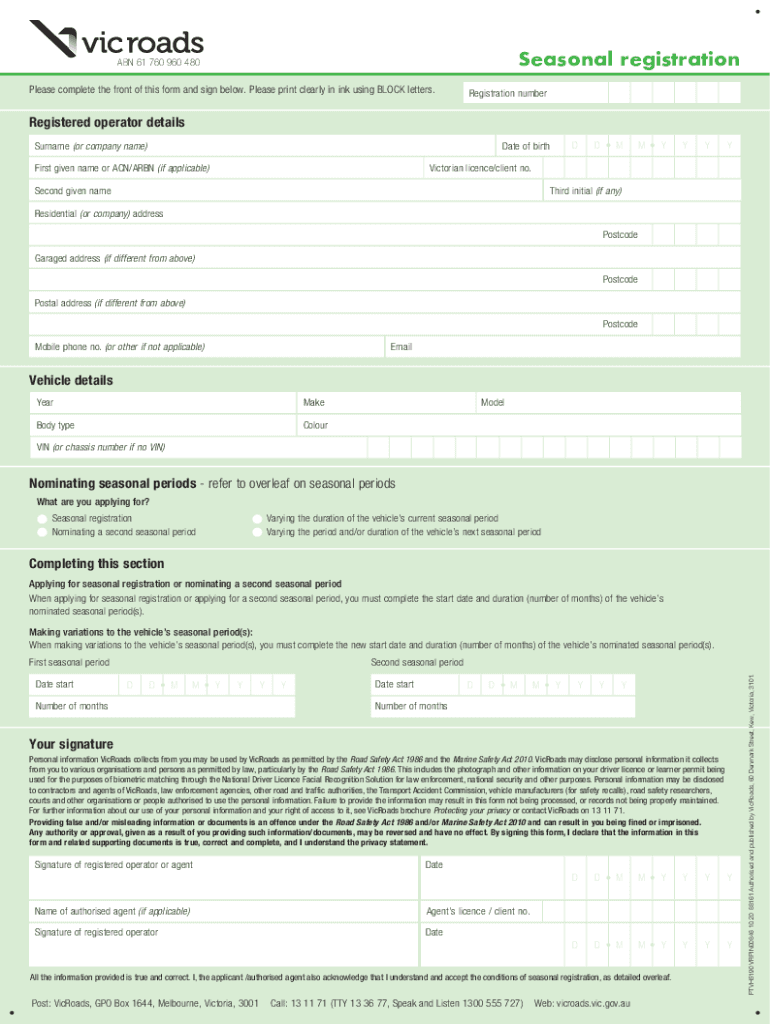







Definition and Purpose of Seasonal Registration
Seasonal registration is a process that allows vehicle owners to register their heavy vehicles for specific periods of the year rather than for the entire year. This type of registration is particularly beneficial for those who only need their vehicles during certain seasons. For instance, agricultural businesses that utilize heavy equipment only during harvest months can optimize costs by using seasonal registration. Typically, the minimum duration for registration is three months, with a maximum stretch of up to nine months, providing flexibility in managing operational and financial aspects.
Steps to Complete Seasonal Registration
-
Gather Necessary Information: Begin by collecting all relevant personal and vehicle details. This includes the vehicle's make, model, year, and VIN (Vehicle Identification Number), along with the owner's personal identification details.
-
Understand Applicable Seasons: Determine the specific months during which you require the registration. This decision should align with your usage needs and operational calendar.
-
Complete the Application Form: Fill out any necessary forms provided by your state's Department of Motor Vehicles (DMV). Ensure that all sections are completed accurately to avoid any delays.
-
Submit Required Documents: Along with the application, submit supporting documents such as proof of insurance and any prior registration details.
-
Payment of Fees: Pay the appropriate fees corresponding to the selected registration period. Fees can vary based on the vehicle type and state regulations.
-
Receive Confirmation and Decal: Once processed, you’ll receive confirmation of your registration along with any decals or documentation required for vehicle operation during the registered months.
Legal Use and Compliance
Adhering to the legal stipulations associated with seasonal registration is crucial. Operating a vehicle outside the registered period is unlawful and may result in penalties. Additionally, ensure that the vehicle is insured throughout the entire period of use, as failure to comply with insurance requirements can lead to fines and registration suspension. Certain states might have specific declarations regarding the vehicle's use during off-season months, which need to be observed strictly.
Key Elements of the Seasonal Registration
- Time Period: Clearly defined minimum and maximum registration periods.
- Fee Structures: Costs associated with different registration periods and vehicular types.
- Compliance Requirements: Necessary documents and conditions for registration.
- State Regulations: Specific rules and guidelines that may vary by state affecting seasonal registration.
Required Documents for Seasonal Registration
When preparing to apply for seasonal registration, ensure you have the following documents ready:
- Vehicle Identification Documents: Includes the title, previous registration records, and proof of ownership.
- Proof of Insurance: Current insurance policy document or certificate.
- Personal Identification: Valid driver’s license or governmental ID for verification.
- Application Form: Fully completed seasonal registration application form, as per DMV requirements.
State-Specific Rules for Seasonal Registration
While each state follows a basic outline for seasonal registration, there are specific rules and nuances to consider:
- Duration Limits: States may have varied classifications of what constitutes 'seasonal' use, with some offering more flexibility in registration duration.
- Fee Variations: Registration fees vary by state, potentially affecting overall cost-effectiveness.
- Compliance Checks: States like California might have stricter compliance checks and might require emissions testing even for seasonal registrations.
Eligibility Criteria and Business Applications
To be eligible for seasonal registration, the vehicle's operational need should align with seasonal demand. Primarily, businesses in agriculture, construction, and logistics sectors benefit vastly from this, given their cyclic operational nature. This type of registration supports businesses by reducing overhead costs incurred from annual registration and offers financial flexibility, allowing resources to be directed effectively towards operational expenses.


Consequences of Non-Compliance
Failure to adhere to seasonal registration stipulations can lead to severe penalties, such as hefty fines, vehicle impoundment, or registration revocation. It’s imperative to operate strictly within the registered months and maintain proper documentation to avoid any operational disruptions. Non-compliance could also lead to increased scrutiny from state authorities, resulting in operational delays.




