




Here's how it works



How to use or fill out Form MO-PTS - 2022 Property Tax Credit Schedule with DocHub

- Click ‘Get Form’ to open the Form MO-PTS in our editor.
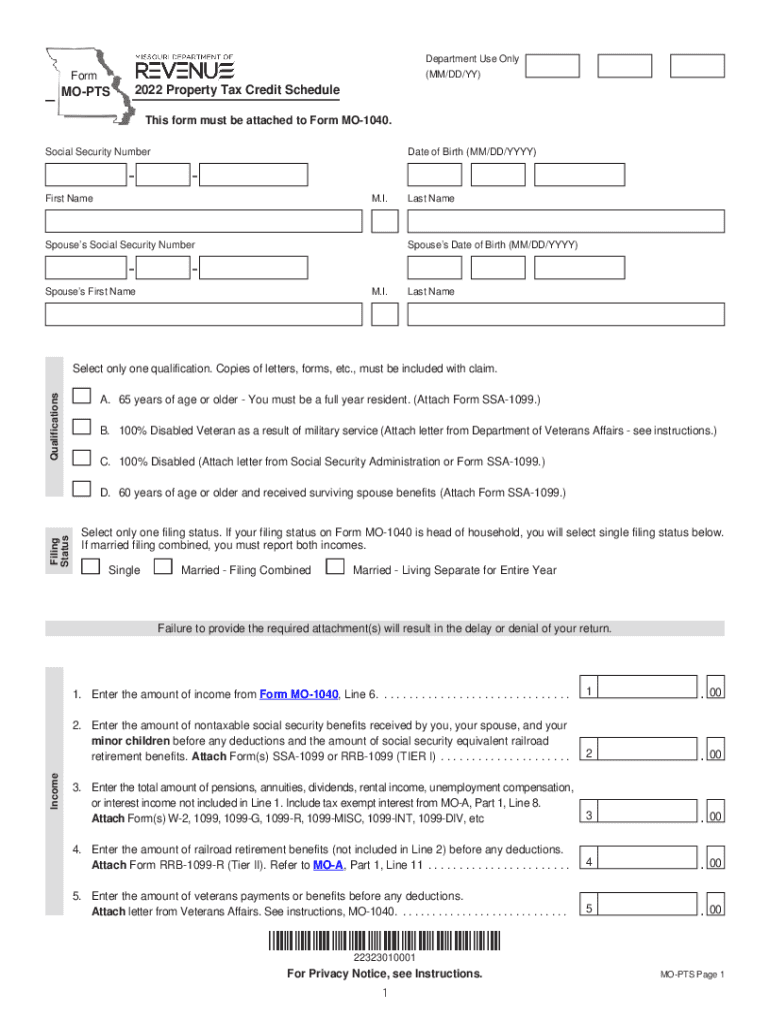
- Begin by entering your Social Security Number and Date of Birth in the designated fields. Ensure accuracy as this information is crucial for processing your claim.
- Fill in your name and your spouse’s details, if applicable. Make sure to include middle initials where required.
- Select one qualification from the options provided, ensuring you attach any necessary documentation as specified.
- Choose your filing status accurately. If married, report both incomes if filing combined.
- Proceed to enter income details as outlined in the form. Attach all relevant forms such as W-2s or SSA-1099s for verification.
- Calculate total household income by adding all relevant lines and ensure you enter this total correctly.
- If applicable, provide property tax paid or rent amounts and attach necessary receipts or certifications.
- Finally, apply the calculated amounts to determine your Property Tax Credit using the provided chart instructions before submitting with Form MO-1040.
Start filling out your Form MO-PTS today for free using our platform!
It's free
See more Form MO-PTS - 2022 Property Tax Credit Schedule versions
Got questions?
Can I sign my form mo pts on a mobile?
Yes, you’ll find numerous applications for this on the web. However, if you need to eSign your form mo pts without installing additional software, DocHub is the best choice you can make. This powerful editor works on mobile devices just as on desktops. Open our editor in your preferred internet browser, register or sign in to your account, and start managing your paperwork.
Can I print my property tax form and complete it on my own?
If you choose analog ways of completing your property tax form, you can easily download your file for printing. Search DocHub’s Forms & Templates catalog to locate the exact file template you need and open it for editing or download it on your device in the format of your liking. It is possible to complete your form electronically and place your handwritten signature on it right after printing or eSign your file with DocHub.
Security and compliance
At DocHub, your data security is our priority. We follow HIPAA, SOC2, GDPR, and other standards, so you can work on your documents with confidence.
Learn more


