




Here's how it works

01. Edit your dr 15sw online
Type text, add images, blackout confidential details, add comments, highlights and more.

02. Sign it in a few clicks
Draw your signature, type it, upload its image, or use your mobile device as a signature pad.

03. Share your form with others
Send dr15sw via email, link, or fax. You can also download it, export it or print it out.
How to use or fill out Florida DR-15SW with our platform

- Click ‘Get Form’ to open the Florida DR-15SW in the editor.
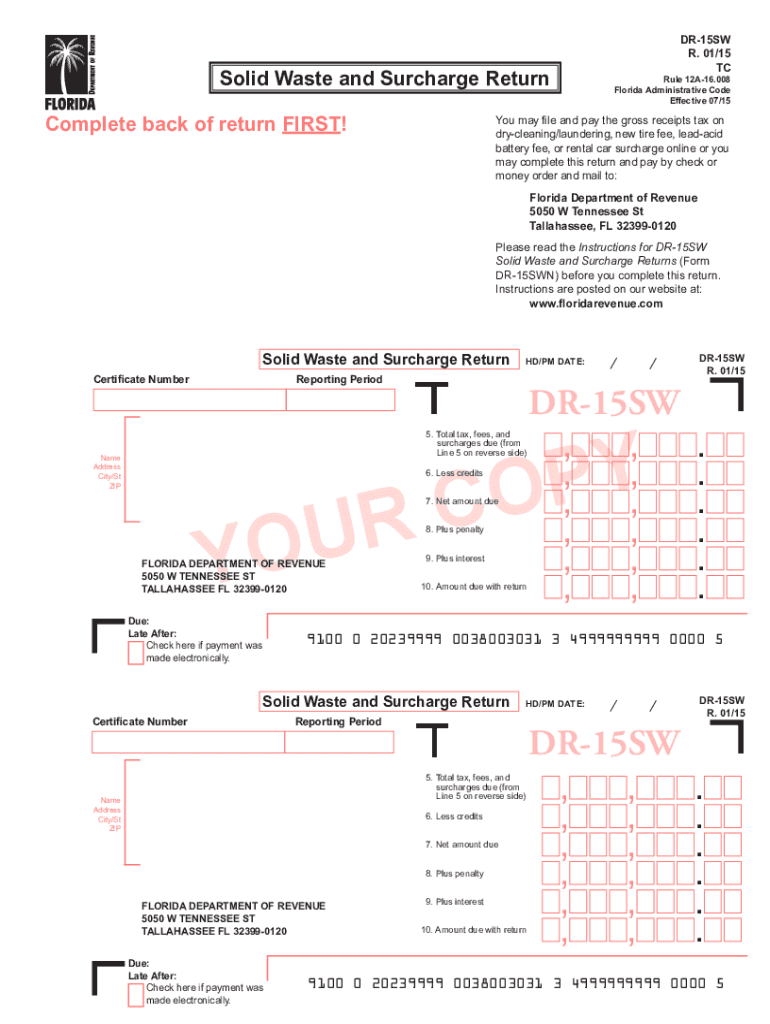
- Begin by completing the back of the return first, as instructed. This includes entering your Certificate Number and HD/PM Date.
- Fill in the Reporting Period accurately. Ensure that all fields are completed, including your business name, address, city/state, and ZIP code.
- Calculate your total tax, fees, and surcharges due from Line 5 on the reverse side. Enter this amount in the designated field.
- If applicable, enter any credits you have in the Less Credits section to determine your Net Amount Due.
- Add any penalties or interest if payments are late. Make sure to check all calculations before finalizing.
- Sign and date the form at the bottom. If a preparer is involved, their signature and date are also required.
Start using our platform today for free to streamline your document editing and ensure a smooth filing process!
Fill out florida dr 15sw online
It's free
It's free
See more florida dr 15sw versions
We've got more versions of the florida dr 15sw form. Select the right florida dr 15sw version from the list and start editing it straight away!
Got questions?
We have answers to the most popular questions from our customers. If you can't find an answer to your question, please contact us.
Contact us
What is a Dr. 15 form in Florida?
Form DR-15 is a document used in Florida by businesses to report and remit sales and use tax. It captures details about taxable sales, purchases on which use tax is due, allowable deductions, and the tax amount to be remitted.
What is the new tire fee in Florida?
The HD/PM date on Floridas DR-15 form typically refers to the Holding Date or Payment Month related to sales tax reporting. This date helps specify the period for which the tax return is filed.
Security and compliance
At DocHub, your data security is our priority. We follow HIPAA, SOC2, GDPR, and other standards, so you can work on your documents with confidence.
Learn more


