illinois dsd refund search Preview on Page 1

Illinois dsd refund search 2026

Here's how it works

  • 01. Edit your form online

    Type text, add images, blackout confidential details, add comments, highlights and more.

  • 02. Sign it in a few clicks

    Draw your signature, type it, upload its image, or use your mobile device as a signature pad.

  • 03. Share your form with others

    Send it via email, link, or fax. You can also download it, export it or print it out.

How to use or fill out illinois dsd refund search with DocHub

Form edit decoration
9.5
Ease of Setup
DocHub User Ratings on G2
9.0
Ease of Use
DocHub User Ratings on G2
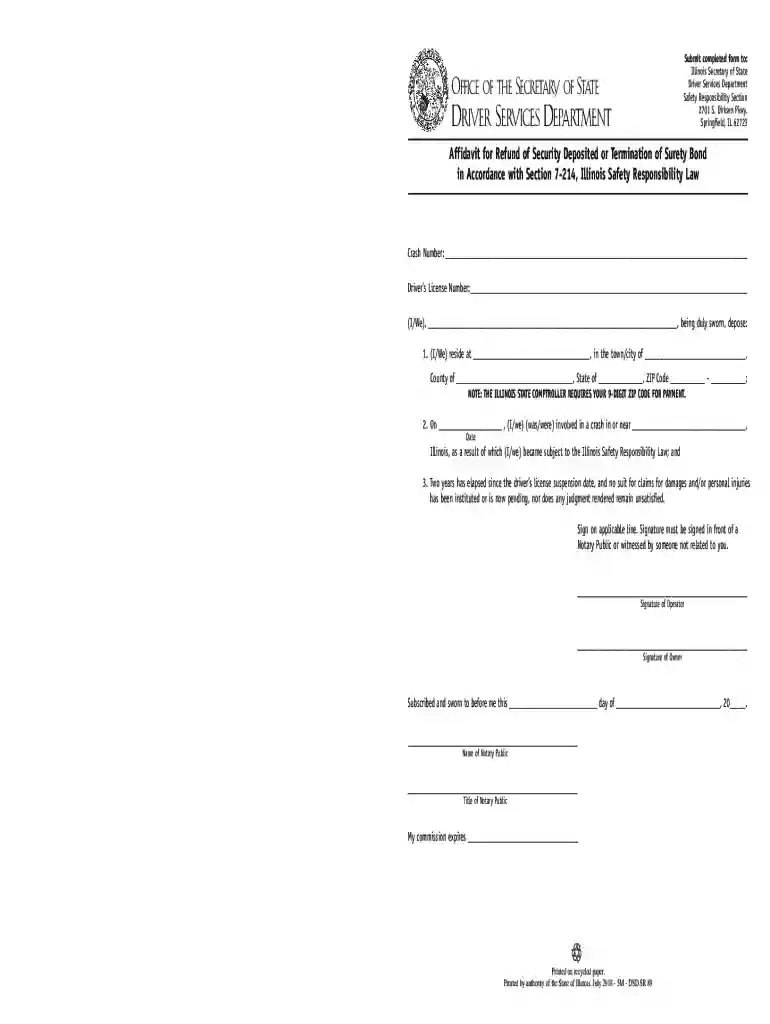
  1. Click ‘Get Form’ to open the Illinois DSD Refund Search in our editor.
  2. Begin by entering the Crash Number in the designated field. This is crucial for identifying your case.
  3. Next, input your Driver’s License Number accurately to ensure proper processing of your request.
  4. Fill in your residential address, including town/city, county, state, and ZIP code. Remember that a 9-digit ZIP code is required for payment purposes.
  5. Indicate the date of the crash and provide details about its location. This information is essential for validating your claim.
  6. Confirm that two years have passed since your driver’s license suspension date and that no legal claims are pending against you.
  7. Sign the form on the applicable lines. Ensure that your signature is witnessed by a Notary Public or an unrelated individual.

Start using our platform today to fill out your Illinois DSD Refund Search form quickly and efficiently!

See more illinois dsd refund search versions

We've got more versions of the illinois dsd refund search form. Select the right illinois dsd refund search version from the list and start editing it straight away!

VersionsForm popularityFillable & printable
20184.8 Satisfied (150 Votes)
20084.3 Satisfied (171 Votes)

be ready to get more

Complete this form in 5 minutes or less

Security and compliance

At DocHub, your data security is our priority. We follow HIPAA, SOC2, GDPR, and other standards, so you can work on your documents with confidence.

Related links

Mykerinos

If the consumer is not satisfied with the repair, Merging Technologies, Inc. will have the option to either attempt a further repair, or refund the purchaseRead more

Learn more
Illinois Rules of the Road 2024 - Rutland Township

May 7, 2025 canceled check or current Illinois DL/ID.) If you do not receive the permanent drivers you can check the status at ilsos.gov or call 217-782-

Learn more
If you believe that this page should be taken down, please follow our DMCA take down process here