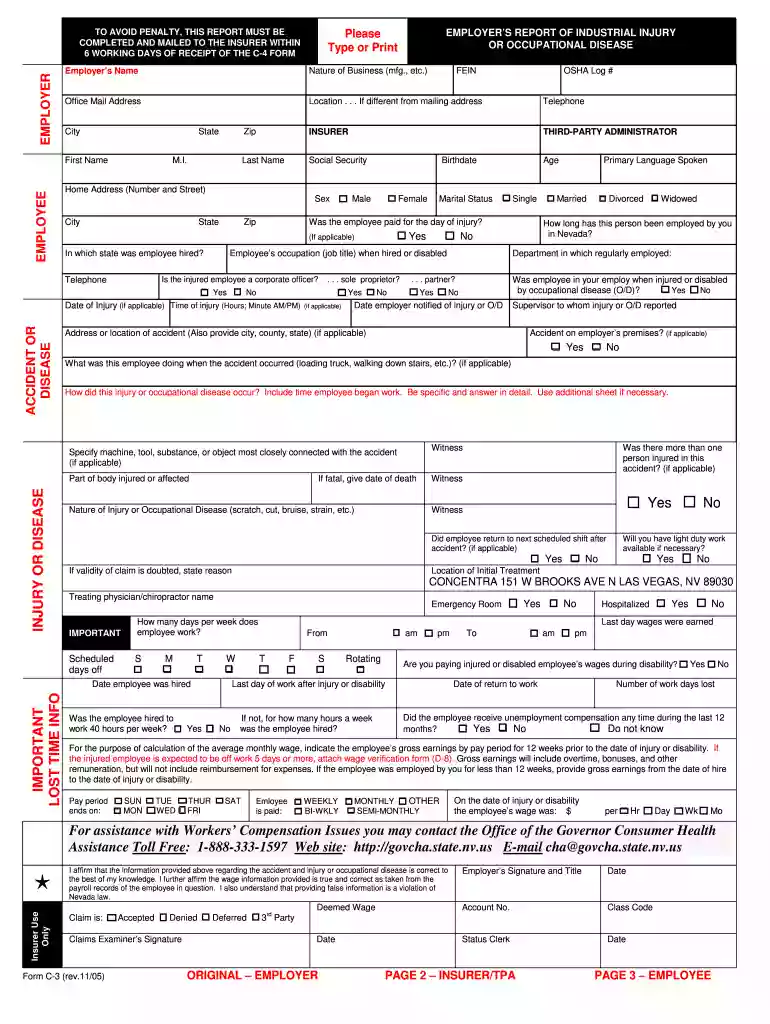
c 3 form 2005 Preview on Page 1

C 3 form 2005-2026

Here's how it works

  • 01. Edit your form online

    Type text, add images, blackout confidential details, add comments, highlights and more.

  • 02. Sign it in a few clicks

    Draw your signature, type it, upload its image, or use your mobile device as a signature pad.

  • 03. Share your form with others

    Send it via email, link, or fax. You can also download it, export it or print it out.

How to use or fill out c 3 form 2005 with our platform

Form edit decoration
9.5
Ease of Setup
DocHub User Ratings on G2
9.0
Ease of Use
DocHub User Ratings on G2
  1. Click ‘Get Form’ to open the c 3 form 2005 in the editor.
  2. Begin by entering the Employer’s Name and Nature of Business. Ensure that your Office Mail Address is accurate, as this is crucial for communication.
  3. Fill in the Employee's details, including First Name, Last Name, Social Security Number, and other personal information such as Age and Marital Status.
  4. Document the Date of Injury and Time of Injury. Be specific about what the employee was doing at the time of the accident.
  5. Provide details regarding the injury or occupational disease, including Nature of Injury and any witnesses present during the incident.
  6. Complete sections related to wage information, ensuring you include gross earnings for the 12 weeks prior to injury. This will help in calculating compensation accurately.
  7. Finally, review all entered information for accuracy before signing off on the form. Use our platform’s features to save or print your completed document easily.

Start using our platform today to fill out your c 3 form 2005 quickly and efficiently!

See more c 3 form 2005 versions

We've got more versions of the c 3 form 2005 form. Select the right c 3 form 2005 version from the list and start editing it straight away!

VersionsForm popularityFillable & printable
20204.8 Satisfied (103 Votes)
20104.3 Satisfied (100 Votes)
20054.3 Satisfied (60 Votes)

be ready to get more

Complete this form in 5 minutes or less

Security and compliance

At DocHub, your data security is our priority. We follow HIPAA, SOC2, GDPR, and other standards, so you can work on your documents with confidence.

Related links

Form C-3, State of Connecticut Domicile Declaration

General Instructions: Generally, whenever a decedent is claimed to be a nonresident of Connecticut, the fiduciary of the decedents estate must file FormRead more

Learn more
26 CFR 1.6045-3 - Information reporting for an acquisition of

26 CFR 1.6045-3 - Information reporting for an acquisition of control or a substantial change in capital structure. (a) In general. (b) Exempt recipients.Read more

Learn more
2005 Publication 972

Enter any net profit or (loss) from Schedule C, line 31; Schedule C-EZ, line 3; Schedule K-1 (Form 1065), Steve and Gretchen have the 2005 Form 1040 tax.Read more

Learn more
If you believe that this page should be taken down, please follow our DMCA take down process here