




Here's how it works

01. Edit your dochub com fillable form online
Type text, add images, blackout confidential details, add comments, highlights and more.

02. Sign it in a few clicks
Draw your signature, type it, upload its image, or use your mobile device as a signature pad.

03. Share your form with others
Send site dochub com office of the secretary of war via email, link, or fax. You can also download it, export it or print it out.
How to use or fill out Illinois Form Any Printable with Our Platform

- Click ‘Get Form’ to open it in the editor.
- Begin by entering the Patriot’s name at the top of the form. Clearly indicate whether the individual is a Veteran or Civilian by checking the appropriate box.
- Fill in the Birthplace and Birthdate fields, and indicate if the Patriot is deceased.
- Provide details about the length of residency in Illinois and select the gender by checking Male or Female.
- In the section for Branch of service or wartime activity, provide comprehensive information about military service, including Battalion, regiment, division, unit, ship, etc., and highest rank achieved.
- Complete the Service dates and specify any wars served in along with locations of service.
- Indicate if the veteran was a Prisoner of War or sustained any combat-related injuries. List any medals or special awards received.
- Enter your name and address as the individual submitting this form. Include your city/state/ZIP code, phone number, email address, and relationship to the Patriot being honored.
- Finally, answer whether the Patriot is interested in recording an oral history and review the release statement before submitting.
Start using our platform today to fill out your Illinois Form Any Printable for free!
Fill out illinois form any printable online
It's free
It's free
See more illinois form any printable versions
We've got more versions of the illinois form any printable form. Select the right illinois form any printable version from the list and start editing it straight away!
Got questions?
We have answers to the most popular questions from our customers. If you can't find an answer to your question, please contact us.
Contact us
Why cant I print my tax forms?
Ensure your printer has paper and ink/toner. Try printing a test page from another program to verify if the printer is working correctly. Check if there are any pending print jobs in the queue that might be blocking new print requests. If youre using tax software, make sure its up to date with the latest version.
What is an IL W-4 form?
You must submit Form IL-W-4 when Illinois Income Tax is required to be withheld from compensation that you receive as an employee. You may file a new Form IL-W-4 any time your withholding allowances increase. If the number of your claimed allowances decreases, you must file a new Form IL-W-4 within 10 days.
How to print an Illinois certificate of registration?
MyTax Illinois is the primary method you should use to obtain and print a copy of your Certificate of Registration or License. From your MyTax Account, the Certificate of Registration or License is located by selecting View more account options and then View Account Letters in the Letters and Messages panel.
How do I print Illinois tax forms?
If you have created a MyTax Illinois account, login to your account to view and print your return. If you filed your IL-1040 without creating a MyTax Illinois account, go to the MyTax Illinois home screen. Click the Retrieve a return, application, or payment button.
How do I get my Illinois tax forms?
How to get Forms Download Forms. Submit a request to have forms or publications mailed to you. You can also request certain forms and publications by calling our 24-hour forms order hotline at 1 800 356-6302.
Security and compliance
At DocHub, your data security is our priority. We follow HIPAA, SOC2, GDPR, and other standards, so you can work on your documents with confidence.
Learn more


Related forms

Sample Op-ed Outline docx
The document outlines a structured approach for writing an op-ed, detailing the essential components such as an engaging ...
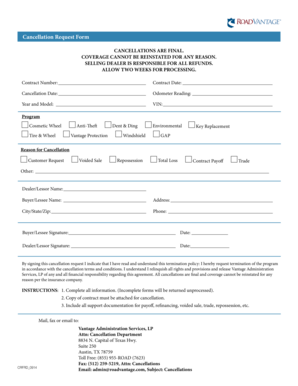
Roadvantage cancellation form
The document is a Cancellation Request Form outlining the procedures and requirements for canceling various coverage pro ...
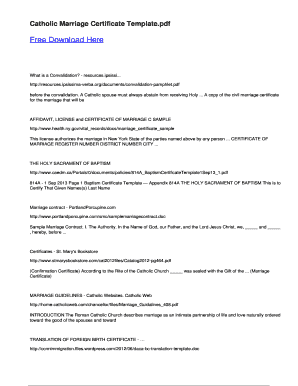
Catholic marriage certificate template
The document is a template for a Catholic Marriage Certificate, which serves as an official record of marriage within th ...

Hospital breakup bill format excel
The document is a hospital bill detailing the charges incurred by a patient during their stay. It includes sections for ...

Three-day Notice to Pay Rent or Quit
The document is a legal notice requiring tenants to pay overdue rent or vacate the premises within three days. It outlin ...
People also ask
Can I get tax forms at the post office?
Are tax forms available at my local Post Office? No, Post Offices do not have tax forms available for customers.
Can I download and print tax forms?
Download income tax forms You can e-file directly to the IRS and download or print a copy of your tax return. Federal tax filing is free for everyone with no limitations, and state filing is only $14.99. Join the millions of taxpayers who have filed securely using FreeTaxUSA.
How to fill out an Illinois withholding form?
Understand the Information Required on the Form The IL-W-4 form is fairly straightforward. The employee must enter their name, social security number, street address, city, state, and zip code. They must also indicate the number of allowances they want to claim or are legally allowed to claim.