




Here's how it works

01. Edit your form online
Type text, add images, blackout confidential details, add comments, highlights and more.

02. Sign it in a few clicks
Draw your signature, type it, upload its image, or use your mobile device as a signature pad.

03. Share your form with others
Send it via email, link, or fax. You can also download it, export it or print it out.
How to use or fill out Surprise Out-of-Network Billing Dispute Resolution Request

- Click ‘Get Form’ to open the Surprise Out-of-Network Billing Dispute Resolution Request in our editor.
- Begin by entering your enrollee information, including first name, last name, email address, and phone number. Ensure accuracy as this information is crucial for communication.
- Next, provide your insurance coverage details as they appear on your insurance card. This includes the name of the insurance company and member ID.
- Fill in patient information if it differs from the enrollee. Indicate the relationship to the enrollee and ensure all fields are completed.
- In the bill details section, accurately input the date of service, total billed amount, copayment, coinsurance, and any remaining deductible. Calculate the surprise bill amount carefully.
- Answer additional eligibility questions regarding prior notices and claims denials to confirm your eligibility for dispute resolution.
- Designate an authorized representative if applicable by providing their contact information and ensuring they understand their role in this process.
- Finally, review your entries for accuracy before submitting. Attach required documents as photocopies to support your request.
Start using our platform today to streamline your billing dispute process for free!
Fill out Surprise Out-of-Network Billing Dispute Resolution Request online
It's free
It's free
See more Surprise Out-of-Network Billing Dispute Resolution Request versions
We've got more versions of the Surprise Out-of-Network Billing Dispute Resolution Request form. Select the right Surprise Out-of-Network Billing Dispute Resolution Request version from the list and start editing it straight away!
Security and compliance
At DocHub, your data security is our priority. We follow HIPAA, SOC2, GDPR, and other standards, so you can work on your documents with confidence.
Learn more


Related forms
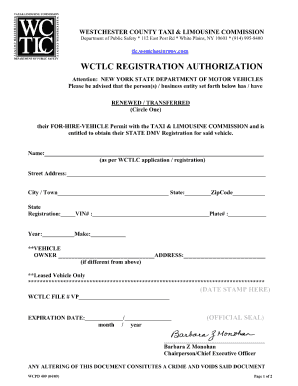
Tlcwestchestergovcom form

CCC-576-1 Appraisal Production Report Noninsured Crop Disaster Assistance Program for 2019 and Subse
CCC-576-1 Appraisal Production Report Noninsured Crop Disaster Assistance Program for 2019 and Subse
The document is a form from the U.S. Department of Agriculture for the Non-Insured Crop Disaster Assistance Program (NAP ...

Medical Examiners Medical Manual
The document is a comprehensive guide on the Medical Certification System for Medical Examiners, detailing procedures fo ...

Fuel Identification and Handling
The document on Fuel Management provides comprehensive guidelines for pilots regarding the identification, handling, and ...

Notification of a proposal to issue cancel an airworthiness
The document outlines the Airworthiness Directive (AD) schedule for Robin DR 400/180 and DR 400/500 aircraft, issued by ...

Accessible car parking spaces Accessible car parking spaces
The document provides guidelines for creating accessible car parking spaces for individuals with disabilities, particula ...

EXCELLENCE THROUGH PATIENT AND
The document outlines a comprehensive Stakeholder and Communication Plan for the Bay of Plenty District Health Board, fo ...

ReTrieve Cream - NPS MedicineWise
The document provides detailed consumer medicine information about ReTrieve® Cream, which contains tretinoin and is used ...