



Here's how it works



How to use or fill out Printable 2020 Minnesota Form M11L (Insurance Premium Tax Return for Life and Health Companies) with DocHub

- Click ‘Get Form’ to open the Printable 2020 Minnesota Form M11L in our platform.
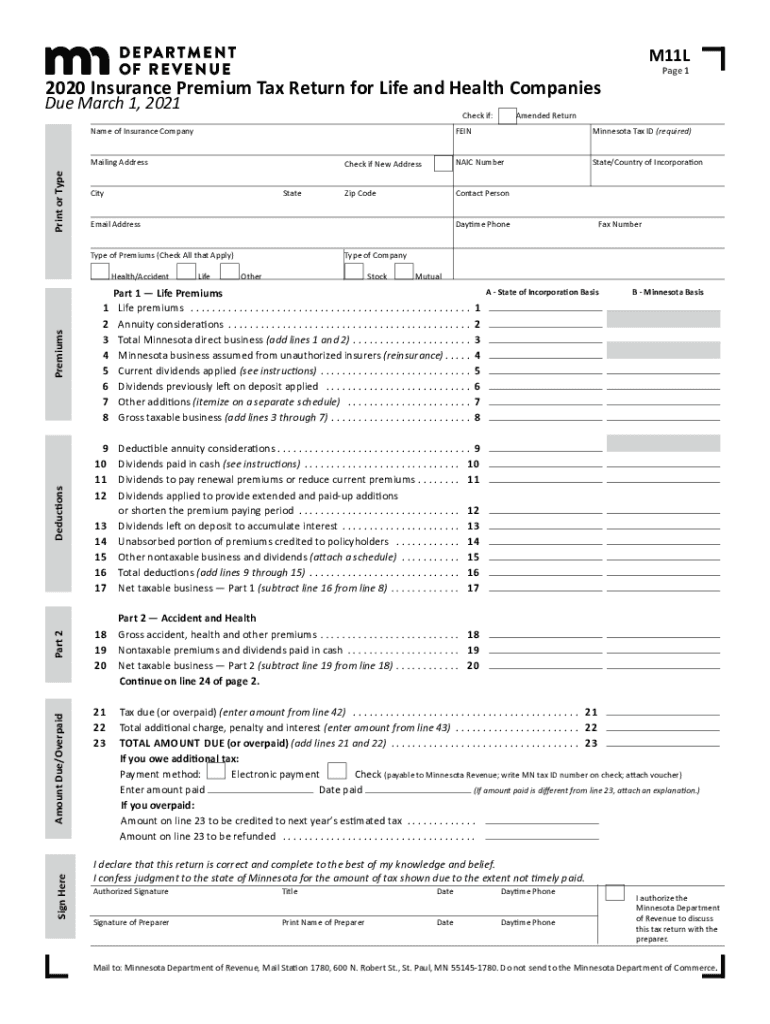
- Begin by filling in your insurance company's name, FEIN, and Minnesota Tax ID at the top of the form. Ensure all information is accurate to avoid processing delays.
- Indicate if this is an amended return by checking the appropriate box. If applicable, provide your mailing address and contact details.
- In Part 1, enter life premiums and annuity considerations. Sum these amounts to determine your total Minnesota direct business.
- Proceed to Part 2 for accident and health premiums. Fill in gross premiums, nontaxable amounts, and calculate net taxable business by subtracting nontaxable from gross.
- Complete tax liability calculations based on the premium tax percentage rates provided in the instructions. Ensure you check all calculations for accuracy.
- Finally, sign and date the form where indicated. Review all entries before submitting electronically or via mail as per instructions.
Start using our platform today to easily fill out your form for free!
It's free
See more Printable 2020 Minnesota Form M11L (Insurance Premium Tax Return for Life and Health Companies) versions
Got questions?
How do I sign my health insurance premium document on iOS?
With DocHub, you can quickly sign your health insurance premium document or any other document on iOS, even without installing extra programs. You can access your DocHub account from any web-connected browser and complete and sign your form in any preferred method with just a couple of clicks.
How do you fill out insurance tax form online?
You may find and edit your insurance tax form online by using DocHub. Its simple yet feature-rich design enables you to begin effective work immediately after you register your account. Create your profile and add your file, then our user interface will guide you through our stress-free form completion experience.
What is the Minnesota health care provider tax?
Where can I pick up tax forms to fill out?
At what age do seniors stop paying property taxes in MN?
Security and compliance
At DocHub, your data security is our priority. We follow HIPAA, SOC2, GDPR, and other standards, so you can work on your documents with confidence.
Learn more