




Here's how it works

01. Edit your form online
Type text, add images, blackout confidential details, add comments, highlights and more.

02. Sign it in a few clicks
Draw your signature, type it, upload its image, or use your mobile device as a signature pad.

03. Share your form with others
Send it via email, link, or fax. You can also download it, export it or print it out.
How to use or fill out 8801 with our platform

- Click ‘Get Form’ to open the 8801 in the editor.
- Begin by entering your name(s) as shown on your return at the top of the form.
- In Part I, combine lines 1 and 2e from your previous year's Form 6251 to calculate your net minimum tax on exclusion items.
- Enter any adjustments and preferences treated as exclusion items in line 2, following the instructions provided.
- For line 4, sum lines 1, 2, and any applicable deductions. If this total is zero or less, enter -0- and proceed to Part II.
- Continue filling out subsequent lines based on your filing status and follow the instructions for each section carefully.
Start using our platform today for free to simplify your form completion process!
Fill out 8801 online
It's free
It's free
See more 8801 versions
We've got more versions of the 8801 form. Select the right 8801 version from the list and start editing it straight away!
| Versions | Form popularity | Fillable & printable |
|---|---|---|
| 2025 | 4.9 Satisfied (23 Votes) | |
| 2024 | 4.2 Satisfied (49 Votes) | |
| 2023 | 4.6 Satisfied (40 Votes) | |
| 2022 | 4.5 Satisfied (59 Votes) | |
| 2021 | 4.8 Satisfied (138 Votes) | |
| 2020 | 4.4 Satisfied (130 Votes) | |
| 2019 | 4.2 Satisfied (53 Votes) | |
| 2018 | 4.3 Satisfied (43 Votes) | |
| 2015 | 4.2 Satisfied (55 Votes) |
Security and compliance
At DocHub, your data security is our priority. We follow HIPAA, SOC2, GDPR, and other standards, so you can work on your documents with confidence.
Learn more


Related forms

S T HESIS - ece umd
The thesis by Xiaozhong Pang presents a novel neural network design aimed at enhancing approximate dynamic programming ( ...

Academic and Administrative Listings - University Relations - urhome umd
The document provides a comprehensive listing of academic and administrative departments, centers, and programs at the U ...
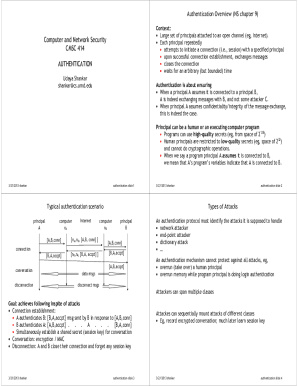
Creating a service principal application using PowerShell
The document provides an extensive overview of authentication in computer and network security, detailing the processes ...

PDF version - Critical and Creative Thinking Program - University of
The 'Thinking for Change Fieldbook' provides a comprehensive resource for enhancing critical and creative thinking in ed ...

Depiction of Food as
The study examines food advertisements targeting children on U.S. television, focusing on portrayals of behaviors associ ...

Software for the control of experiments for investigation
The document discusses the development of a specialized software system for conducting real-time experiments on low-visi ...

Skybird credit card authorization form
The document is a Credit Card Authorization Form for Sky Bird Travel & Tours Inc., requiring complete information to pro ...
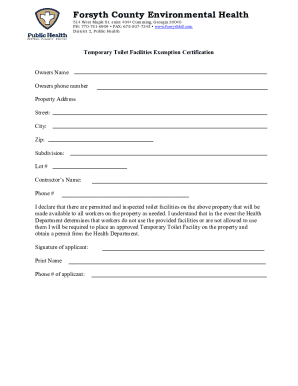
Temporary Toilet Facilities Exemption Certification
The document is a certification form from Forsyth County Environmental Health for Temporary Toilet Facilities Exemption. ...