Type text, add images, blackout confidential details, add comments, highlights and more.

02. Sign it in a few clicks
Draw your signature, type it, upload its image, or use your mobile device as a signature pad.

03. Share your form with others
Send it via email, link, or fax. You can also download it, export it or print it out.

How to use or fill out ny 633 form with our platform
Ease of Setup
DocHub User Ratings on G2
Ease of Use
DocHub User Ratings on G2
Click ‘Get Form’ to open the ny 633 form in the editor.
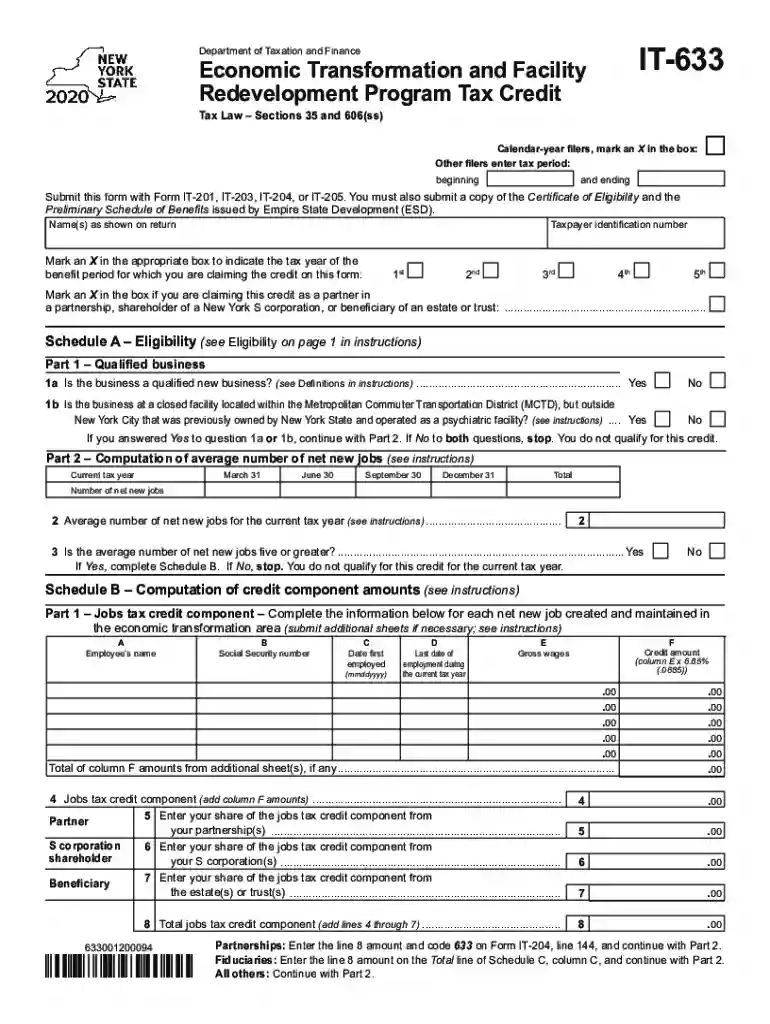
Begin by marking an X in the box for calendar-year filers or enter your tax period dates. Ensure you provide your name(s) and taxpayer identification number accurately.
Indicate the tax year for which you are claiming the credit by marking the appropriate box. If applicable, check if you are claiming as a partner, shareholder, or beneficiary.
Proceed to Schedule A – Eligibility. Answer questions regarding your business status and whether it qualifies under specified criteria.
In Schedule B, list each net new job created along with required details such as employee names and employment dates. Calculate the credit amounts based on gross wages.
Continue through subsequent schedules, providing necessary information about investments and training expenses as outlined in the instructions.
Start filling out your ny 633 form online for free today!
Instructions for Form IT-633 Economic Transformation and
General information. The Tax Law provides a credit to taxpayers who are participants in the Economic Transformation and Facility Redevelopment. Program.Read more
Cookie consent notice
This site uses cookies to enhance site navigation and personalize your experience.
By using this site you agree to our use of cookies as described in our Privacy Notice.
You can modify your selections by visiting our Cookie and Advertising Notice.