




Here's how it works

01. Edit your 2019 michigan form online
Type text, add images, blackout confidential details, add comments, highlights and more.

02. Sign it in a few clicks
Draw your signature, type it, upload its image, or use your mobile device as a signature pad.

03. Share your form with others
Send it via email, link, or fax. You can also download it, export it or print it out.
How to use or fill out Michigan Personal Property with our platform

- Click ‘Get Form’ to open the Michigan Personal Property Statement in the editor.
- Begin by filling in the 'FROM' section with the name and address of your assessor. Ensure accuracy to avoid processing delays.
- In the 'TO' section, enter your legal name, business type, and contact information. If applicable, provide your residential address if you are a sole proprietor.
- List all locations of personal property reported on this statement. Attach additional sheets if necessary for multiple locations.
- Complete Sections A through N by reporting all tangible personal property owned or leased at each location. Be thorough in detailing acquisition costs and descriptions.
- Review the summary and certification section to ensure all questions are answered accurately before signing and dating the form.
Start using our platform today for free to streamline your document editing and submission process!
Fill out michigan personal property online
It's free
It's free
See more michigan personal property versions
We've got more versions of the michigan personal property form. Select the right michigan personal property version from the list and start editing it straight away!
Security and compliance
At DocHub, your data security is our priority. We follow HIPAA, SOC2, GDPR, and other standards, so you can work on your documents with confidence.
Learn more


Related forms

Controlling Asthma in Schools
The document discusses the CDC's National Asthma Control Program (NACP) and its efforts to promote asthma-friendly schoo ...

Cedar River, Cedar Rapids, Iowa
The document is a feasibility study report for the Cedar River Flood Risk Management Project in Cedar Rapids, Iowa. It o ...

July RJ - USAREC - U S Army
The July 2007 issue of the Recruiter Journal from the U.S. Army Recruiting Command highlights various initiatives and ac ...

Primary Care and Specialist Services - Center for Medicare - innovation cms
The document outlines a learning session focused on the organization and delivery of primary care and specialist service ...
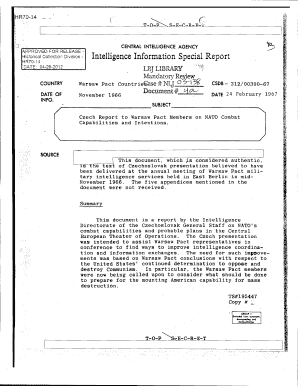
HR7014 o ' - foia cia
The document HR70-14 is a Czechoslovak report presented to Warsaw Pact members, analyzing NATO's combat capabilities and ...
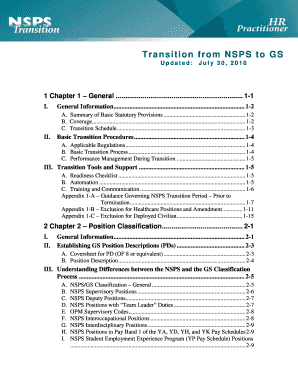
Transition from NSPS to GS - cpol army mil
The document outlines the transition process for employees and positions moving from the National Security Personnel Sys ...

In order to reflect upon the establishment and utility of this Task Force, and to prepare for a futu
In order to reflect upon the establishment and utility of this Task Force, and to prepare for a futu
The After Action Review (AAR) of the Missouri River Flood Task Force (MRFTF) reflects on the establishment, successes, a ...

HDSOct242012Minutes CDC Advisory Committee to the Director Health Disparities Subcommittee
HDSOct242012Minutes CDC Advisory Committee to the Director Health Disparities Subcommittee
The document contains the minutes from the October 24, 2012 meeting of the Health Disparities Subcommittee of the CDC Ad ...


