Type text, add images, blackout confidential details, add comments, highlights and more.

02. Sign it in a few clicks
Draw your signature, type it, upload its image, or use your mobile device as a signature pad.

03. Share your form with others
Send it via email, link, or fax. You can also download it, export it or print it out.

How to use or fill out de1101id with our platform
Ease of Setup
DocHub User Ratings on G2
Ease of Use
DocHub User Ratings on G2
Click ‘Get Form’ to open the de1101id application in the editor.
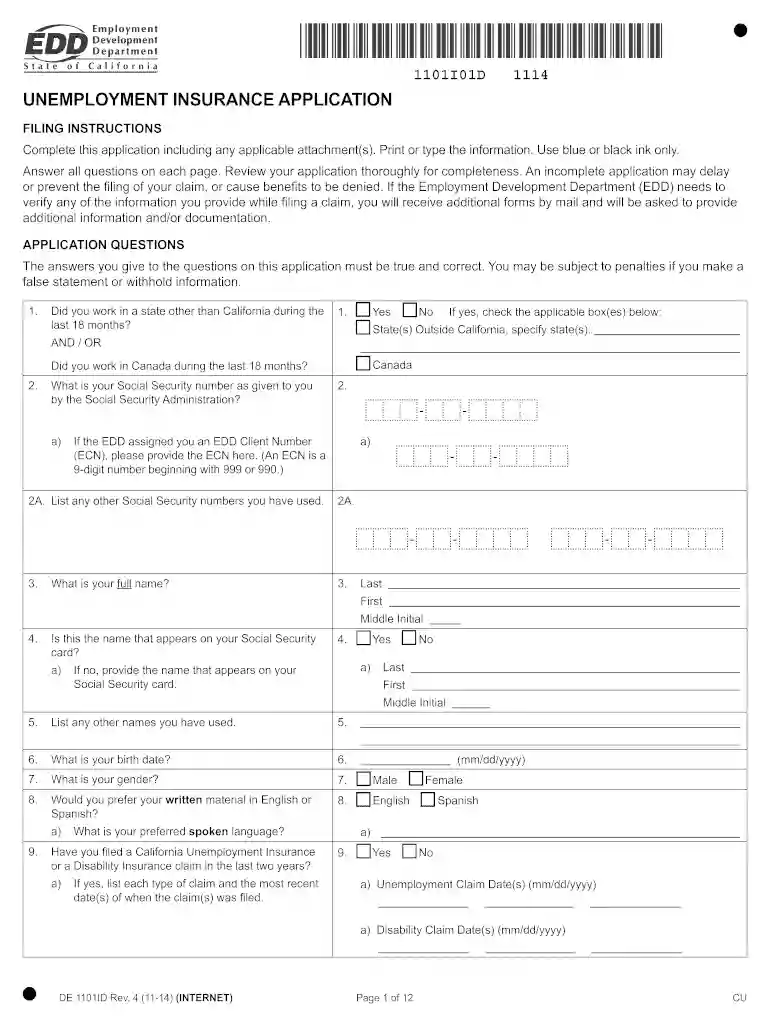
Begin by filling out your personal information in Section 3, including your full name and Social Security number. Ensure accuracy to avoid delays.
In Section 4, confirm if the name on your application matches your Social Security card. If not, provide the correct name.
Proceed to Section 19, where you will list your employment history for the past 18 months. Include employer names, addresses, dates worked, and total wages earned.
Complete any additional sections relevant to your situation, such as disability status or union membership in Sections 30 and 34.
Review all entries for completeness and accuracy before submitting. An incomplete form may delay processing.
Start using our platform today to fill out your de1101id form online for free!
Unemployment Insurance Application (DE 1101ID Rev. 6 (6-22))
FILING INSTRUCTIONS. Complete this application including any applicable attachment(s). Print or type the information. Use blue or black ink only.Read more
Cookie consent notice
This site uses cookies to enhance site navigation and personalize your experience.
By using this site you agree to our use of cookies as described in our Privacy Notice.
You can modify your selections by visiting our Cookie and Advertising Notice.