




Here's how it works



How to use or fill out 41373 with our platform

- Click ‘Get Form’ to open it in the editor.
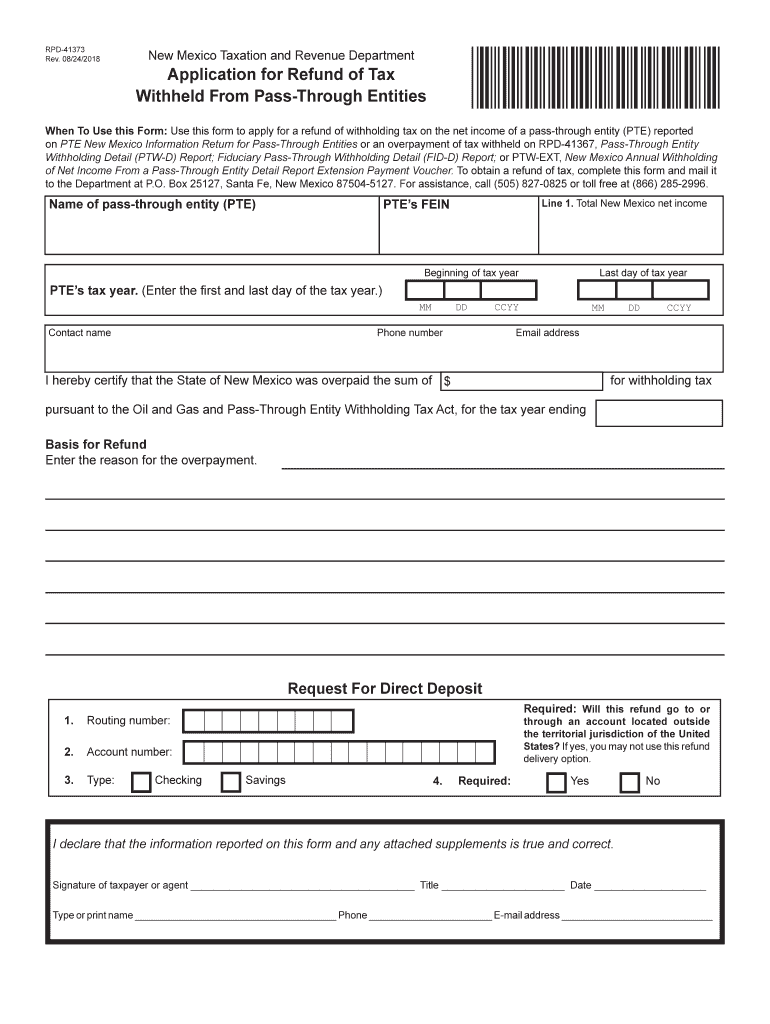
- Begin by entering the name of the pass-through entity (PTE) and its FEIN in the designated fields.
- Fill in Line 1 with the total New Mexico net income, along with the beginning and last day of the tax year.
- Provide your contact information, including your name, phone number, and email address.
- In the Basis for Refund section, clearly state the reason for overpayment. If more space is needed, attach an additional sheet.
- If you prefer direct deposit for your refund, complete the Request For Direct Deposit section carefully, ensuring all details are accurate.
- Sign and date the form at the bottom to certify that all information is true and correct.
- Finally, attach any required documents and submit everything to the New Mexico Taxation and Revenue Department at the provided address.
Start using our platform today to simplify your form completion process for free!
It's free
See more 41373 versions
Got questions?
How can I eSign my 41373 in Word?
Microsoft Word doesn’t have signing tools to generate legitimate electronic signatures and enforceable documents. Fortunately, DocHub is an online eSignature-compliant editor that works with various file formats, such as .doc files. Sign in to your account and upload the Word edition of your 41373 from your device and cloud, or URL - our editor will automatically convert it into an editable PDF. Make all required changes in your document and click Sign to generate your own legally-binding eSignature. You will find four signing options from which to choose.
How do you edit 41373 on iOS?
You can easily edit and complete your 41373 on any iOS device. Open an internet browser of your choice, visit the DocHub site, authorize or create a new account, upload your file for editing, and make your desired changes. Our service is mobile-friendly, so using its features on your smartphone will be a no-brainer, even on the first try.
Security and compliance
At DocHub, your data security is our priority. We follow HIPAA, SOC2, GDPR, and other standards, so you can work on your documents with confidence.
Learn more


Related forms




