990 ez 2026

Get Form
990 ez Preview on Page 1

Here's how it works

01. Edit your form online
Type text, add images, blackout confidential details, add comments, highlights and more.

02. Sign it in a few clicks
Draw your signature, type it, upload its image, or use your mobile device as a signature pad.

03. Share your form with others
Send it via email, link, or fax. You can also download it, export it or print it out.

How to use or fill out 990 ez with our platform

Form edit decoration
9.5
Ease of Setup
DocHub User Ratings on G2
9.0
Ease of Use
DocHub User Ratings on G2
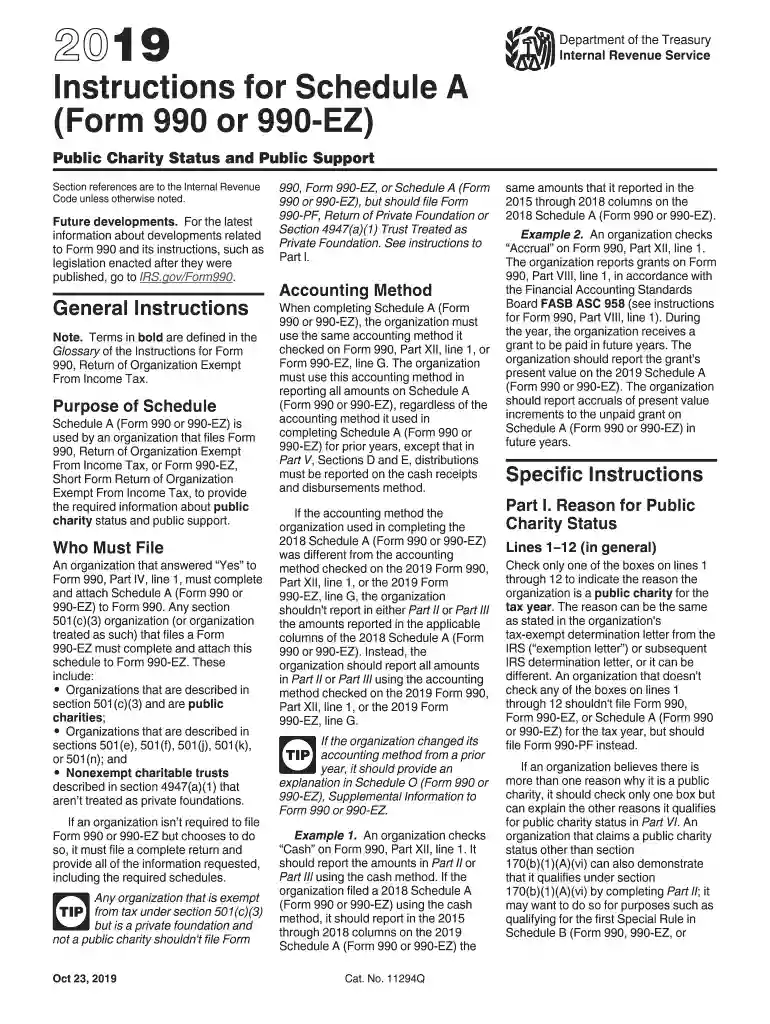
  1. Click ‘Get Form’ to open the 990 ez in the editor.
  2. Begin with Part I, where you will indicate your public charity status. Check only one box that applies to your organization based on IRS guidelines.
  3. Proceed to Part II, which requires you to report your organization's public support. Ensure you include all relevant contributions and grants received over the past five years.
  4. In Part III, if applicable, check the box indicating whether your organization meets the support tests under section 509(a)(2). Provide detailed information as required.
  5. Complete any additional sections as necessary, ensuring all fields are filled accurately. Use our platform's features to save and edit your entries easily.

Start filling out your 990 ez form for free today using our platform!

See more 990 ez versions

We've got more versions of the 990 ez form. Select the right 990 ez version from the list and start editing it straight away!
Versions Form popularity Fillable & printable
2023 4.2 Satisfied (20 Votes)
2022 4.7 Satisfied (45 Votes)
2020 4.8 Satisfied (106 Votes)
2019 4.3 Satisfied (60 Votes)
2018 4.4 Satisfied (101 Votes)
2017 4.3 Satisfied (183 Votes)
2011 4.4 Satisfied (599 Votes)
be ready to get more

Complete this form in 5 minutes or less

Get form

Got questions?

We have answers to the most popular questions from our customers. If you can't find an answer to your question, please contact us.
Contact us
Form 1040EZ was a shortened version of Form 1040 for taxpayers with basic tax situations. The form was discontinued as of the 2018 tax year and replaced with the redesigned Form 1040. Form 1040EZ could only be used by people with no dependents who were younger than age 65 and earned less than $100,000 per year.
Form 990-N Vs Form 990-EZ: Whats the Difference? Form 990-N: This form can be filed by organizations whose gross receipts are $50,000 or less. Form 990-EZ: This form can be filed by organizations whose gross receipts are $200,000 and assets $500,000.
Most small tax-exempt organizations that have an annual reporting requirement can satisfy the requirements by submitting Form 990-N, Electronic Notice (e-Postcard) for Tax-Exempt Organizations Not Required to File Form 990 or Form 990-EZ.
Form 990-N, also known as the e-postcard, is the IRSs electronic form for tax-exempt organizations with annual gross receipts of less than $50,000. Form 990-EZ, the IRS form required for midsized tax-exempt organizations with annual gross receipts between $50,000 and $200,000.
If an organization has gross receipts less than $200,000 and total assets at the end of the year less than $500,000, it can file Form 990-EZ, instead of Form 990.

Security and compliance

At DocHub, your data security is our priority. We follow HIPAA, SOC2, GDPR, and other standards, so you can work on your documents with confidence.

Learn more
ccpa2
pci-dss
gdpr-compliance
hipaa
soc-compliance

People also ask

Tax-exempt organizations, nonexempt charitable trusts, and section 527 political organizations file Form 990-EZ to provide the IRS with the information required by section 6033.
Form 990-N is due every year by the 15th day of the 5th month after the close of your tax year (usually the same as your accounting period). Example: If your tax year ended on December 31, Form 990-N is due May 15 of the following year.
Pricing. FREE to file Form 990/990-EZ for organizations with less than $100,000 in gross receipts.

Related links